Open Bee™ Scan Capture Connection
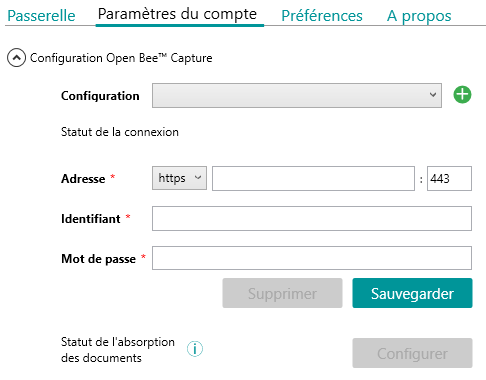
From the “Account Settings” tab, the connection information to the Open Bee™ Scan Capture server must be filled in.
Remark
Il est possible de gérer plusieurs configurations Open Bee™ Scan Capture en cliquant sur le boutonà droite de la liste des configurations.
Document Absorption
It is also possible to configure the absorption of documents from Windows folders by clicking on the “Configure” button.
These documents will be automatically sent to the configured Open Bee™ Scan Capture folder.
A history is available from the “Gateway” tab to view the status of each document deposited in the absorption file.
Preferences
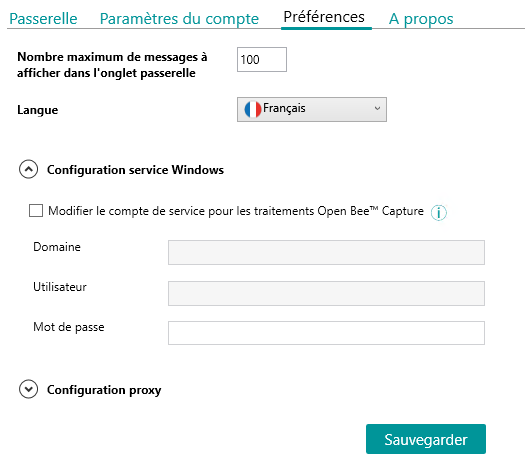
A preferences screen allows you to configure the language of the application, the service’s Windows account, a proxy and the maximum number of messages displayed in the “Gateway” tab.
Configuration service Windows
Certains traitements, comme l’execution de requêtes SQL avec authentification Windows, nécessitent d’être exécutés avec un compte Windows spécifique.
Dans ce cas là, l’option “Modifier le compte de service pour les traitements Open Bee Capture” est à activer.
Plus de détails pour la configuration Sage Objets Métiers sont disponibles sur cette page.