Open Bee Gateway is compatible with Sage SPC.
To connect to a Sage SPC environment, you must install the Gateway (version >= 1.2.3) directly on the sage server.
It is imperative not to install the business objects on the Sage SPC server because they are already installed!
Here is an example of information to be filled in where:
- xiyxu8z271 = Azure SQL instance name
- xm9mokrk4q_AS274AY1ZH ) Azure SQL database name
- JEWEL = Azure Company Name
- test@test.com = Sage ID
- The password should be left blank

FAQ
objets100c.dll not found
If an error appears indicating that the objets100c.dll file is not found, you must modify the gateway configuration file (C:\Program Files (x86)\OpenBee\Open Bee Gateway\Configuration\OBGateway.config) to indicate the path of this file.
For example, the PathOM tag must be replaced

by

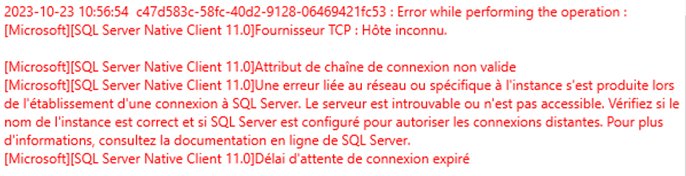
Unknown host
As part of this error, verify the login information entered into Open Bee™ Scan Capture