The keyboard shortcut is required to start the search for the selected keyword in Open Bee™ Portal. It must contain at least one special key (CTRL, ALT, SHIFT) and one character key (A, B, C, etc.).
It can be configured from the configuration window, launched from the application’s desktop shortcut, or from the systray menu by selecting the “Configure keyboard shortcut ” option.
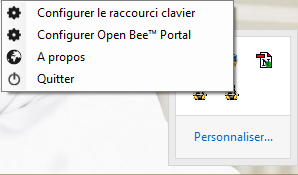 :
:
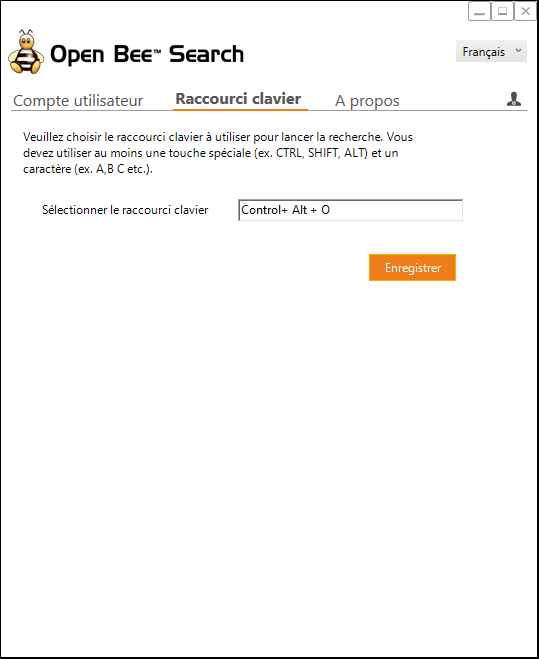
The default value for the keyboard shortcut is “CTRL+ALT+O“.
If you want to change the keyboard shortcut, just make your new keyboard shortcut from your keyboard, the shortcut will be automatically entered in the text box.
Click “Save” to confirm this new keyboard shortcut.