It is possible for a user to enter a reminder date outside of the automated rules mechanism in order to handle exceptions and allow for greater flexibility.
There are two callback input modes in Open Bee™ Portal. Document Vacuum Cycle Module reminders and a more basic reminder natively integrated into Open Bee™ Portal. Please note that only lifecycle reminders allow you to benefit from the processing of reminders by creating a task or injecting into a workflow.
Open Bee™ Portal native system do not appear in the reminder tracking screen.
Manually create a reminder date on a document
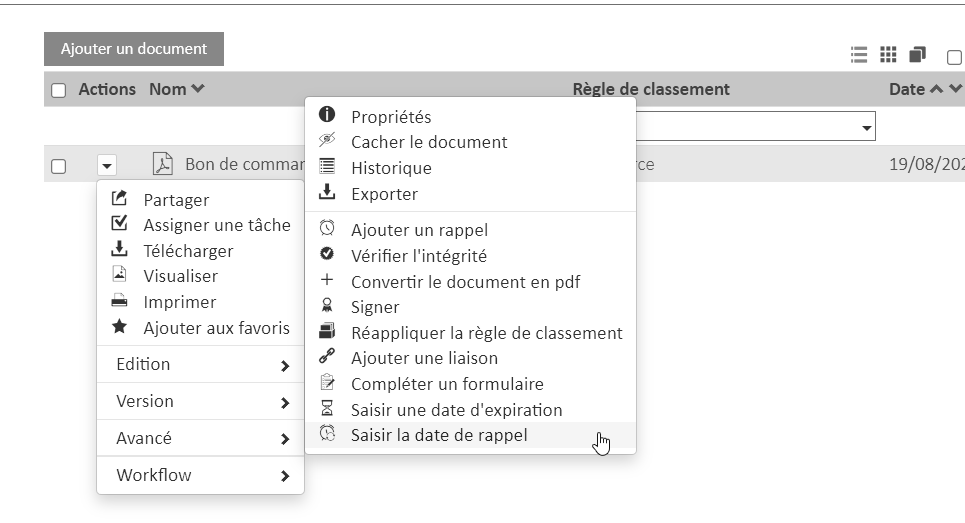
You can manually enter a reminder date on a document from the advanced options.
From the Documents interface:
- Choose the desired document
- Click the arrow and then click Advanced
- Click enter reminder date
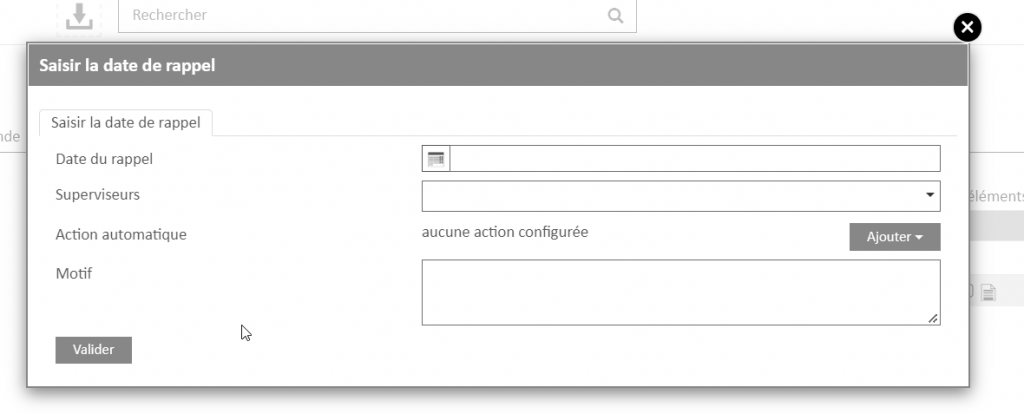
The following window appears:
- Set a reminder date
- Define Supervisors.
- Supervisors are the users who will be able to see and process this reminder
- Define an action, i.e. how the callback will be handled when it is triggered.
- No action is the same as processing the manual callback
- Alternatively, you can associate this reminder with creating a task or injecting it into a workflow
- Optionally, define a pattern.
- This reason will be displayed in the reminder tracking screen
- Validate to create the reminder
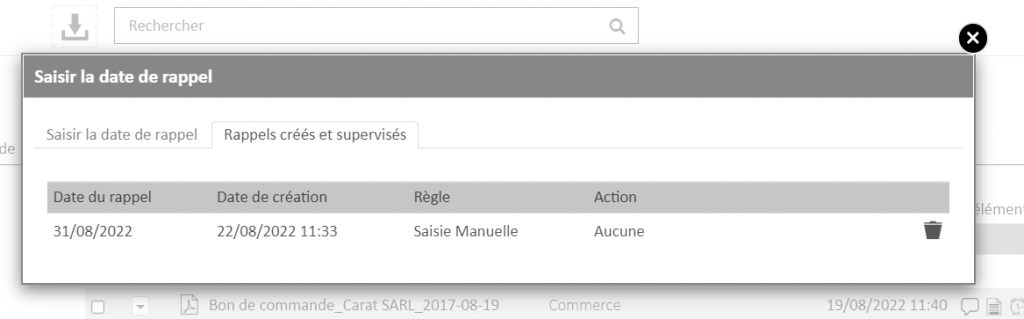
Viewing reminders on a document
An icon indicating that at least one reminder is associated with the document is displayed next to the document.
By clicking on this icon, it is possible to view the reminders and delete them.

Edit reminders on a document
You can edit reminders that are manually assigned to a document:
- Click the reminder icon associated with the document
- Delete the reminder you want to change
- Create the reminder again
It is possible to create multiple manual reminders on a document.
Reminders created by an automated rule are not editable.
They will be processed from the reminder tracking interface.
Please note that manual entry is subject to permission on the file. Thus, a user or a group of users can have permission to enter reminders in some folders but not in other folders according to the configuration that will have been made by the administrator of the Open Bee™ Portal solution
Have you found the answer to your question?