To print a document located in Open Bee™ Portal, follow these steps:
- Click the “Print” button on the home screen.
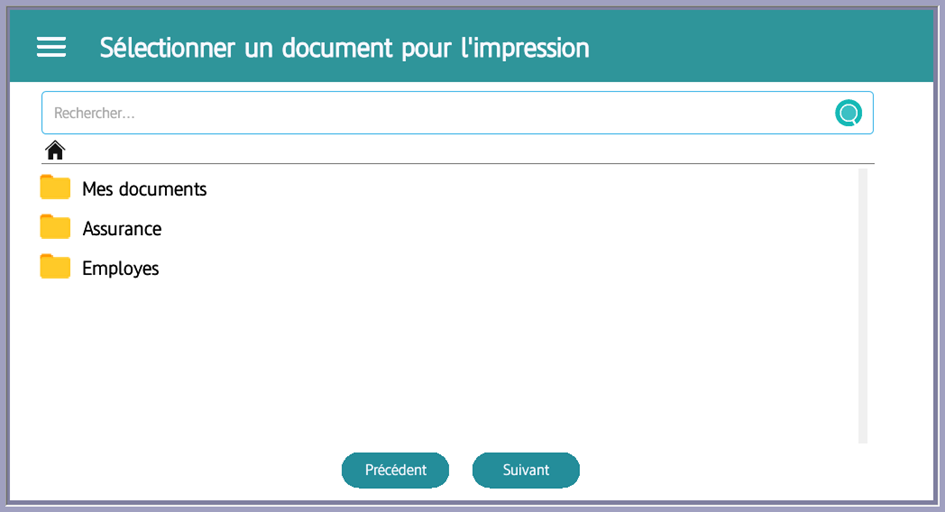
- You will be directed to the document selection page. The document can be selected by navigating through the tree or using the search functionality.
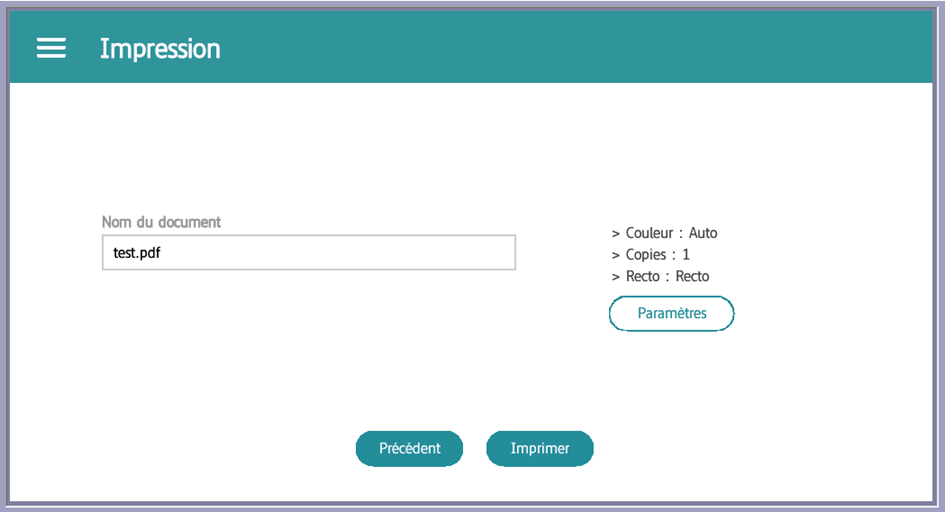
- After selecting the document, you will be redirected to the print page where you can change the print settings as needed.
- After clicking “Print”, a loading indicator will appear. Once the print is successful, a “Operation Successful” message will be displayed in full screen, similar to scanning to a folder or filing area.