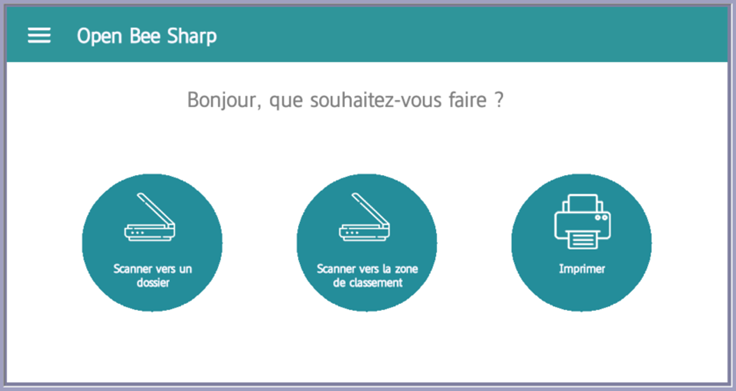
On the MFP, after installing it, click on the “Open Bee Sharp” app.
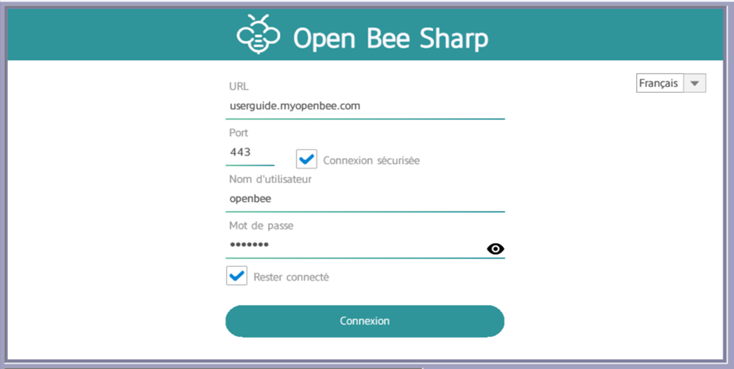
An authentication screen will be displayed where the following fields will be entered:
- Server address (without https://)
- Port
- Secure connection
- Username for Open Bee™ Portal
- Password
- Select the “Stay Connected” option if you want to keep your session active for future uses.
Tongue
Note: You can choose the language, English or French, from the drop-down list at the top of the page.
Once logged in, you will be directed to the Open Bee Sharp home screen. From this interface, you will have the ability to:
- Scan documents to an Open Bee™ Portal folder
- Scan documents to the filing area
- Print documents stored in Open Bee™ Portal folders