Thanks to the Open Bee™ Multi Sites module , users now have the possibility to have access to the documents of theirOpen Bee™ Portal instance as well as the documents present in the remote folders of other instances.
If a user has remote folders present on many instances, searching for a document can be tedious if it has to be started on each instance.
This is why the Open Bee™ Multi Sites module includes the ability to search directly on severalOpen Bee™ Portal instances .
This feature is available from the Remote Folders menu entry by clicking on the “Search for Documents” button.
This page allows you to enter a keyword to search all remote instances for which the user has rights.

Advanced options
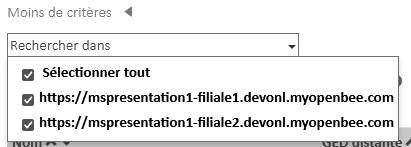
By default, a search is performed on all remote Open Bee™ Portal instances that the user has access to.
But it is possible to search only on certain instances by checking them in the drop-down list.
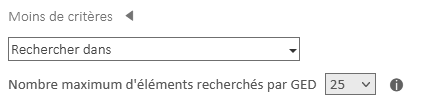
For performance reasons, the “Maximum number of items searched” setting limits the number of results.
By default this parameter is 25, i.e. only the 25 most relevant results per instance will be returned.