Working with workflows
For more details on how to use and configure a workflow, please refer to this page: Workflow Administration
Setting up a workflow task with the Electronic Signature module
The Electronic Signature module adds a new action to the workflow.
This new action allows you to schedule a signature to be sent when the task is validated.
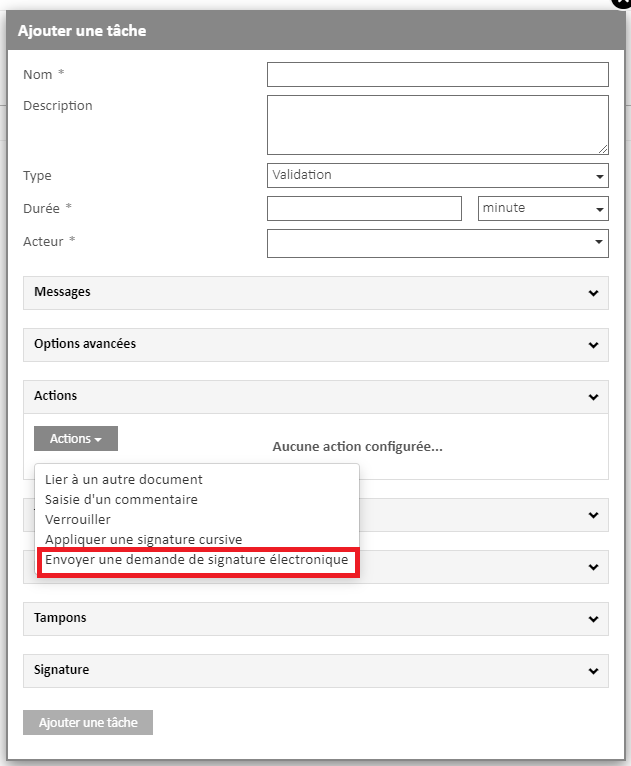
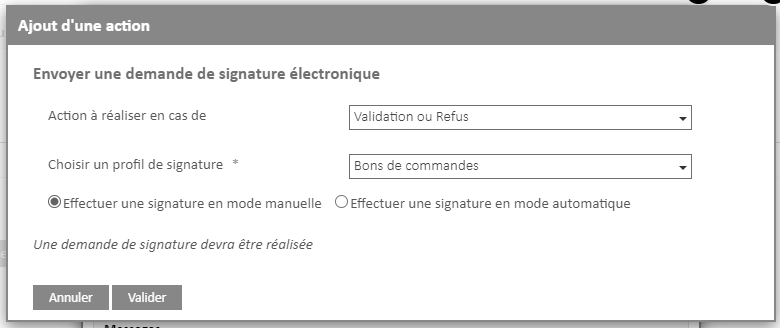
There are two parameters to set to send a manual signature request in a workflow:
- The choice of the action to be carried out (signature request either during a task validation or during the refusal)
- The choice of signature profile that will be used
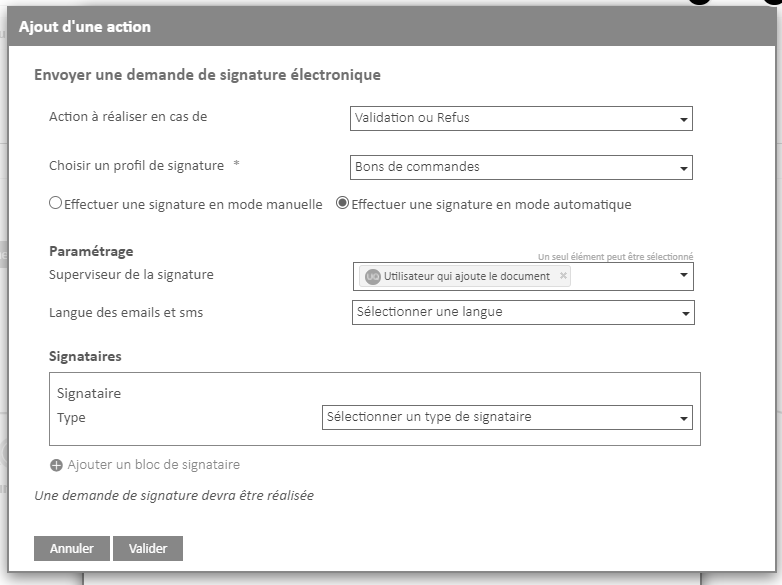
For automatic sending, the action to choose is “Sign in automatic mode“
There are three settings that need to be configured:
- The choice of the signature supervisor. In the context, it can also be the validator of the task.
- The choice of language
- The choice of the different signatories
Please note that a signature profile that requires the placement of a visual signature field is not compatible with automatic sending.