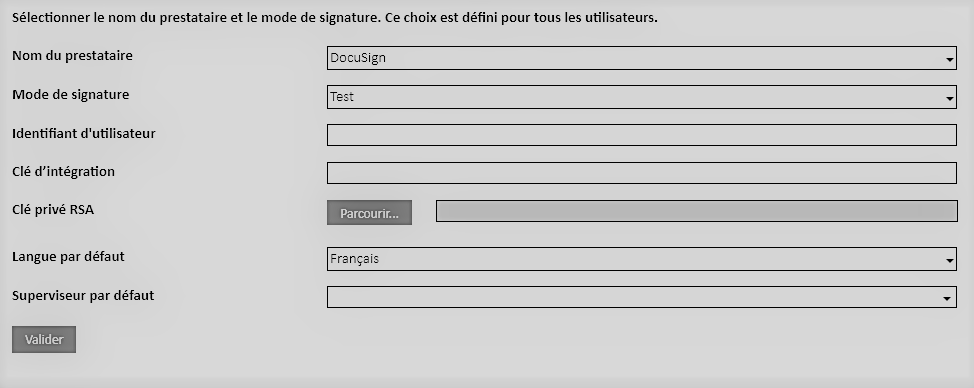
In order to connect Open Bee™ Portal to your DocuSign account, you need to retrieve the following information:
- User ID
- The Key to Integration
- The RSA Private Key
User ID
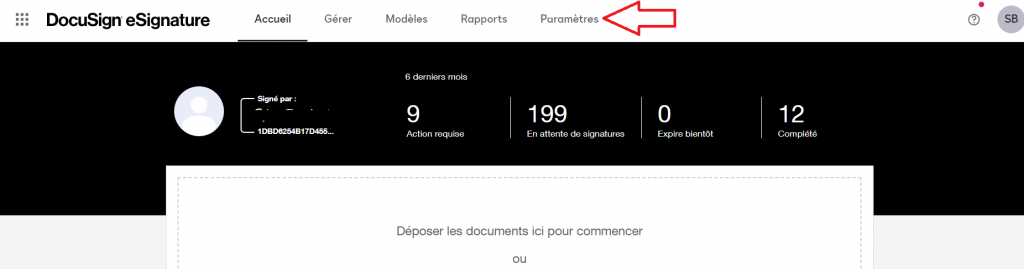
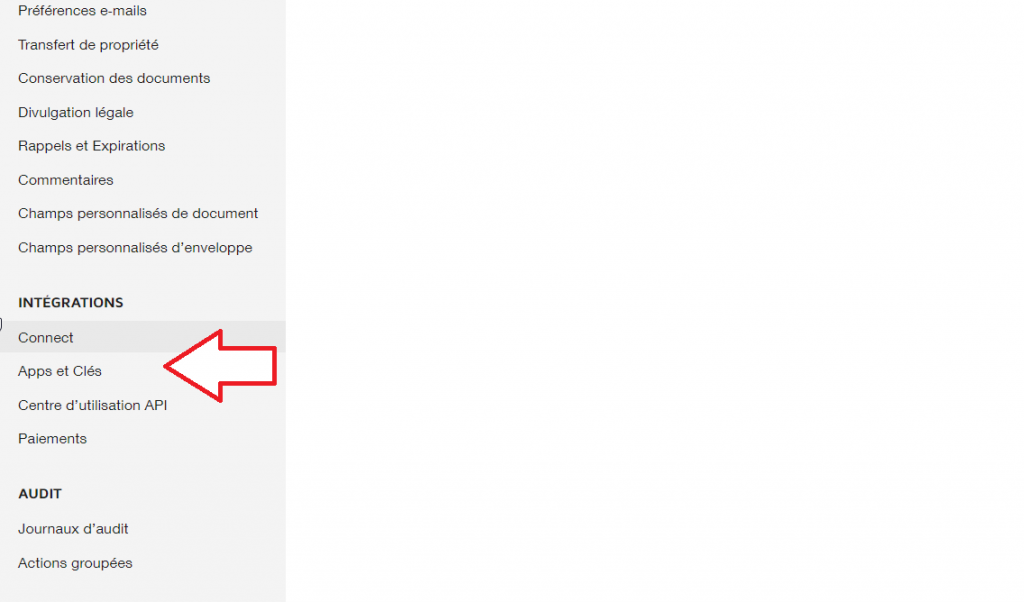
To retrieve your user ID, please go to the settings screen on your DocuSign account and in the left menu select the “Apps & Keys” category.
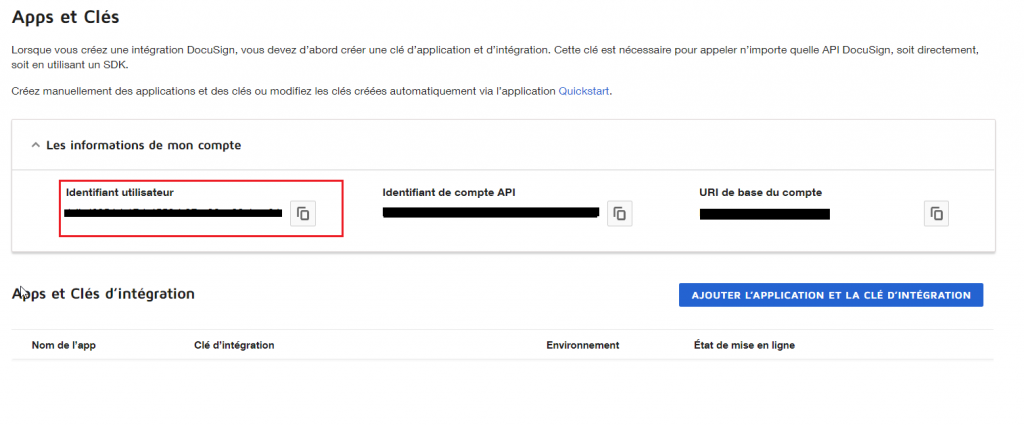
You can retrieve your user ID in this interface.
Creating an Application: RSA Integration Key and Private Key
To retrieve an RSA private key, it is necessary to create a new application by clicking on the “Add Application and Integration Key” button on the same screen.
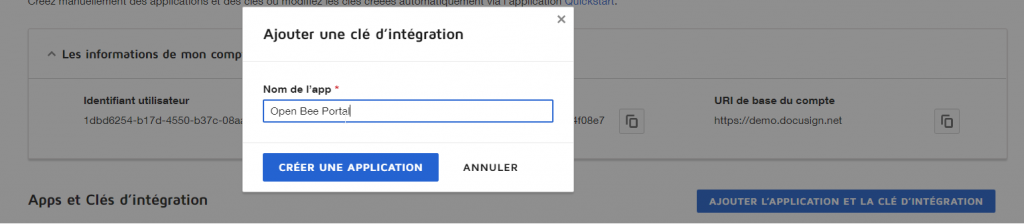
In case you want to connect multiple Open Bee™ Portal instances to your DocuSign account, it is possible to either create as many different applications or use the same application.
Be careful, however, you will need to add a callback URI for each Open Bee™ Portal instance associated with an application. The callback configuration is described below.
You can then:
- Retrieve the integration key generated when the application was created
- Generate your RSA private key
- Configure callback URL
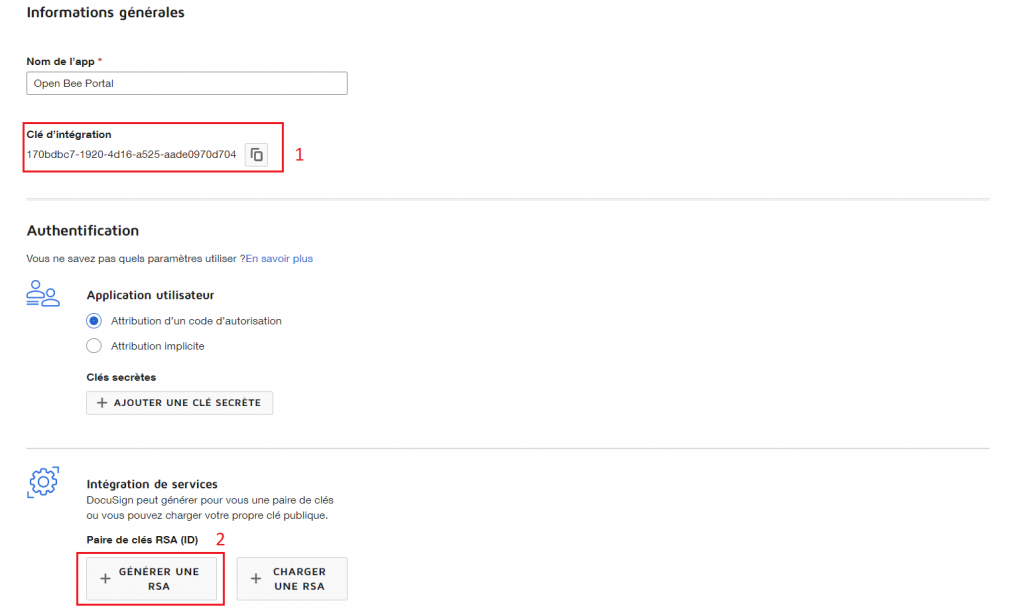
Click on the “Generate RSA” button, the private key will be displayed.
The next step is to copy the contents of the private key and create a TXT file with the contents of the private key. This file will then be used in the configuration.
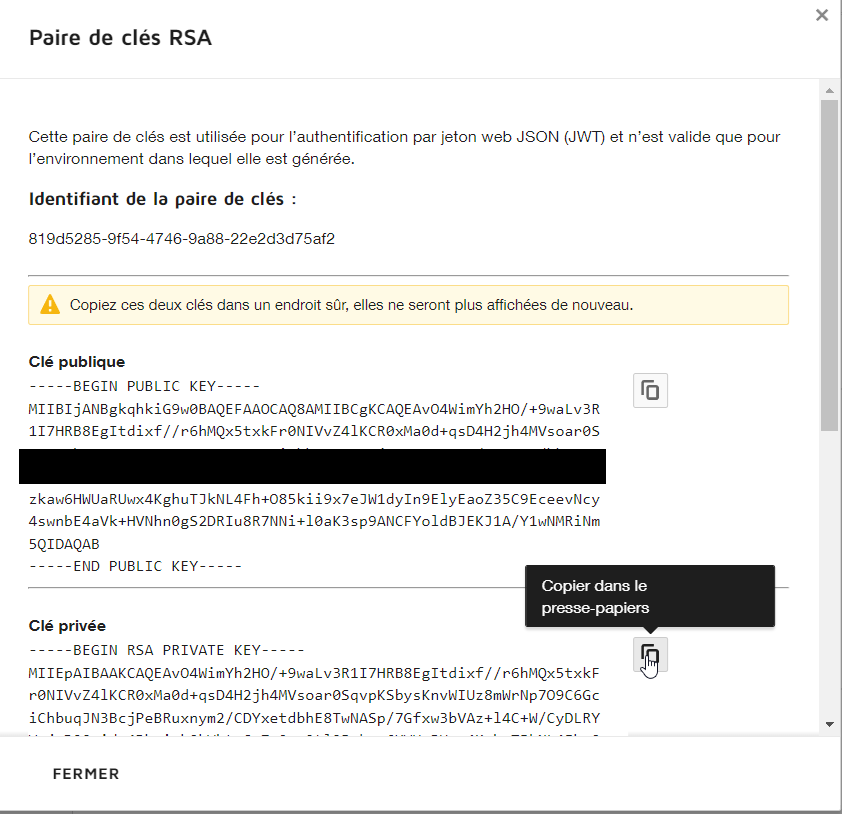
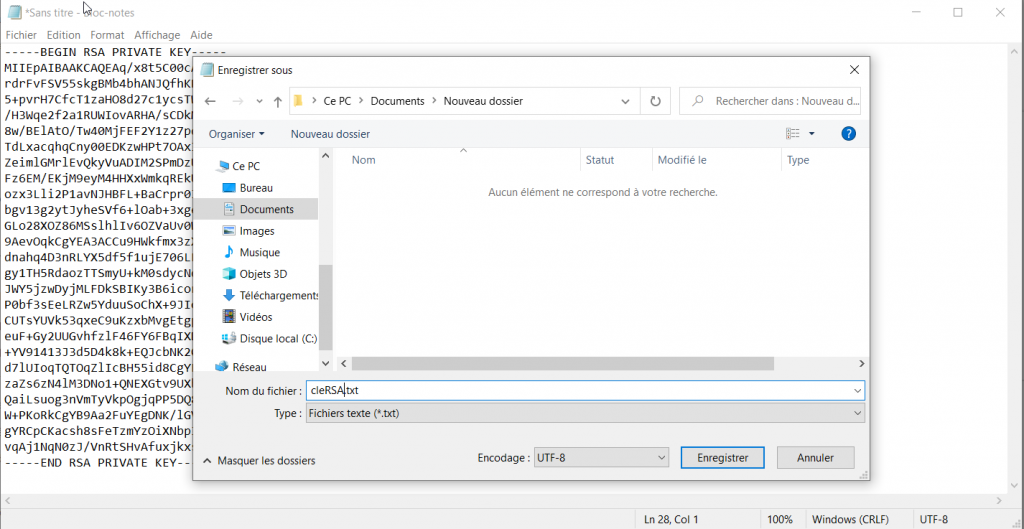
One last step is required before saving the configuration of this application. You need to fill in the callback URL. This step is mandatory.
This URL is required for communication between Open Bee™ Portal and DocuSign
Please add a new address by taking the name of your Open Bee™ Portal instance and adding the following suffix: electronicsign/config?provider
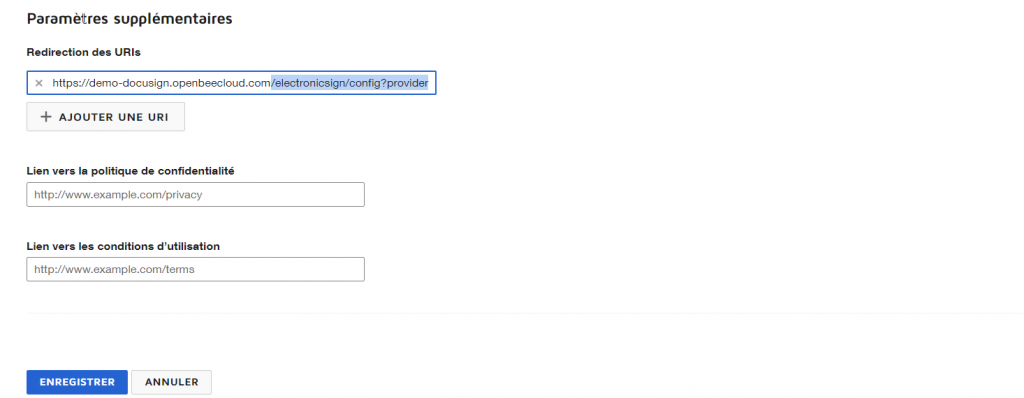
You can now save this configuration.
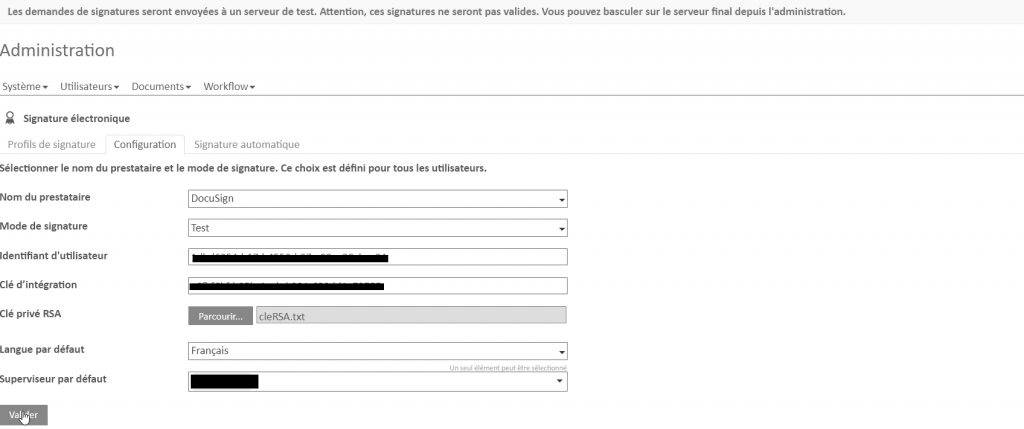
Enter the configuration in Open Bee™ Portal
You can now enter the 3 pieces of information requested.
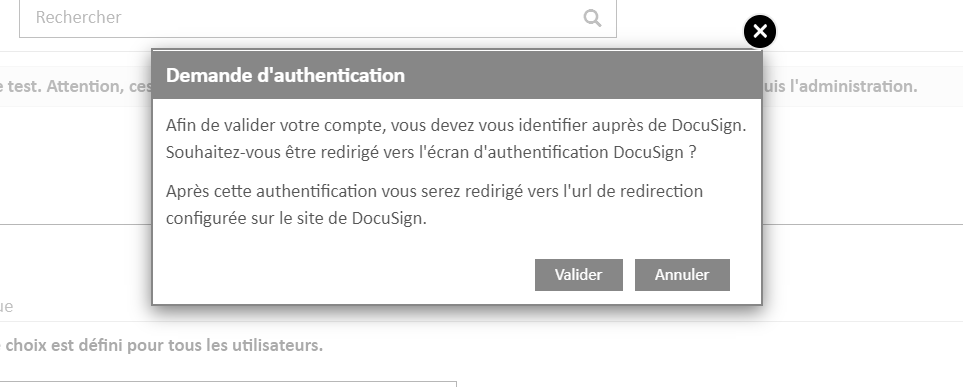
If the configuration settings are correct, Open Bee™ Portal requires the administrator to authenticate to with their DocuSign credentials in order to validate the connection.
If an error occurs when redirecting to the DocuSign site, it is because the callback URL is incorrectly entered in the previously created application.
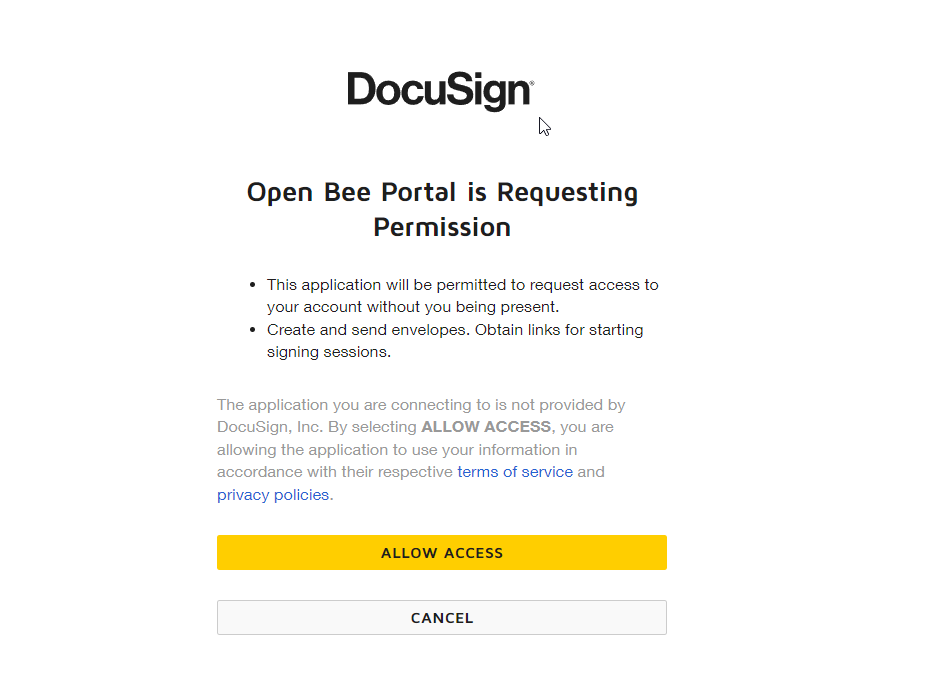
The connection to the DocuSign provider from Open Bee™ Portal is now correctly completed.