When filing documents, Open Bee™ Doc Office Manager displays a ” File in Open Bee™ Portal ” window.
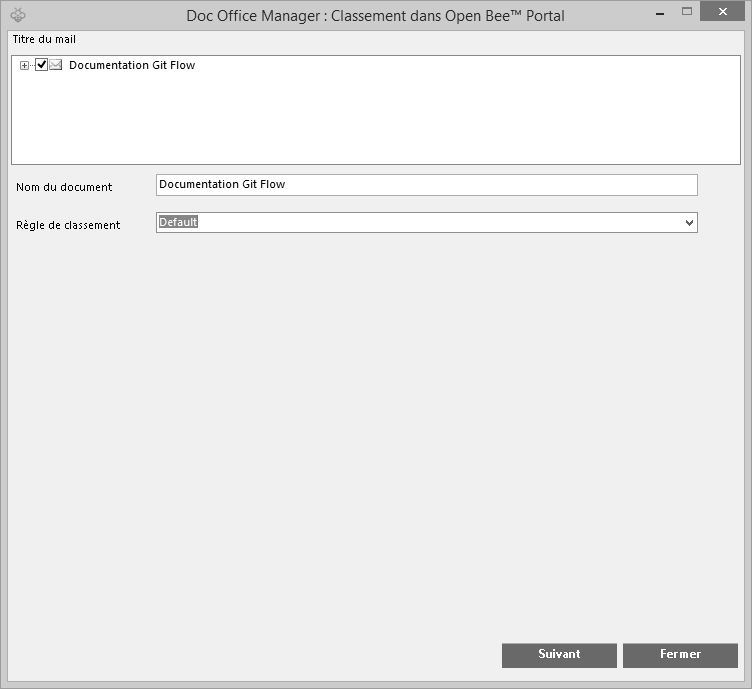
In this window you can:
- Choose the type of indexing (advanced or not) in the ” Classification rule ” section. If you click on ” Default “, you will be able to rename your document in the ” Document Name ” section.
- Choose another classification rule, in this case, refer to the ” Using advanced indexing ” section.
When you have renamed your file as desired, click ” check in ” to start archiving the document in Open Bee™ Portal.
Click ” cancel ” to cancel the leaderboard and close the window.
Processing may take a few seconds, a progress bar informs you of the progress of the ranking.
A window appears:
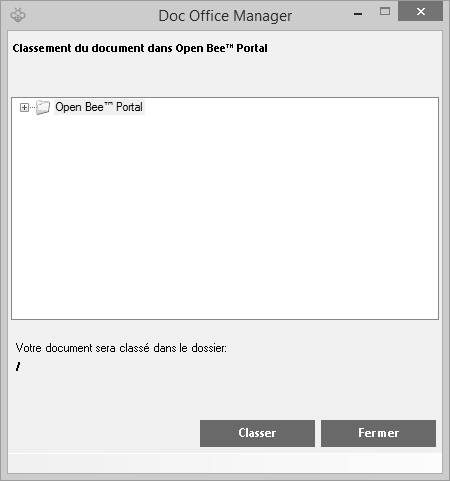
You must indicate the folder in which you want to file your document. To do this, you can scroll down the Open Bee™ Portal tree by clicking on the small ” + ” on the left of this folder.
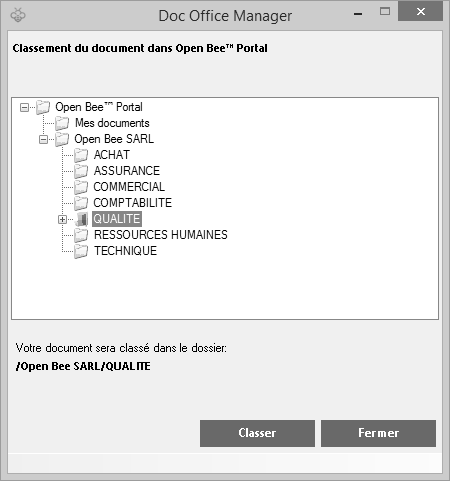
Your document is now categorized in the Open Bee™ Portal tree.
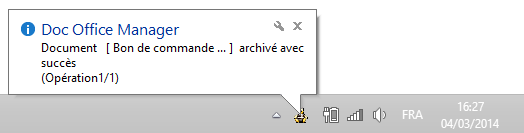
A tooltip will appear at the bottom of your screen in the taskbar to inform you of the result of your operation.