This type of import allows documents to be deposited in Windows folders that will then be imported to each user’s filing area.
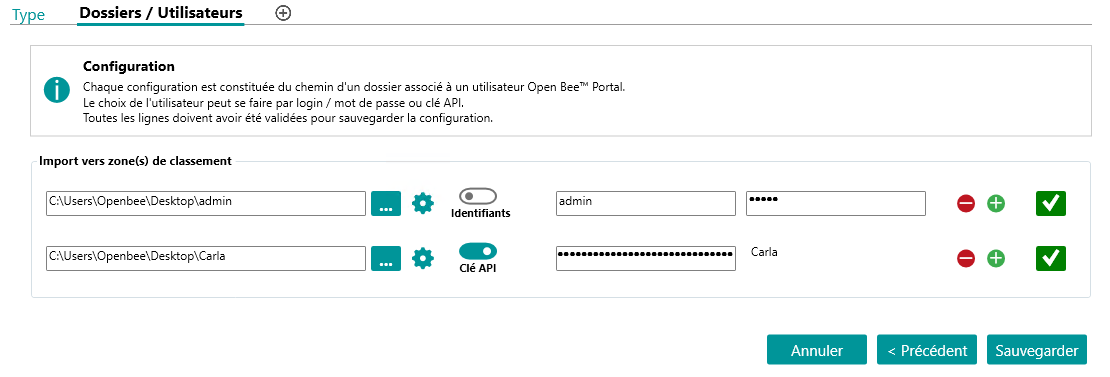
The configuration of this type of import consists of selecting for each line, a folder as well as the login information of the user to whom the documents will be sent.
Login information can be entered in the form of a login/password or an API key.
After filling in this information, the validation of the data entered is done by clicking on the button located on the right of the line  .
.
After configuring all the folders, the import profile is saved by clicking on the “Save” button.
Network Directory
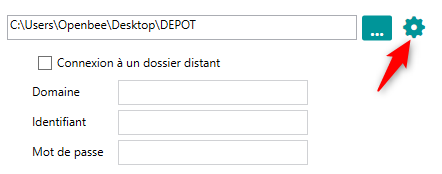
Document deposit folders can be network directories.
In this case, you will need to configure the login information.
The processed documents are kept for 7 days in the temporary folder of the Open Bee™ Data Importer