The history of documents processed by Open Bee™ Data Importer is visible from the “Import Details” window
This screen can be accessed from the dashboard by clicking on the corresponding icon

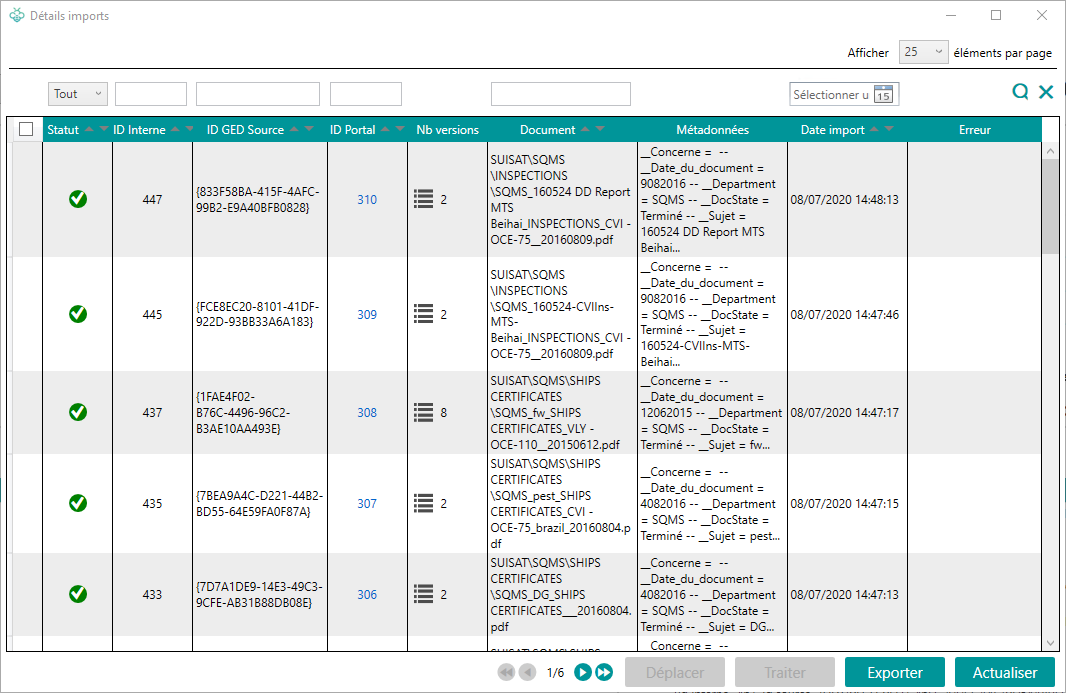
By default, the grid displays all documents related to the selected import.
The data displayed is as follows:
- Status (Waiting to import, in progress, error success)
- Internal ID (identifier of the document generated by Open Bee™ Data Importer)
- Source EDM ID (document identifier in the source EDM)
- Portal ID: The identifier of the document generated by Open Bee™ Portal
- Number of versions: Number of versions of the document
- Document: Document Path
- Metadata: Document metadata (a tooltip is displayed if not all metadata is visible)
- Date import
- Error
Filters
To narrow down the selection, filters are available.
Filters are applied after clicking on the “magnifying glass” icon.
Update
This button refreshes the data displayed in the grid.
Export
The “Export” button allows you to export the list of documents to a csv file (taking into account the filters).
The exports are available in the folder: C:Program Files (x86)OpenBeeOpen Bee Data ImporterTemp
Treat
The “Process” button allows you to send one or more documents that are in error to Open Bee™ Portal .
Move
The “Move” button allows you to send documents that would be in error to a folder in Open Bee™ Portal.
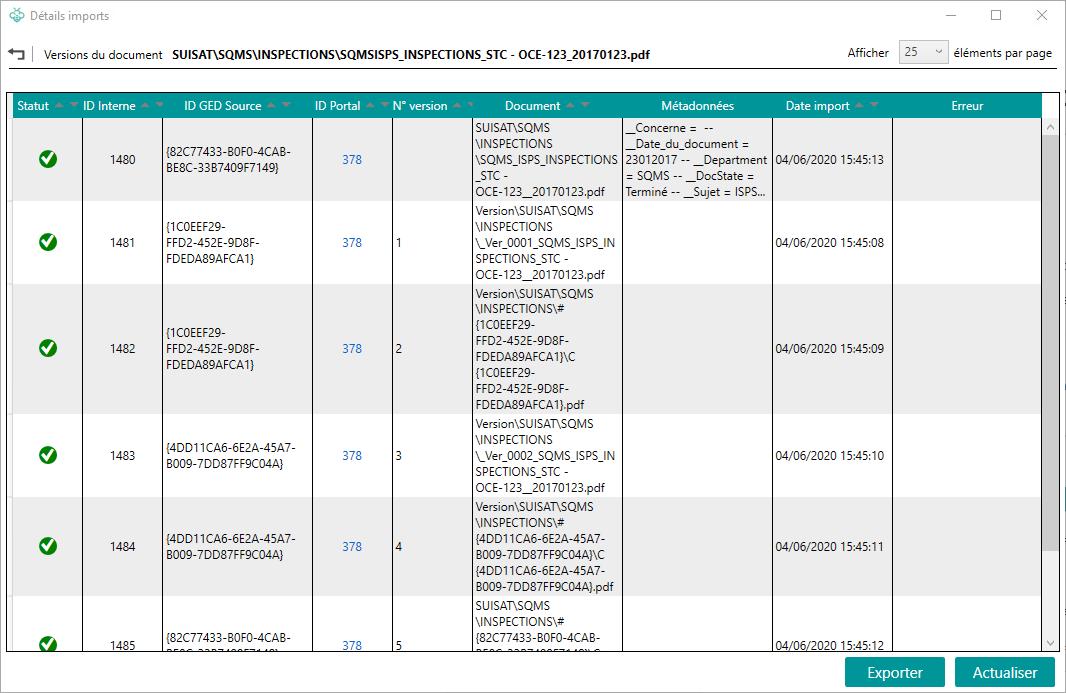
Versions
By clicking on the number of versions (column “Number of versions”), all versions of the document are displayed.
The “Version No.” column corresponds to the import order in Open Bee™ Portal.
Remark
The last version imported into Open Bee™ Portal is the version without a number (first row of the grid)