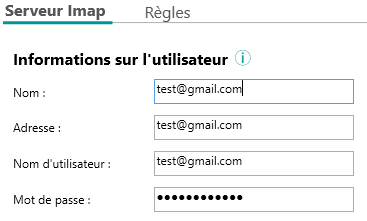
Following a new security policy from Google, the setting used until now to connect a Gmail account to Open Bee Email Capture will no longer be available from May 30, 2022 (“Access to less secure applications”).
The alternative is to generate an “Application Password” from your google account: https://myaccount.google.com/apppasswords
More information can be found on this page: Sign in with app passwords – Google Account Help
Here’s how to do it:
1. Enable two-factor authentication
The first step is to activate two-factor authentication from your Google account.
- Go to Google Account settings
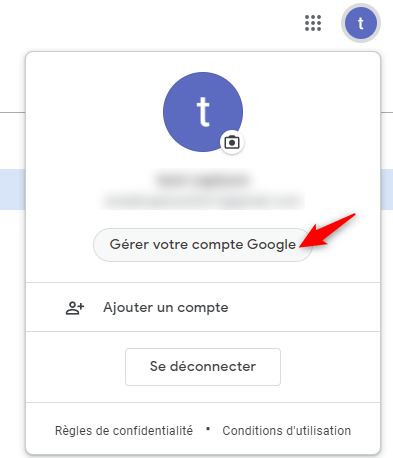
- Go to the “Security” section and then activate two-step verification

2. Generate an app password
- After enabling two-step verification, a new option is available to generate an app password (https://myaccount.google.com/apppasswords)

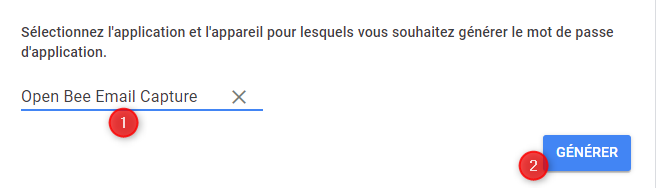
- Click this link and generate an application password (“Other (Custom Name)”)
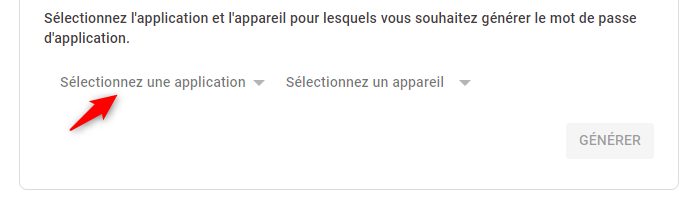
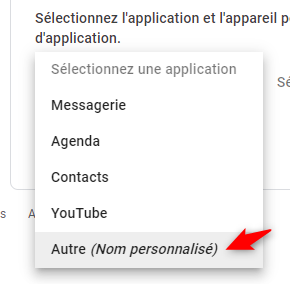
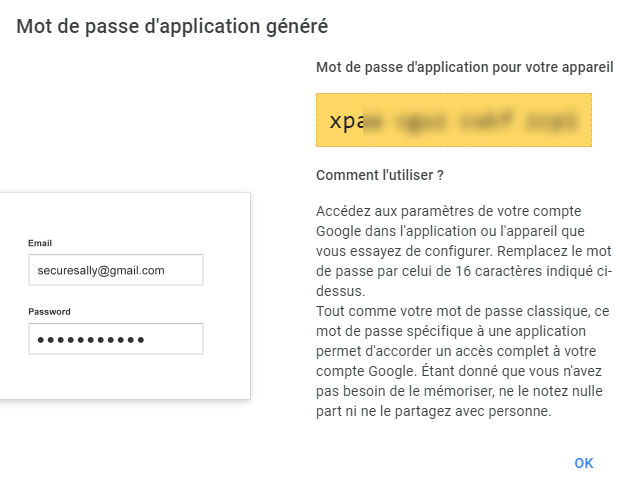
- Once the password is generated, select the (the 16 characters present in the yellow frame) to copy it into Open Bee Email Capture.
3. Use the app password
- After copying the previously generated password, simply edit the mailbox configuration in Open Bee Email Capture, paste the new password and save the configuration.