The action of converting the email body to PDF can be customized.
The PDF rendering is based on a “Template” in HTML format.
Open Bee™ eMail Capture contains 2 predefined “Templates”:
- The first contains only the body of the email
- The second contains first the header of the email and then the body of the email.
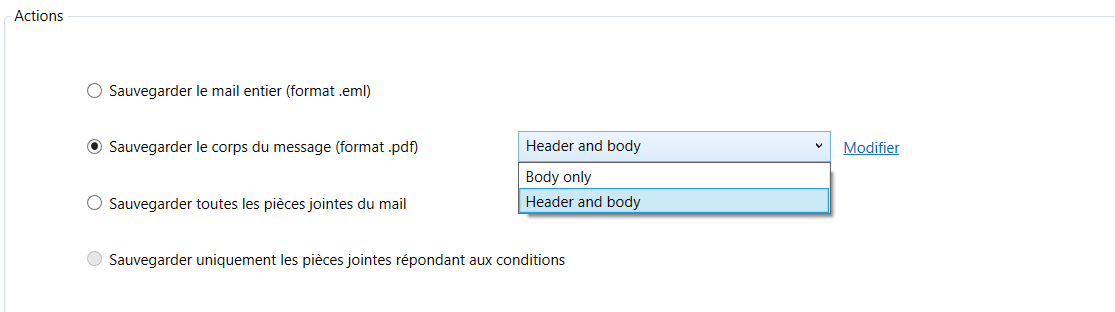
The “Edit” Link allows you to edit these “Templates” and customize it.
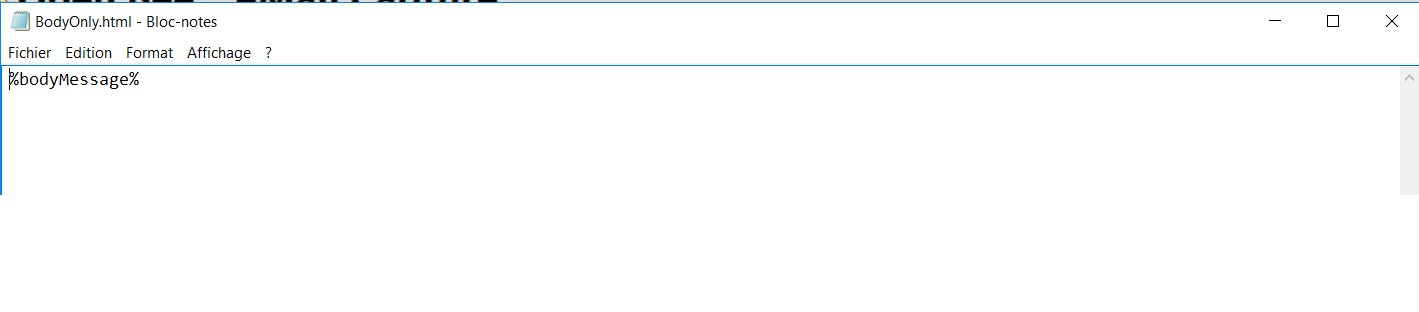
Template to extract and convert the body of the email only
Template to extract and convert the header and body of the email
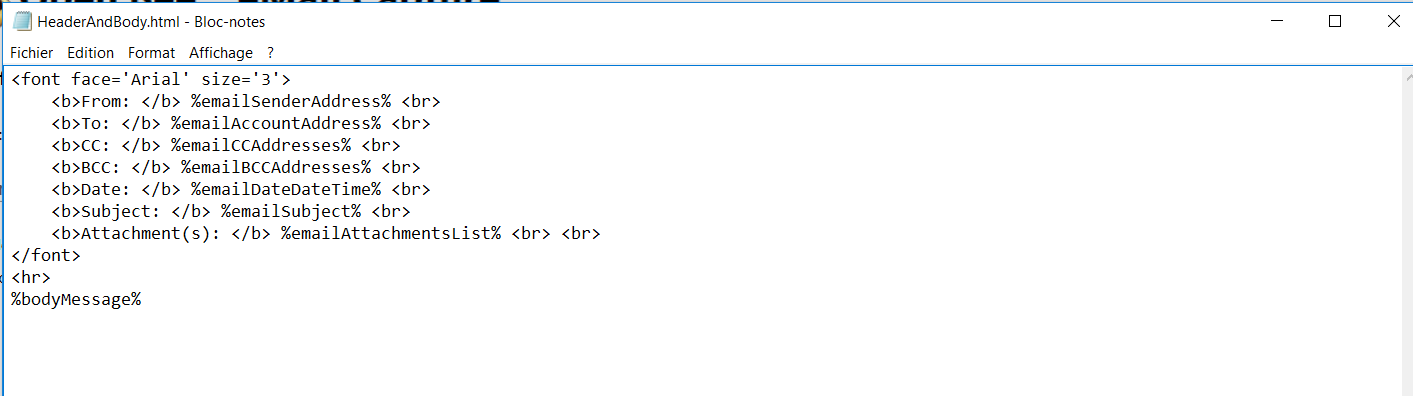
The text of these “Templates” can be customized with the text of your choice.
The following variables can be used. A variable name is always delimited by two percent.
List of variables
Variables related to the date of the email extraction
%currentYear% : Year of treatment => 2018
%currentMonth% : Month of treatment => 03
%currentDay% : Treatment Day => 13
%currentHour% : Processing Time => 11
%currentMinute% : Treatment minute => 28
%currentSecond% : Second of treatment => 34
%currentDate% : Date of processing in “dd/mm/yy” format
%currentDateUS% : Processing date in “mm/dd/yyyy” format
%currentDateAsia%: Processing date in “yyy/mm/dd” format
%currentDateTime% : Date and Time of processing in “dd/MM/yyyy HH:mm:ss” format
%currentDateTimeUS% : Date and Time of processing in “MM/dd/yyyy HH:mm:ss” format
%currentDateTimeAsia%: Date and Time of processing in the format “yyyy/MM/dd HH:mm:ss”
Email account variables
%emailAccountName% : Name of the email entered in the configuration
%emailAccountAddress% : The address associated with the configured account
Variables related to the date of receipt of the email
%emailDateYear% : Year email received => 2018
%emailDateMonth% : Month of receipt of the email => 03
%emailDateDay% : Day of receipt of the email => 13
%emailDateHour% : Time Email Received => 11
%emailDateMinute% : Minute of receiving the email => 28
%emailDateSecond% : Second of receiving the email => 34
%emailDateDate% : Date of receipt of the email in “dd/MM/yyyy” format
%emailDateDateUS% : Date of receipt of the email in the format “MM/dd/yyyy”
%emailDateDateAsia% : Date of receipt of the email in the format “yyyy/MM/dd”)
%emailDateDateTime% : Date and Time of receipt of the email in the format “dd/MM/yyyy HH:mm:ss”
%emailDateDateTimeUS% : Date and Time of receipt of the email in the format “MM/dd/yyyy HH:mm:ss”
%emailDateDateTimeAsia% : Date and Time of receipt of the email in the format “yyyy/MM/dd HH:mm:ss”
Email Variables
%emailUID% : Unique identifier of the email in the IMAP folder
%emailSubject% : Email Subject
Recipient Variables
%emailToAddress% : Comma-separated recipient email address
%emailToName% : The sender name of the recipients separated by commas
Sender variables
%emailSenderAddress% : The email address of the sender
%emailSenderName% : The name of the sender
Variables relating to persons in copy
%emailCCAddresses% : Email addresses of CC separated by commas
%emailCCNames% : Name of the people in CC separated by commas
Variables relating to persons in copy Hidden
%emailBCCAddresses% : Comma-separated email addresses of people in hidden copies
%emailBCCNames% : Names of People in Hidden Copy Separated by Commas
Attachment Variables
%emailAttachmentsPresent% : “Yes” if an attachment is present, “No” otherwise
%emailAttachmentsList% : Comma-separated attachment names
%emailAttachmentsCount% : Number of pieces attached in the email