This screen allows you to view the history of the processing carried out by the synchronization service from the rules defined in Open Bee™ eMail Capture.
Viewing the history
This allows you to consult all the emails that have been saved, those that have been set aside because they do not meet the desired conditions and thus to check the consistency of the rules configured.
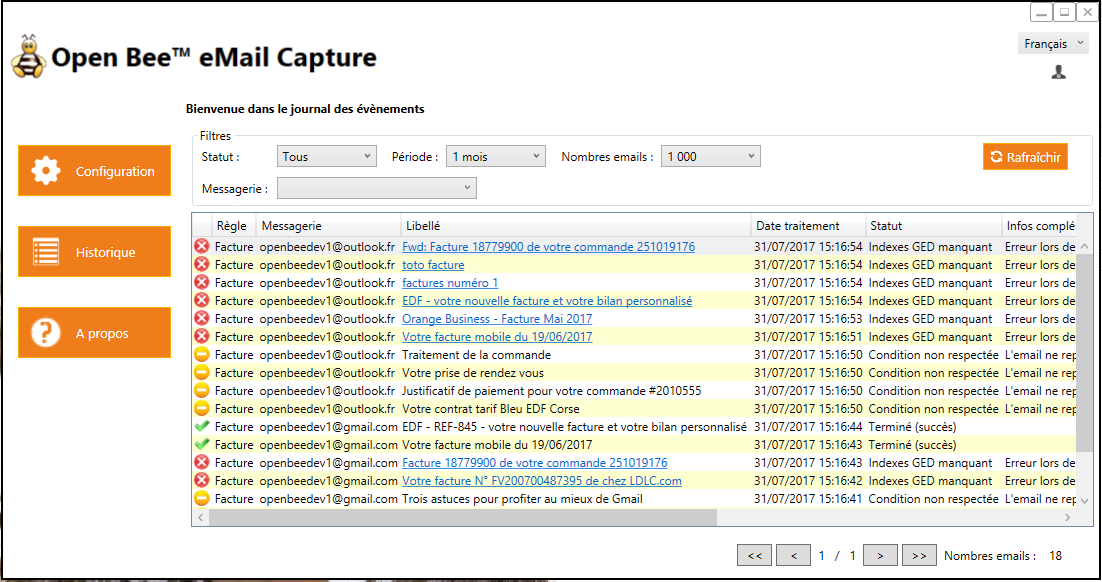
It is possible to filter on:
- The different statuses of the email processing lifecycle
- Emails processed within a given period
- The number of emails to be displayed
- Email accounts
Example of filtering on emails that have been forwarded to Open Bee™ Portal.
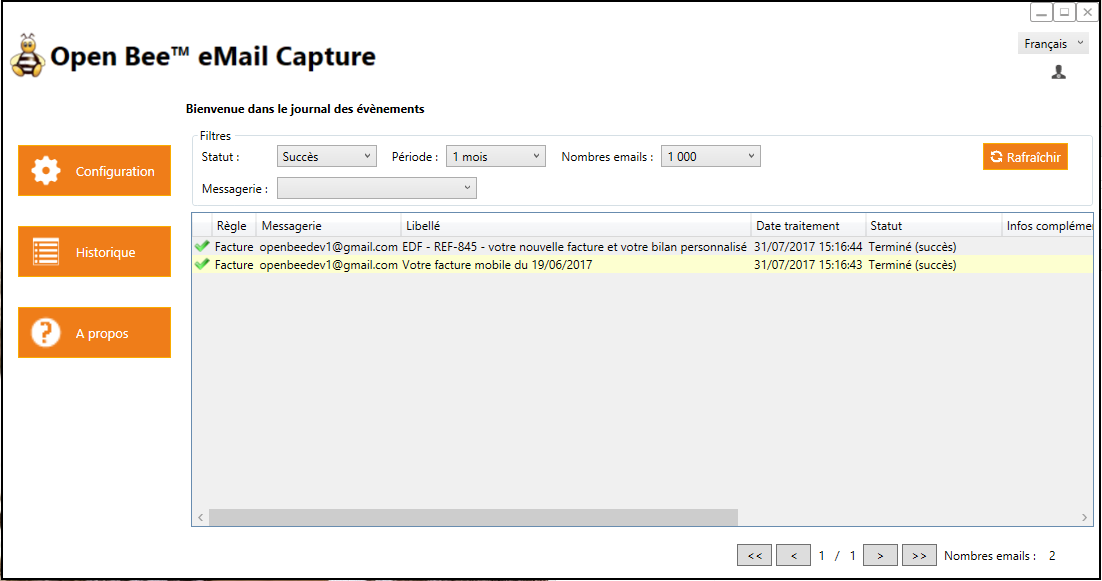
It should be noted that all emails are present in the history, even those that do not meet the conditions set in order to keep track of the reason for their exclusion.
Anomaly management
In the event that no “custom index” has been associated with an Open Bee™ Portal collation rule, there is no action to be taken by the user.
Errors can be of 3 types:
- Temporary loss of connection with the IMAP server or Open Bee™ Portal server.
This is not a problem, all “mistaken” emails will be processed again the next time you log in. - The email was deleted by the email user before it could be processed by Open Bee™ eMail Capture. The email will have a status of “Deleted” because it no longer exists on the IMAP server.
He will no longer be treated! - Receiving a duplicate email. In rare cases, it happens to receive the same email several times in a short period of time.
Open Bee™ eMail Capture will automatically detect that it is a duplicate and set it to the status “Already Processed” without saving it.
In the event that “custom indexes” have been associated with an Open Bee™ Portal ranking rule, it is likely that some emails need to be categorized in Open Bee™ Portal manually.
We filter on the status “Missing GED indexes”.
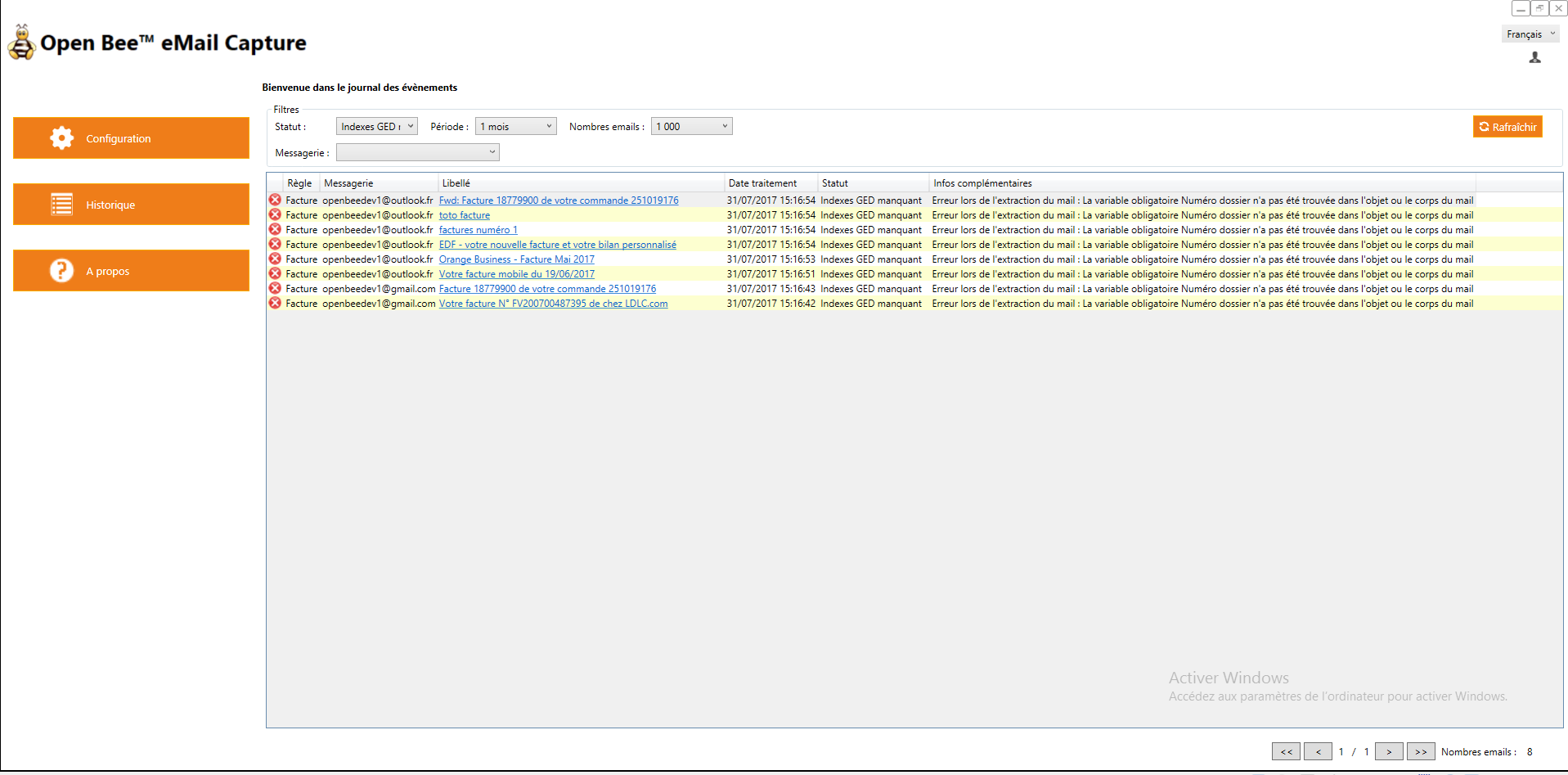
The custom variable “Folder Number” set as an index was not found in either the subject line or the body of these emails.
The user will have to consult the email and manually fill in the indexes that could not be determined automatically.
By clicking on the link, a window will appear allowing you to view:
- The content of the email
- Attachments
- Open Bee™ Portal indexes that could be determined automatically.
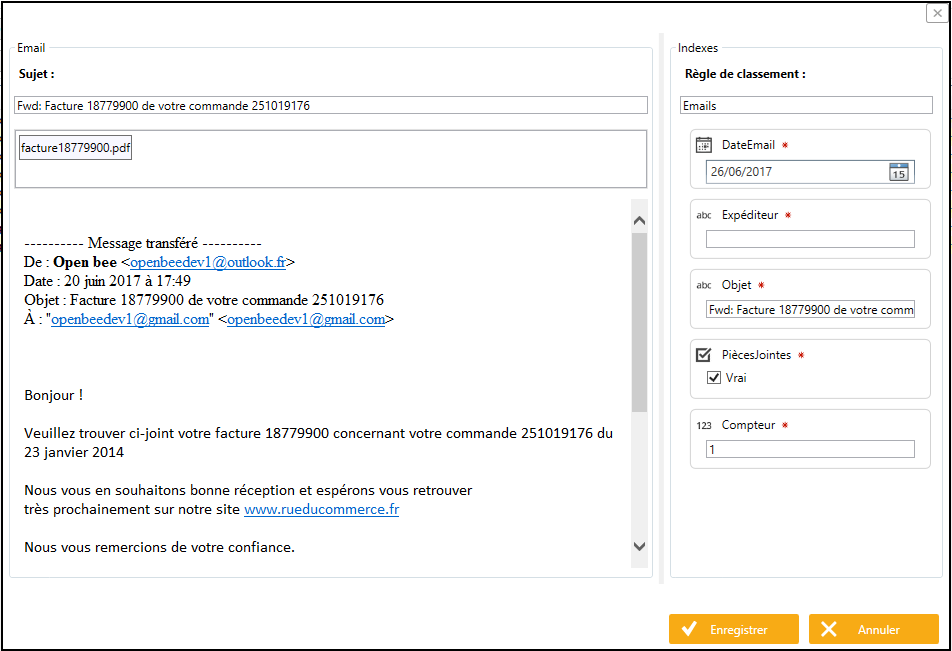
The “Sender” index could not be determined by Open Bee™ eMail Capture even though it is mandatory.
The user can fill in this information by himself and click on “Save”.
The email is then immediately exported to Open Bee™ Portal.


Careful
Open Bee™ eMail Capture is an automatic email filing software, manual filing should remain marginal.
Please review the “Custom Indexes” if too many emails come back with the status “Missing GED Indexes”