Using your Open Bee™ Sync sync tool requires you to be logged into your online Open Bee™DMS.
Connecting to Open Bee™ Sync
To connect to Open Bee™ Sync go to the “User account” tab.
Depending on the DMS you want to connect to, click on the buttons at the top right, “Portal” or “Sphere”.
To log in to Open Bee™ Portal , you must enter the address, username and password.
On the other hand, logging in to Sphere first requires entering the account ID, then clicking on “Login” before selecting the URL and entering the password.
| Open Bee™ Portal Login | Sphere Connection |
|---|---|
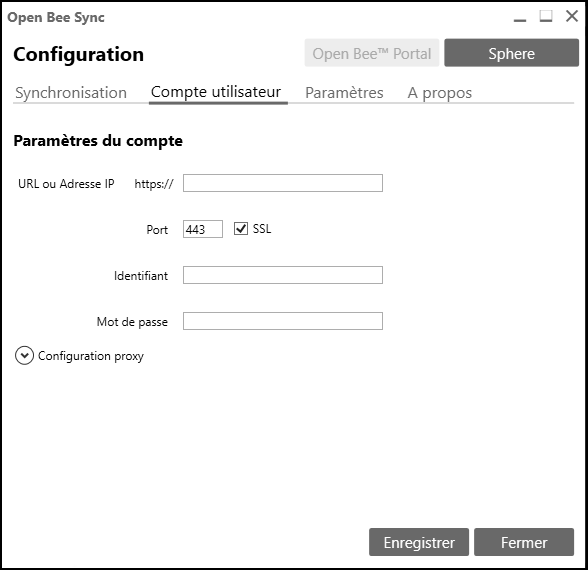 |
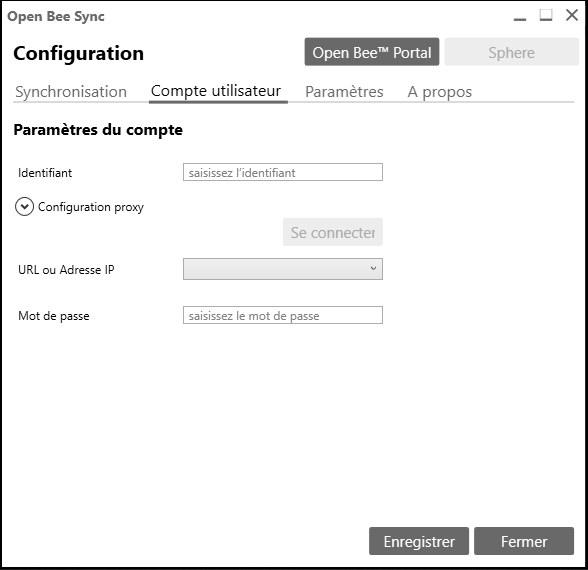 |
Once the fields have been completed, click on “Save” at
the bottom right to log in.
A confirmation window will appear to inform you that your information is correct and that you are logged in.
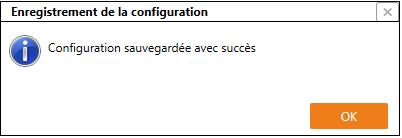
Click “OK“.
If your password or username is incorrect, the following window will appear:
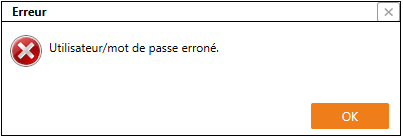
Proxy settings
If your local network has a proxy server, you can configure it from the “User account” tab.
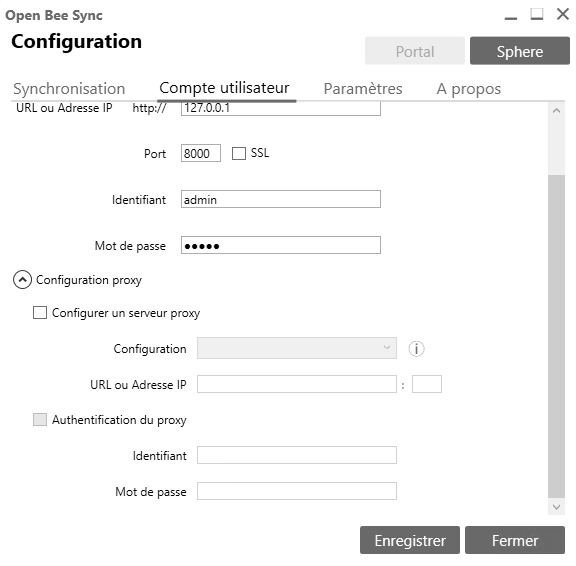
The interface offers you two modes for configuring your proxy server:
- Automatic configuration mode
- Manual configuration mode
Automatic configuration of the proxy server
To automatically detect your proxy server settings, choose the “
Automatically detect settings
” option.
ASTUTENESS
This option is only available if you have checked the “Set up a proxy server” box.
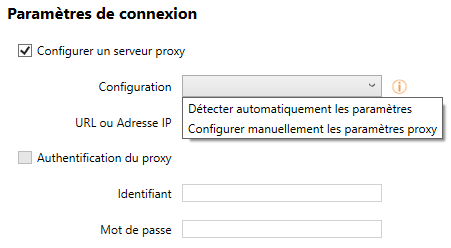
The automatic detection of the proxy is based on the proxy configuration in Internet Explorer or in the system configuration (Control Panel -> Internet Options -> Connections -> Network Settings).
If you choose automatic configuration, Open Bee™ Sync will detect the Internet Explorer and/or system configuration.
Manual Proxy Server Configuration
To manually configure your proxy server settings, choose the “Manually configure proxy settings” option.
ASTUTENESS
As with automatic connection, this option is only available if you have checked the “Set up a proxy server” box.
- Then enter your URL or IP address as well as the port used by your connection
- Use “proxy authentication” if your proxy is configured with a user and password
- Then fill in the login and passwords required for the proxy connection