The “
Transfer
” tab allows you to have an overview of the folder and document tree that can be found on your Open Bee™ Portal .
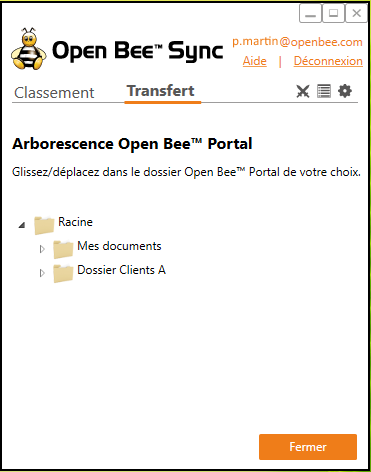
The icon to the left of each folder allows you to view the lower folder level and see the folders, subfolders, and files in your tree.
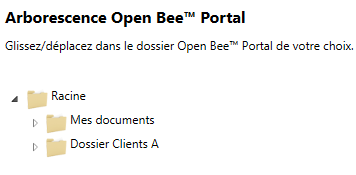
To file one or more documents from your computer workstation to a folder in your Open Bee™ Portal , simply “drag and drop” the document(s) into the corresponding folder.
A double click on a document will allow you to download the document from Open Bee™ Portal to your local computer.
Folder creation in the tree:
You have the option to create a folder in the Open Bee™ Portal tree.
To do this:
- Right-click on a folder in the tree,
- Select the ” Add Folder ” option from the menu that appears
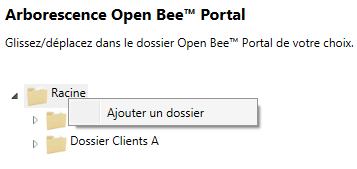
- The following window appears:
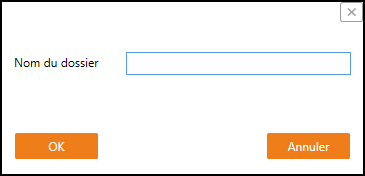
- Fill in the name of the folder you want to create:
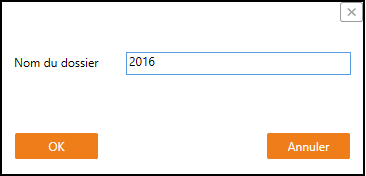
- Click ” OK “:
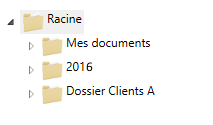
The folder is then created and appears in the Open Bee™ Portal tree.