To view your notifications, please select the ” Notifications » of the retractable menu.
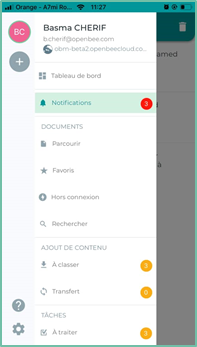
The Notifications interface: displays notifications triggered when actions are performed on folders, documents, and added comments.
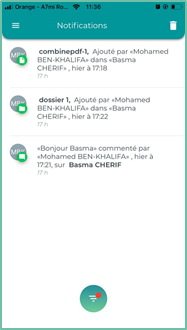
Various actions can be performed on documents from the Notifications interface
View document : to view a document, click the row for that document in the list
Show comment : Once the document is displayed, click the  Message to view comments
Delete a notification : To delete notifications, click the 
Apply filters : To apply filters to notifications, click the  To display the different filters :
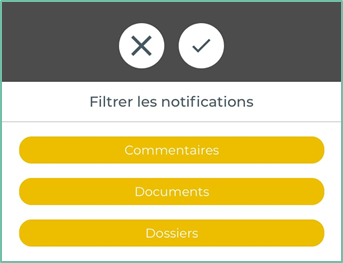
- Select the desired filters and then click on the

- To close the filters window and then click the
