Simple search
This feature provides the ability to search documents and folders.
Search by word entry
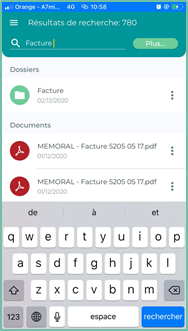
To search for a document or folder, enter one or more words/strings in the search box and press “Search” to start the search.
Once the search is complete, a list will be displayed, offering you all the documents and folders corresponding to your query.
The number of search results is displayed at the top of the interface
Icon
The actions available on documents and folders during navigation are also available on the results of a search: renaming, deleting, moving, etc.
Additional search criteria can be accessed by clicking on the “ More ” button

Advanced search
The advanced search allows you to search for one or more documents by entering one or more search criteria (document name, date of creation, document type, etc.).
If you search with multiple criteria, the search result will only show you documents that match all of the search criteria entered.
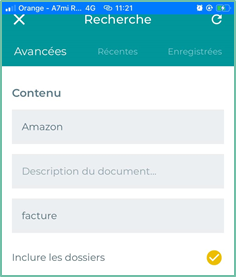
Search by document content
You can search for one or more documents based on the words contained in:
- The name of the document
- Document Description
- The content or body of the document
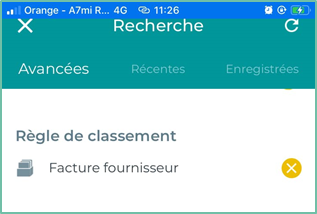
Search by Ranking Rule
Ranking rule search allows you to search based on previously created ranking rules in the Open Bee portal.
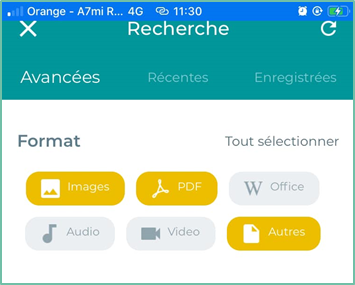
It is also possible to search using the format of the document: PDF, image, office, etc.
Search by Creator
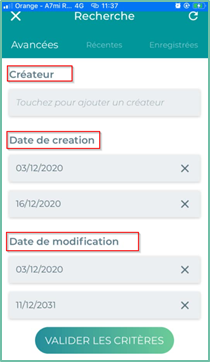
This search makes it possible to find one or more documents created by a person.
Search by creation date
Searching by “Date Created” allows you to find documents using their creation date.
You can select the creation period from the calendar.
Search by date modified
Searching by “Date Modified” allows you to find documents using their modification date.
You can select the change period using calendars.
Recent Research
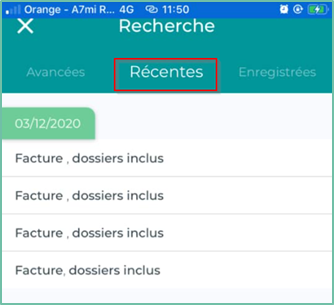
In the recent searches section, you will find a list of the history of the last searches performed with the search date
You can restart the search by clicking on the corresponding line
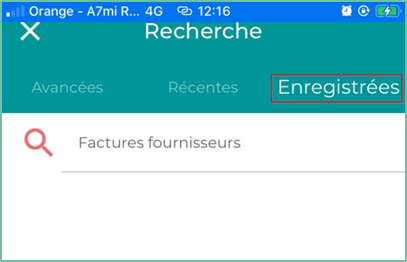
Saved Searches
In this section you will find your own saved searches for specific documents e.g. (Supplier invoices)