Browse Favorites
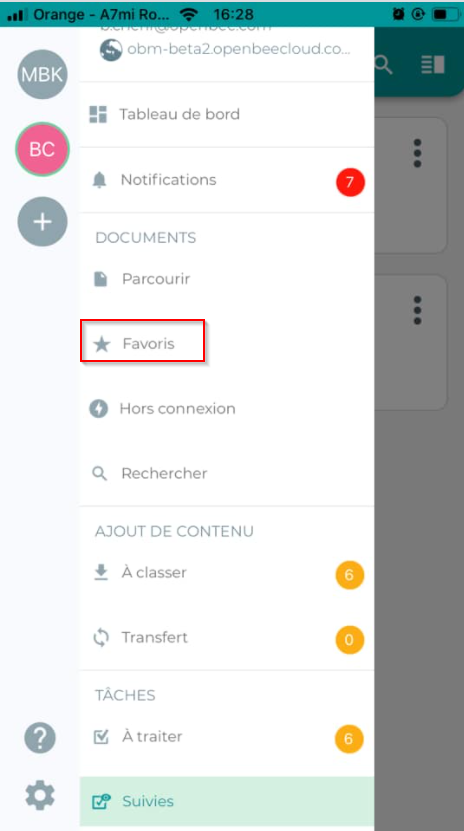
To browse your Favorites, please select the ” Favorites ” tab from the retractable menu.
This feature allows you to view your favorite folders and documents. The interface looks like this:
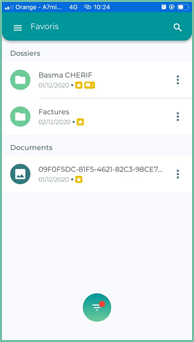
You can view and filter your favorites according to several criteria and, according to 3 subcategories, by clicking on the 
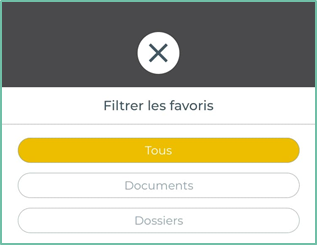
- ” All ” segment: Displays all your favorite documents and folders
- ” Folders ” segment: Shows only your favorite folders
- ” Documents ” segment: Displays only your favorite documents
Icon
From this “favorites” interface, as from the “documents” interface, you can perform the same actions on documents and folders, i.e., renaming, deleting, moving, etc.
Remove a favorite
To remove a folder or document from favorites, then click the icon  to the right of the document or folder.
Click on the ” Favorites ” button

Search for a favorite
To search for a favorite, click the icon in the action bar:
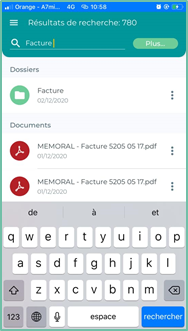
A search field appears, enter a search term and validate with the keyboard.