The Offline mode allows you to have access to your information/data/documents on your mobile without it being connected to the internet.
To access this feature :
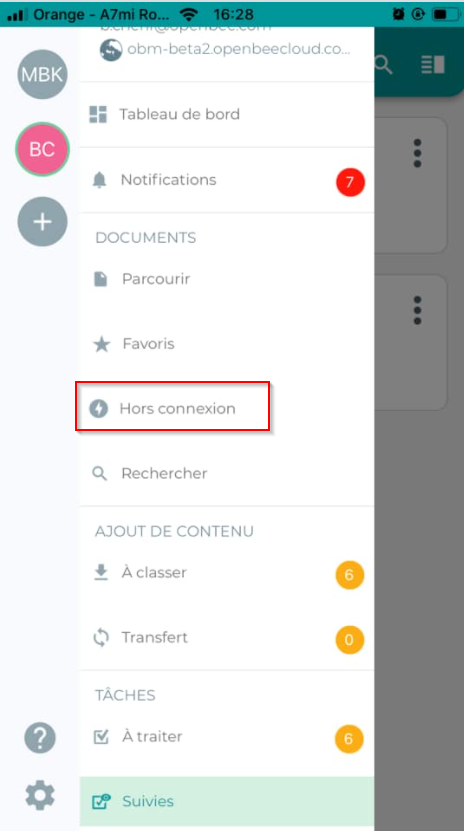
- Press the Menu
 button on the home screen.
 - Click “ Offline “
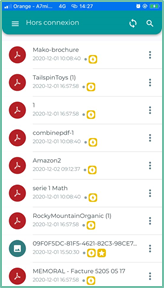
Enable offline access
Documents will be accessible offline in the following two cases:
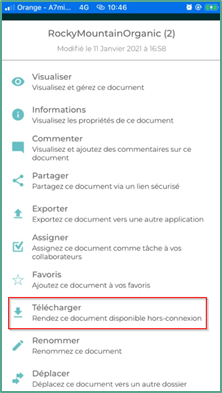
- You can make a file available offline by clicking the Download action from the document action list:
2. Either you can view the document, it will automatically appear in the cache and will also be available offline.
Deletion
To delete documents offline, you have three options:
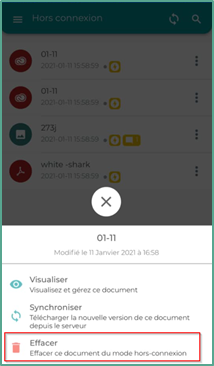
Either you click on the  which is to the right of the document you want to delete in the ” Offline “, to do this, click on ” Delete ”
Either you click on the settings icon 
The following interface appears, click on the ” Storage » Then click on the ” delete all documents from storage memory »
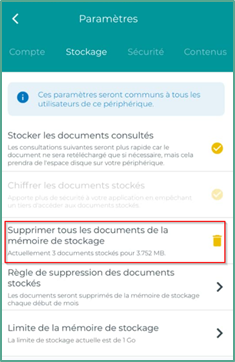
You can also delete the document that has already been downloaded from the document actions list
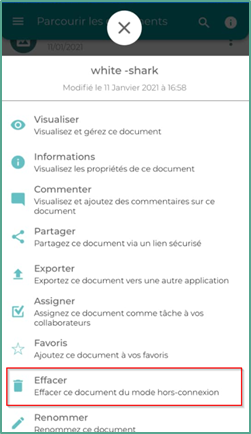
Actions
The actions available on the Offline interface are:
|
|
View : Allows you to view and manage the document |
 |
Sync : Allows you to download a new version of the document from the server |
 |
Erase : Allows you to erase the document offline |
|
|
Search : You can search directly in the offline interface by entering a value in this room |

