Task Tracking
To access the ” Tracked Tasks” interface
- Press the Menu
 button on the home screen.
 - Click on ” Tracked “
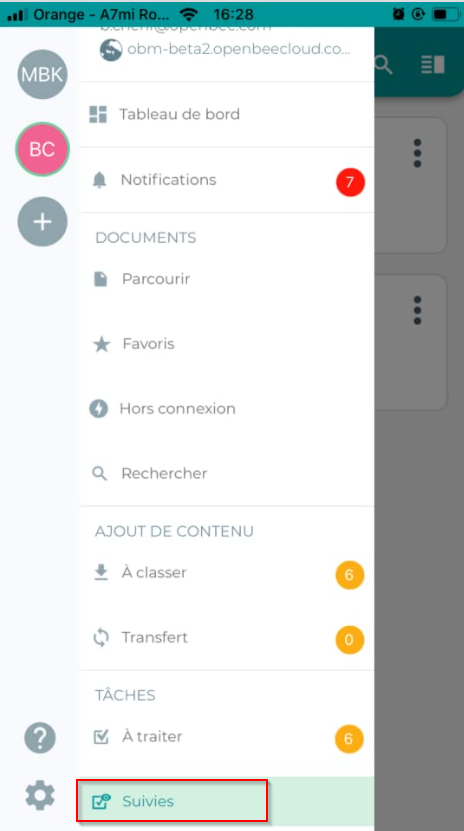
The following “Tracked” interface displays the lists of tasks to be followed
For committed tasks: The  Allows you to view information related to the document (document status, viewing, and commenting)
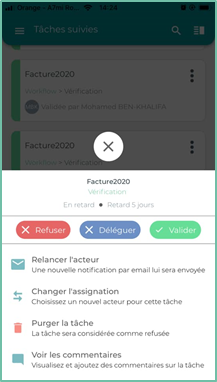
For overdue tasks: The  allows you to do the following:
 |
Re-launching the actor : A new email notification will be sent to them |
 |
Change the assignment : Choose a new actor for the task |
 |
Purge Task : The task will be considered refused |
 |
See the comments : View and add comments on the task |
The “filters” and the “Sorting” feature available on the ” Tracked ” interface are also available on the ” To be processed ” interface