Add content in the app
The ranking interface can be accessed via the “To be ranked” button in the menu.
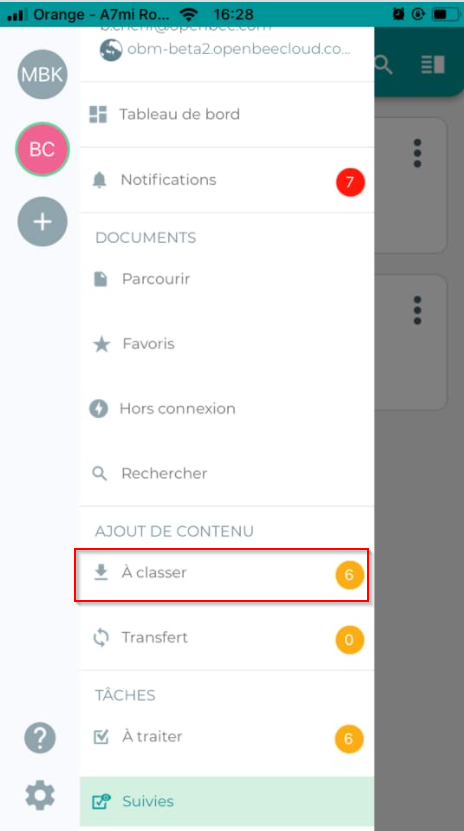
This interface allows you to find all your documents awaiting filing. You can preview and dynamically classify your scanned and uploaded paper documents in your Open Bee™ Portal document management space.
Your documents awaiting filing look like this:
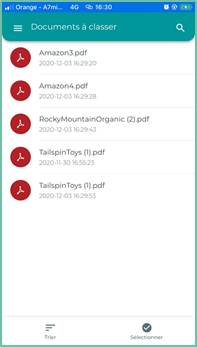
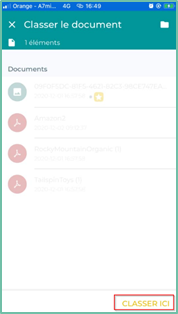
To classify a document, select it from the list. A ranking interface will then be displayed.
Select the folder in which you want to file the document and then click on the “ File here ” button at the bottom right of the interface
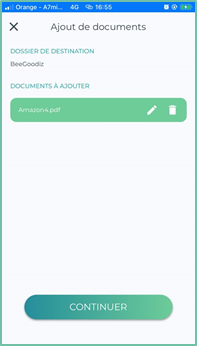
An add window appears:
If you wish, you can change the document name by clicking on the 
You can also delete it by tapping the 
Click ” Continue ” to proceed to the next step
Select the ranking rule you want.
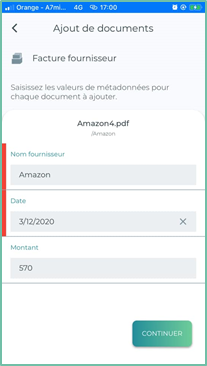
Fill in the document metadata that is displayed dynamically based on the type of document you choose.
Click ” continue ” to proceed to the next step
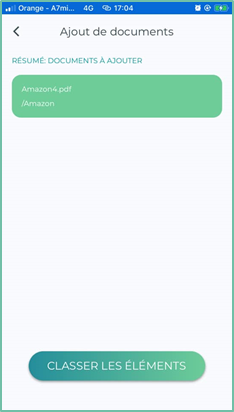
A summary is displayed indicating the information filled in for the addition of the document.
Finally, click on the “Classify Items ” button.
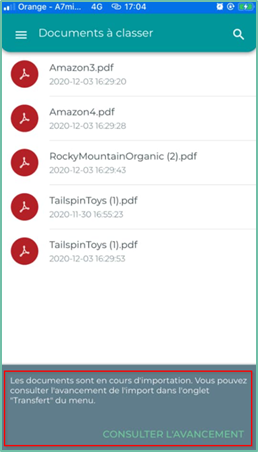
A notification informs you that your document is being imported and that you can check the progress of the import in the ” Transfer ” tab of the menu.
Add content from another external application
You can also add a document to your Open Bee™ Portal document management from another application on your mobile device.
Example: an attachment to your emails.
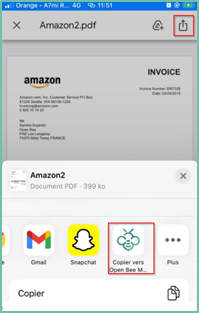
In most apps on your mobile device, there is an option to “open with…” or to “share” a file. This option displays a list of installed apps that support this file type, including Open Bee™ Mobile.
Selecting Open Bee™ Mobile will automatically launch the app that will guide you through the process of adding the document.