You can navigate the app via the retractable menu.
To display the retractable menu, click on the icon  located at the top left of the application.
The menu looks like this:
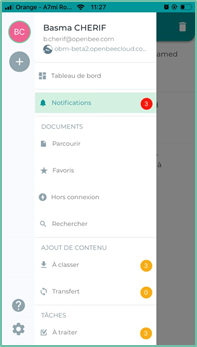
At the top of the menu is the information about the logged-in user
- User portrait
- User’s first and last name
- User’s email address
Below are the tabs for accessing the various features of the application:
Dashboard: panel where the instrument panels are gathered.