Integration with the Open Bee™ Portal environment
The Expense Reports module is integrated into the Open Bee™ Portal environment.
You can give Open Open Bee™ Portal users access to this module by setting permissions at the user role level.
When activating the Expense Reports module, two new permissions appear:

- Set up expense reports: This permission gives access to the administration of the Expense Reports module. It is recommended that Open Open Bee™ Portal administrators be given this permission.
- Declaring expense reports: This permission gives access to the Expense Reports module and thus the possibility of declaring your expenses and expense reports.
The Expense Reports module is available only to full users and consultations.
Access the Open Bee™ Notes de frais module
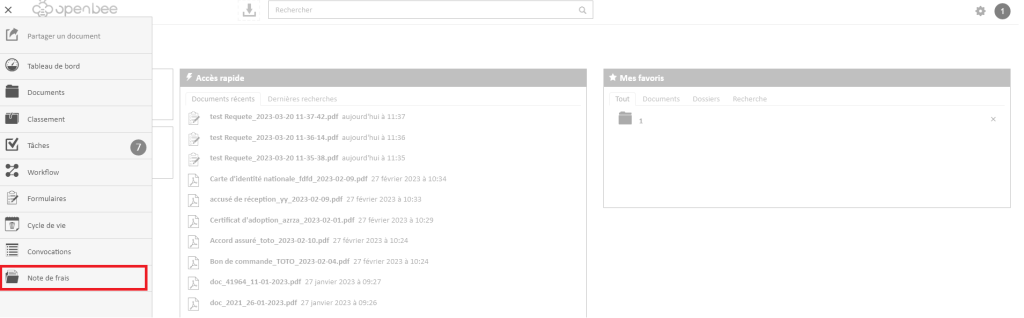
Once installed, to access the Expense Reports module, click on the icon  at the top left to display the menu.
- Click Expense Reports
The very first time you access the Expense Reports module, a wizard launches to configure the essential information for the Expense Reports module.
Please note: once these elements are configured, they will no longer be editable