Access to the Expense Report module is done from the menu of your Open Bee™ Portal.
Click on the menu icon at the top left  and then on the “Expense reports”
  tab.
tab.
Interface Overview
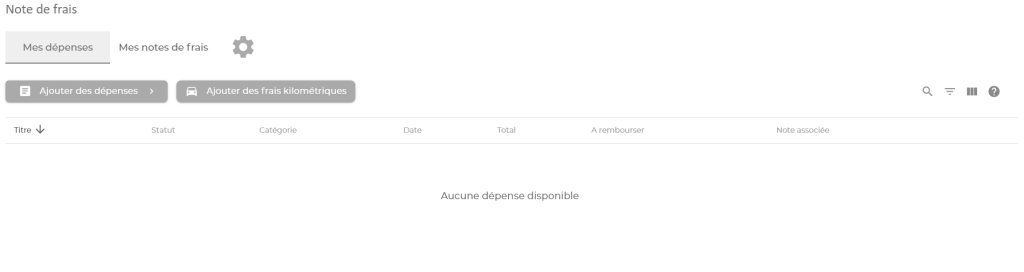
The Open Bee™ Notes de frais module screen has two tabs and a button:
- The My Expenses tab allows you to view all of your created business expenses and their current status.
- The My Expense Reports tab allows you to view your created expense reports and their current status.
- The button
 allows you to access the configuration of your personal information.