Use this section to manage employee information for expense report usage. This information will be used for the generation of the third-party account in the case of the export of the accounting entries of an employee’s expense report.
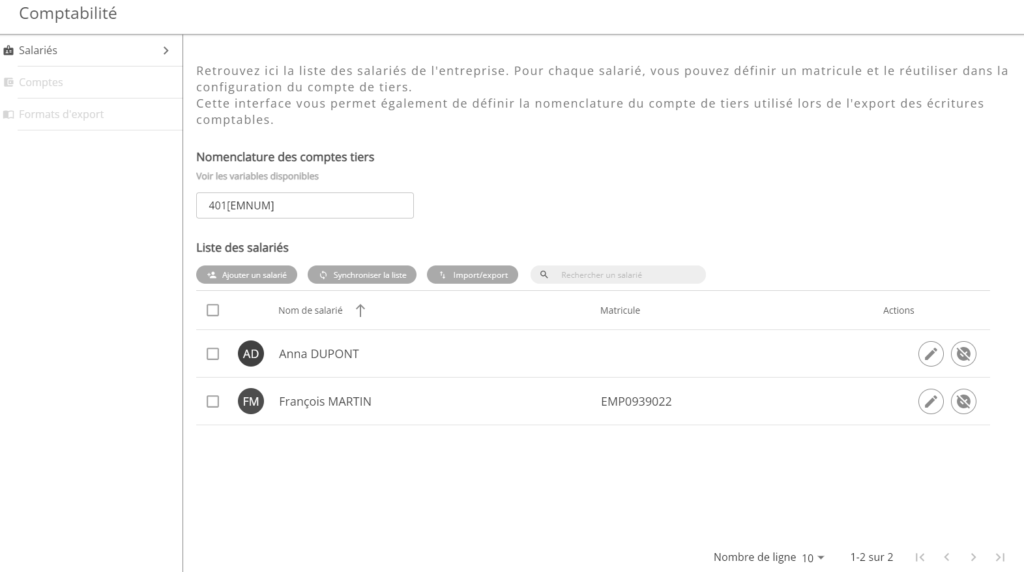
An employee is an Open Bee™ Portal user whose information can be exported when the expense report is exported. For each employee, the following information can be defined:
- Employee’s name
- Employee ID number
Only one employee can be associated with an Open Bee™ Portal user.
For each employee, it is possible to edit their information or deactivate it.
Add employees
There are three ways to add employees:
- Manually
- Automatically with a synchronization
- Automatically using a CSV import
Manually adding an employee
It is possible to manually add an employee via the “Add an employee” action. This action opens a window in which it is possible to enter the employee’s information:
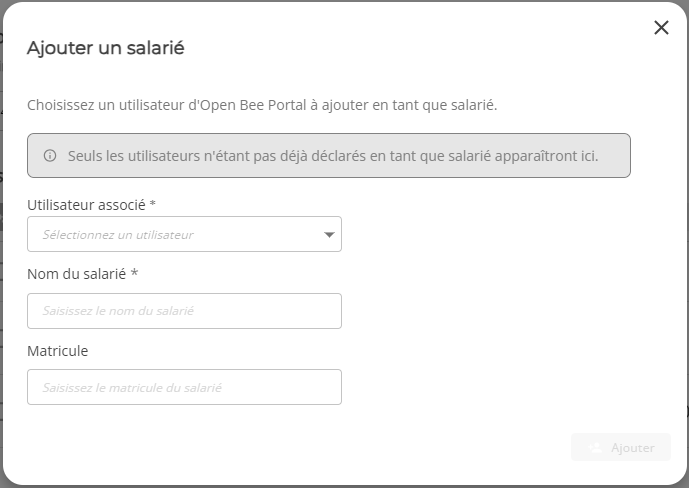
- Associated User : Open Bee™ Portal user to associate with the new employee
- Employee’s name : the name that will be used to generate the third-party account
- Employee number : the number that will be used to generate the third-party account
Clicking on the “Add” button creates the new employee. This then appears in the list of employees.
Employee List Synchronization
The “Synchronize list” action opens a new window to start the synchronization:
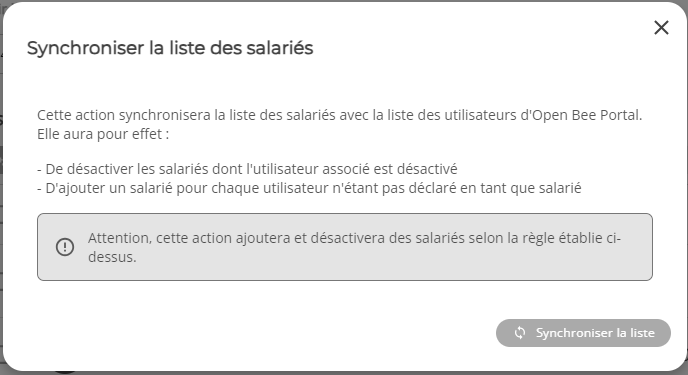
This action will synchronize the list of employees with the list of Open Open Bee™ Portal users. It will have the effect of:
- Disable employees whose associated user is deactivated
- To add an employee for each user who is not declared as an employee
This action is asynchronous, i.e. it is performed in the background and does not prevent the use of the application while waiting for the action to complete.
An automatic synchronization takes place every night
Import/export of employees
The “Import/Export” action allows you to export the list of employees in CSV format. The information can thus be modified in bulk before being reimported into the expense report application:
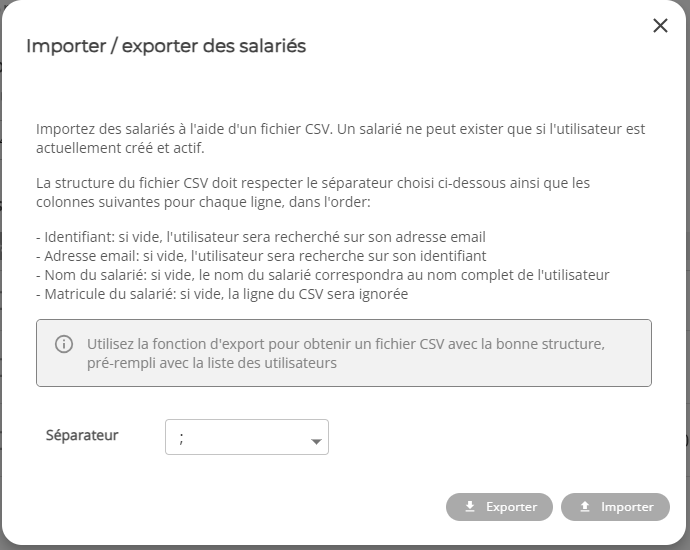
The CSV file must follow the following structure:
- Column 1: Must contain the Open Bee™ Portal user ID
- Column 2: Must contain the Open Bee™ Portal user’s email address
- Column 3: must contain the employee’s name
- Column 4: must contain the employee’s registration number
Nomenclature of third-party accounts
The third-party account nomenclature is used to define the naming rule for third-party accounts.
When exporting the accounting entries, this rule is used to generate the third-party account of the employee concerned by the expense report.
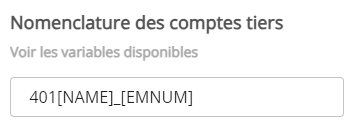
This rule is a free text input field, in which two variables can be added:
- [NAME] : this variable is replaced by the employee’s name during the accounting export
- [EMNUM] : this variable is replaced by the employee’s number during the accounting export
For example, with an employee “John DOE” with the number “EMP921546“, the string “401[NAME]_[EMNUM]” will give the result: 401John DOE_EMP921546.