This section allows you to configure the mileage scale.
The mileage scale is used when calculating mileage expenses. It is published every year by the tax authorities.
The administrator of the Expense Reports module must approve the amounts so that users of the module can create mileage expenses. He is also in charge of updating it every year.
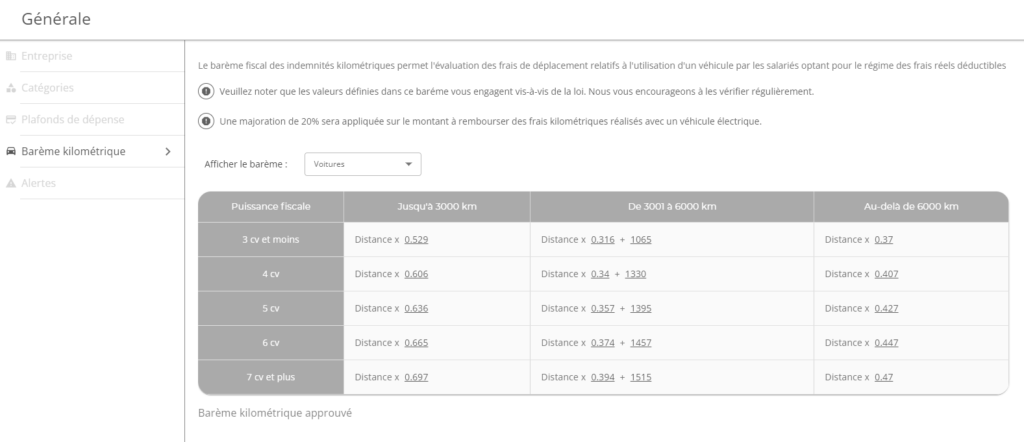
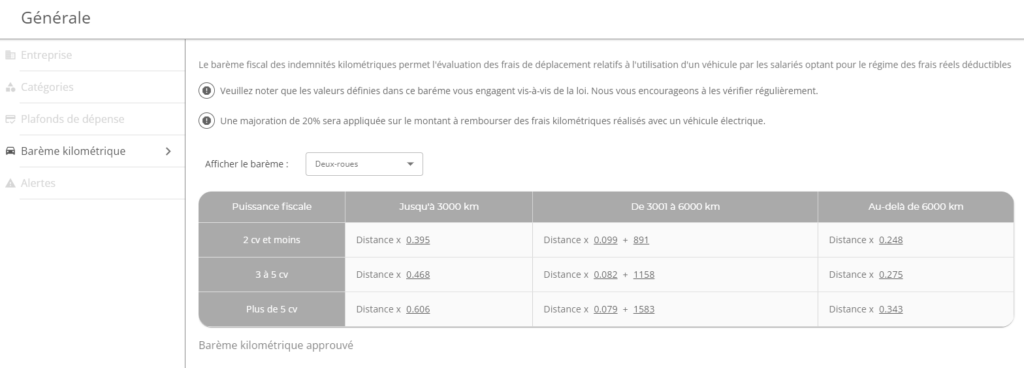
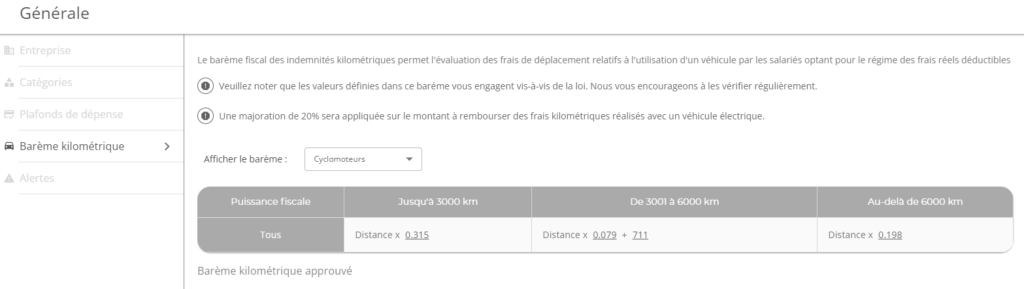
Three scales are available:
- Cars: scale used when mileage expenses are incurred with a car
- Two-wheelers: scale used when the mileage expenses are incurred with two-wheelers with a cylinder capacity of more than 50cm3
- Mopeds: scale used when the mileage costs are incurred with two-wheelers with a cylinder capacity of less than or equal to 50cm3
Modification of the mileage scale
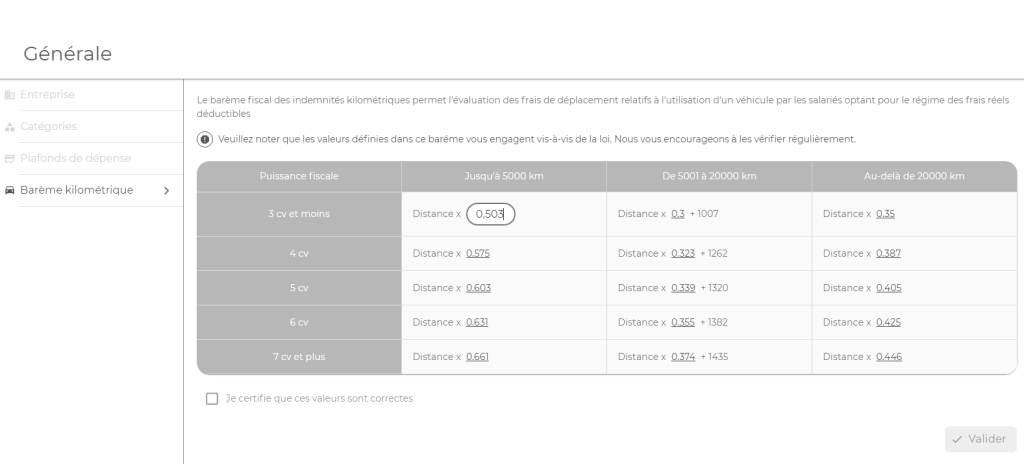
It is possible to modify the values present in the table of the mileage scale.
When a change is made, the administrator must then approve the change in values. As long as this is not achieved, no mileage costs can be created.
In order to approve the change, simply tick the box “I certify that these values are correct” and then click on the “Validate” button
Calculating mileage expenses
More details on how mileage calculation works in the Mileage Calculation section of the user guide.