When the Expense Reports module is first accessed, the administrator is asked to configure the elements that are essential for the operation of the module.
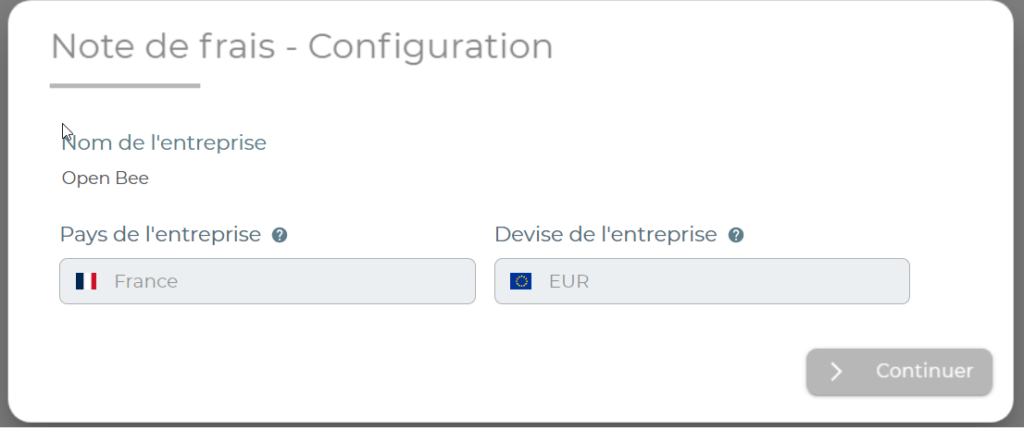
- Company Name: This is the name of the company.
Careful: Once entered, the company name is no longer editable
- Company currency: This is the currency used as a reference. All expenses entered in foreign currencies will be automatically converted to the company’s currency.
Careful: Once entered, the currency is no longer editable
- Company Country: This is the country of the company. This information is used in particular when calculating VAT when generating accounting export files.
Careful: Once entered, the country can no longer be changed
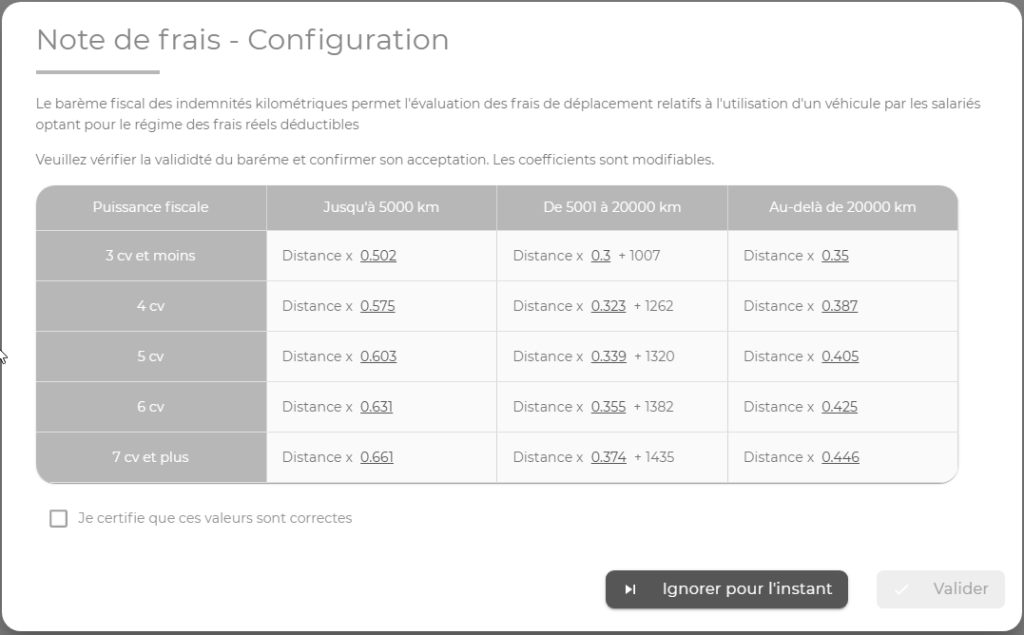
Once the first step has been validated, the tax administration’s mileage scale is displayed.
At this stage, the administrator can validate the mileage scale or postpone this step to a later date.
Until the mileage scale values have been approved, no mileage charges can be created.
The administrator can configure and validate the values at any time from the mileage scale configuration.