Presentation
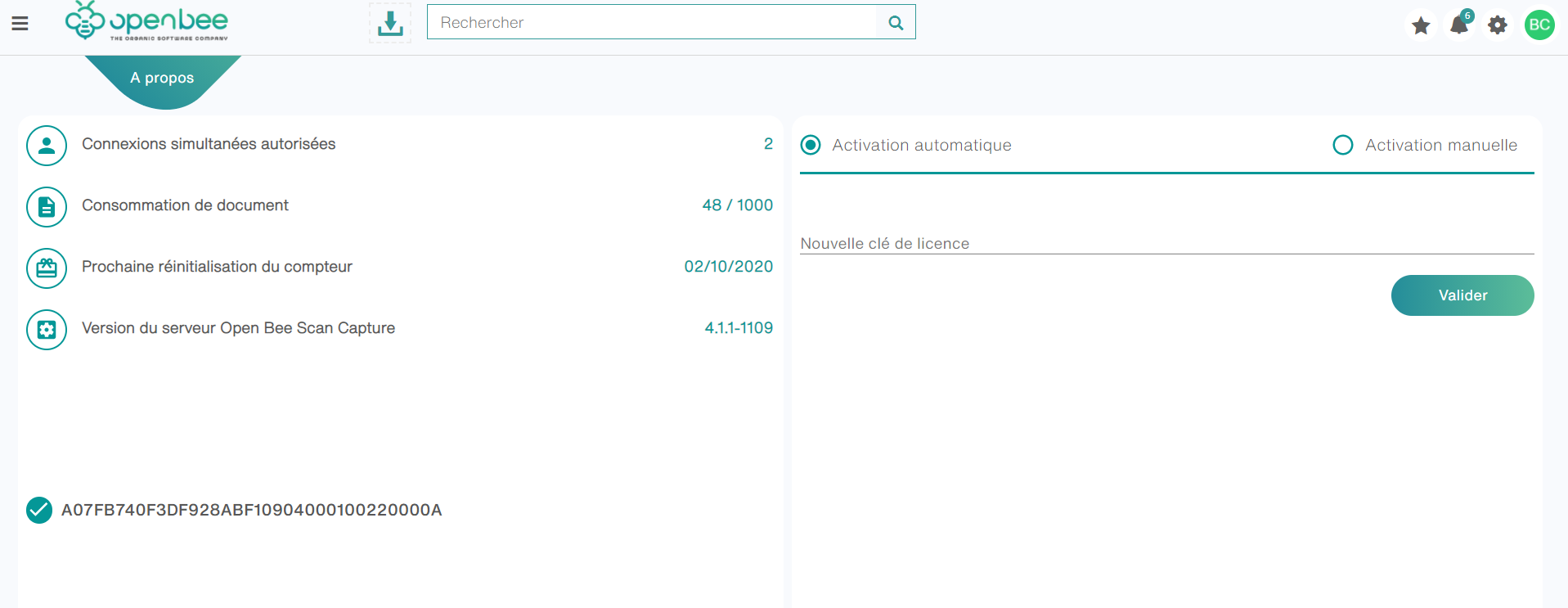
Open Bee Smart Capture has a page where you can find information related to your licenses. To consult it, go to “About“
Description
On this page, you will find:
- Concurrent Connections Allowed: The number of concurrent sessions allowed on Open Bee Smart Capture.
- Document consumption: The maximum number of documents you can absorb through the solution in a year. Your current number of documents is also entered.
- Next counter reset: The date on which your document counter will drop back to zero to start a new year. This action does not delete any documents.
- Open Bee Scan Capture Server Version: Here you can find your server version.
- Licenses: You can view your licenses that allow the use of Open Bee Smart Capture.
License Activation
Presentation
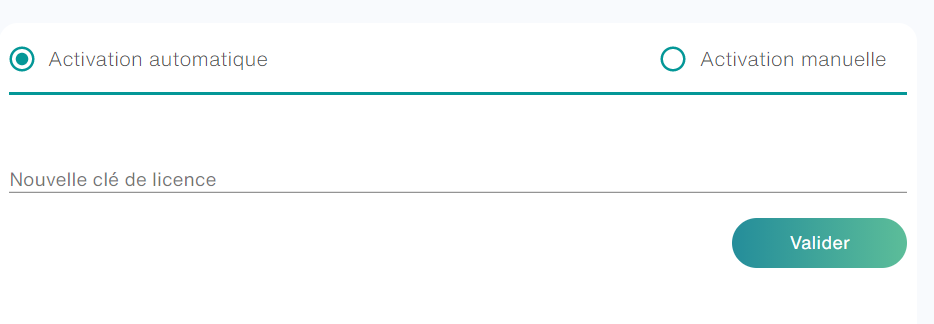
You can activate your licenses directly on Open Bee™ Scan Capture, to do so go to the “About” page and then “License Activation“
Activation
With internet connection
If the Capture server has an internet connection, you just need to fill in the license provided to you in the field provided. Then click on the “Activate” button.
Without an internet connection
If the Capture server does not have an internet connection.
- Check the manual activation box and contact support indicating your machine key that will be available on the screen.
It is possible to activate multiple licenses on a single server. In this case, the information for each license will be cumulative.
Example: License A 1000 Documents + License B 5,000 Documents = 6,000 Documents Allowed
A demo key can be activated only as the first activated key. If a key has already been activated, it will not be accepted.
When activating a permanent key, the demo key that could be activated is replaced.