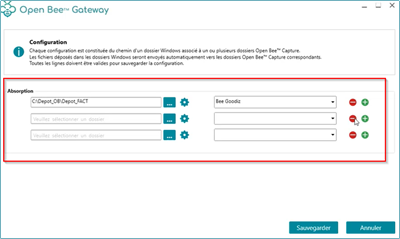
To set up your absorption file
- Launch the Gateway app
- Click on the “Account Settings” menu
Fill in the information related to the Scan capture server connection (Address, username, password):
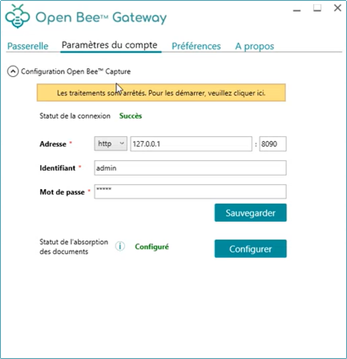
- Click on the ” Configure ” button to the left of ” Document Absorption Status “
- A window appears
- Select a local directory for one or more Scan capture folders using this button
- Select a folder that is already configured in Scan capture
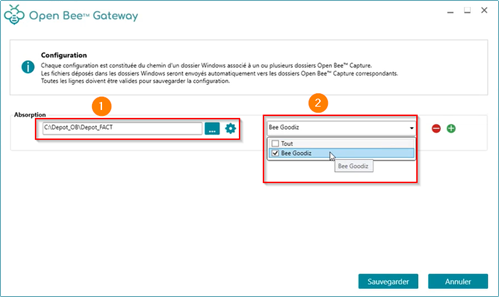
You will be able to add several directories to absorb the documents directly on a client workstation by clicking on the