Accounting Import (OM)
Create an import profile
Click on the accounting/import profile menu
Click the 
The following window appears:
- Start by choosing the type of import e.g.: Sage OMC
- Choose Name
- choose the name of the Folder, then fill in the fields with the information related to the (server, database, your username and password)
You can fill in the fields automatically using a mae file by clicking on the link: 
: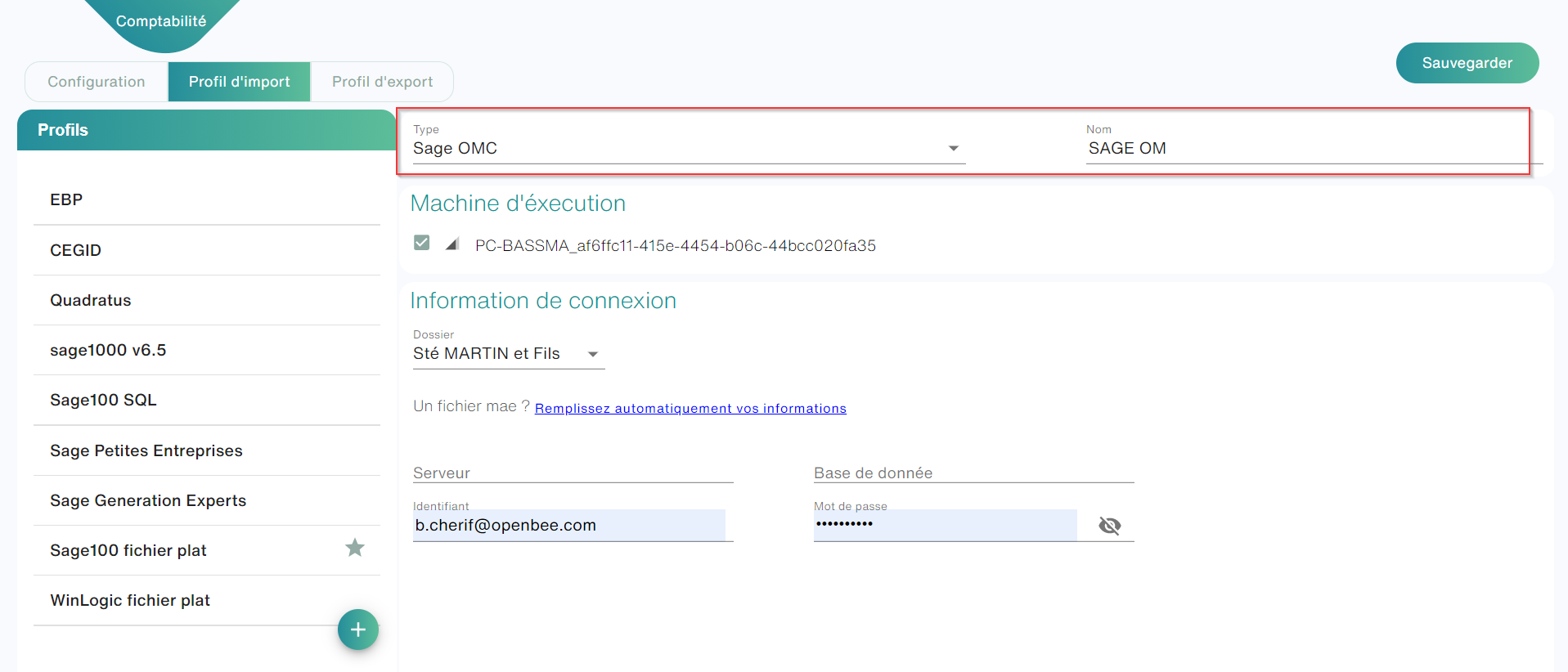
Execution Machine
Accounting import via Business Objects (OM) is done through Open Bee Gateway
Param
To do so:
- Install the Open Bee Gateway app on your pc
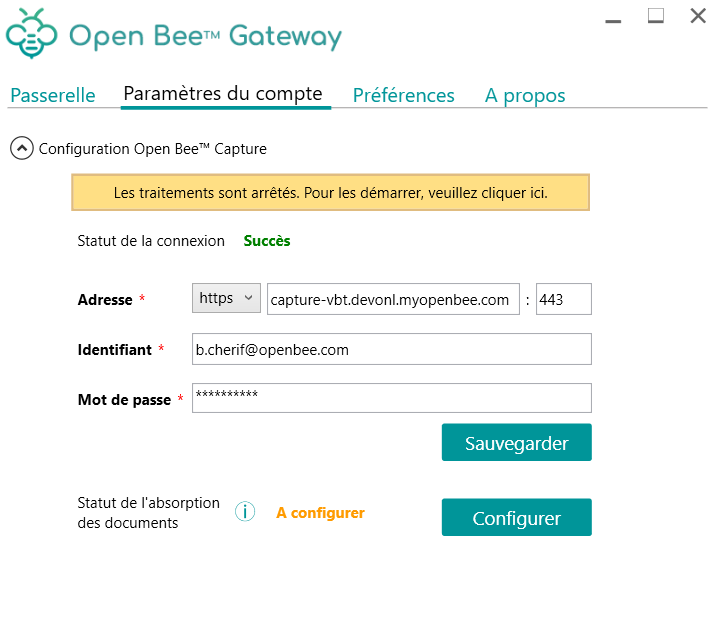
- Configure the captured server address by entering the address, login, and password.
- Click Save
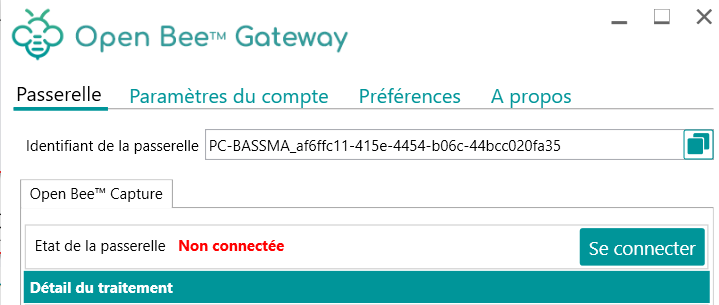
- Click on the “Gateway” tab, then click on the “connect” button
- Go to Smart capture in the Import Profile (OM) interface and refresh the page.
- Check the box for the Gateway ID in the runtime machine

- Go to the Folder/Account Management menu
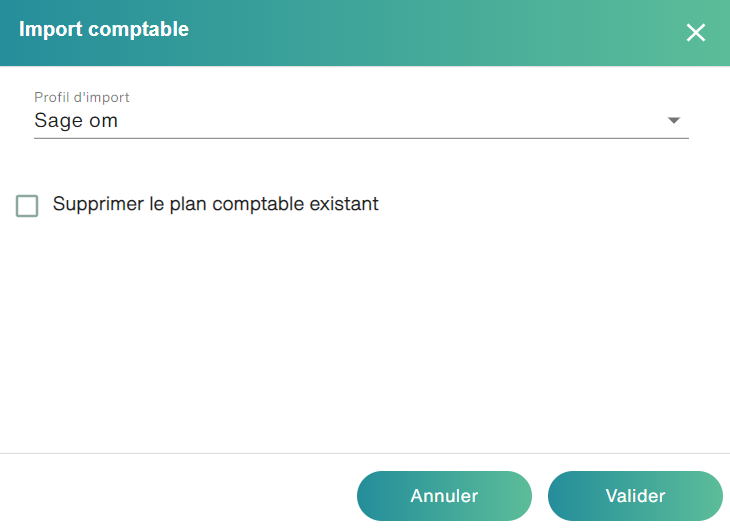
- Click the import icon
- Choose the “wise OM” import profile and click on validate
If you want to check that the import goes smoothly. It is possible to observe the different exchanges between the capture server and the Gateway in the main screen of the latter.