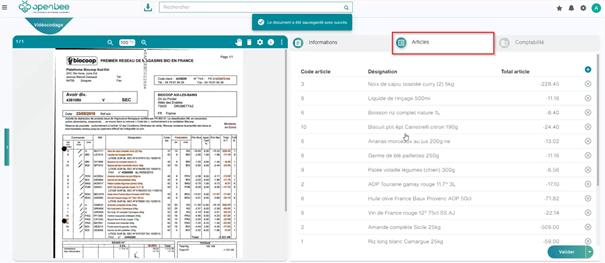
Set up item line lines:
To create item lines
Choose a document type
Select a Template, the index section is displayed,
Add a new Index, and change the index type to “Item Line”.
Validate the item row index, and then add new indexes by selecting the row index so that these new indexes are below it.
Indexes in an item row can be of any type except “Groups” and “Item Rows”
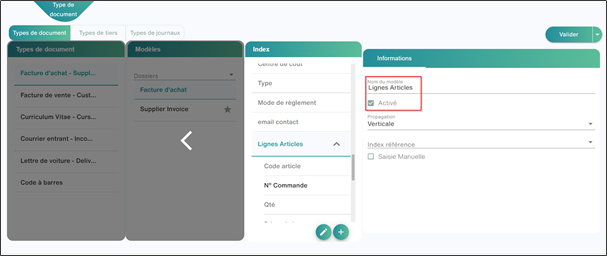
Select the reference index (it will be an index retrieved from the document that will serve as a Smart capture database in order to make a geographical reconciliation with the values and define the item line that is consistent)
You can activate the Items lines directly from the videocoding interface by clicking on this button 
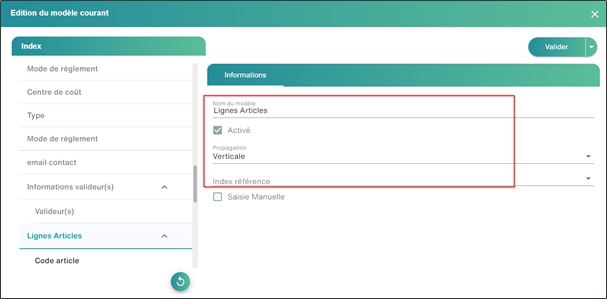
Click Validate, and then enable the other indexes.
Reference Index:
The reference index allows you to improve the quality and detection time of item lines and increase the recognition rate of item lines.
You can configure it in the item row index