Import Type
Accounting import BDD (SQL)
- Start by choosing the type of import e.g. SQL
- Choose Name
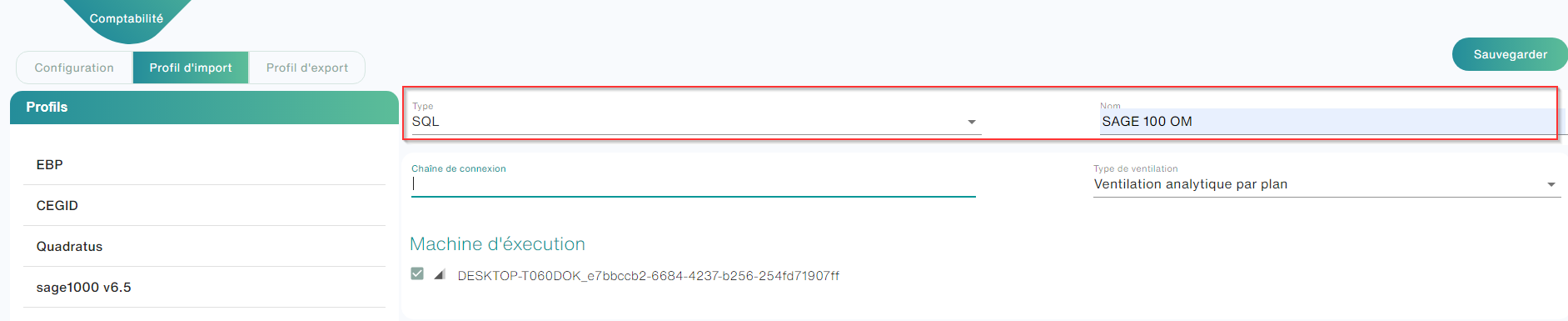
- Connection string: This is when you need to fill in Smart Capture how it should connect to your database. This connection is made through a connection string specific to your database type, or even to your database version.

- Choose whether you want to import the cost breakdown from your accounting software or not
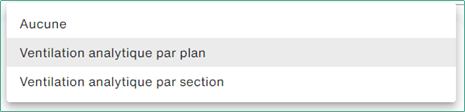
Ventilation type
Two types of ventilation are available to you:
- Breakdown by plans: Your accounting software sorts these accounting sections by plans. Ex: Wise.
- Breakdown by sections: your accounting software does not have a concept of a plan and allows several sections on the same distribution line. Ex: Quadratus
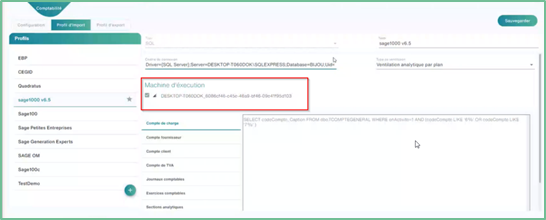
Execution Machine
Accounting import via database (SQL) is done through Open Bee Gateway
Carrying out accounting imports (SQL)
To do so:
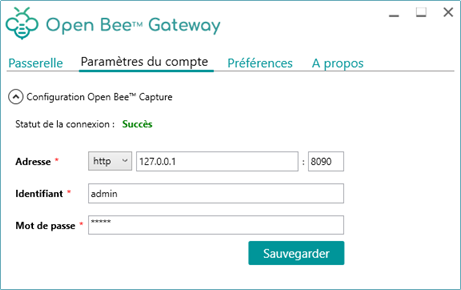
- Install the Open Bee Gateway app on your pc
- Configure the captured server address by entering the address, login, and password.
- Click Save
- Click on the “Gateway” tab, then click on the “connect” button
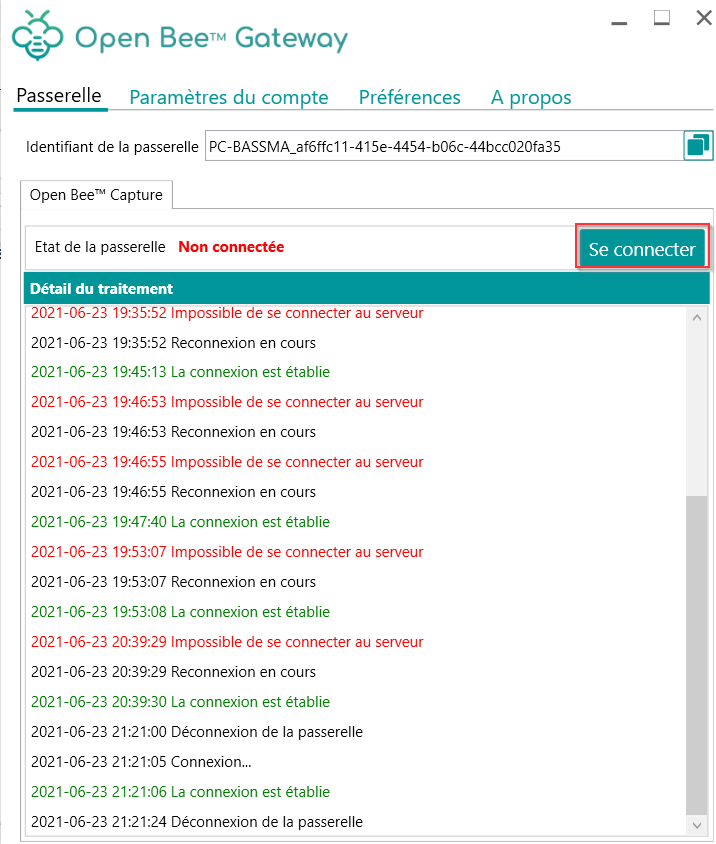
- Go to Smart capture in the import profile interface (SQL) and refresh the page.
- Check the box for the Gateway ID in the runtime machine
- Go to the Folder/Account Management menu
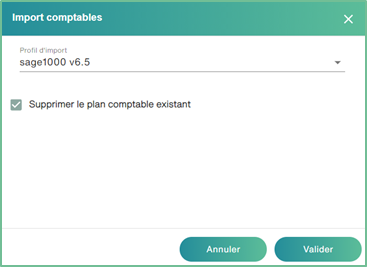
- Click the import icon
- Choose the import profile “sage 1000 v6.5” and click on validate
For accounts: By clicking on each type of data to be imported, Smart Capture will open a text box that will allow you to fill in the corresponding query.
To specify the format to be used in queries, see this page: Formatting SQL Queries

All you have to do now is press the “Save” button to save the changes made to your Template.