In Open Bee™ Scan Capture, an index is a value associated with a document. The goal of Open Bee™ Scan Capture is to retrieve as many indexes as possible from the document. Nevertheless, it is possible that information cannot be detected for various reasons….
- The value is not present on the document
- OCRized value is incorrect
- The value depends on a particular calculation
- The shape of the value or its position is too unpredictable
- The font is unreadable by OCR
- …
It is therefore normal that Open Bee™ Scan Capture is not able to present 100% of the correct values in every document.
The indexes present in Open Bee™ Scan Capture are completely free and customizable. It is possible to add, remove or modify them according to your needs.
Add a new Index
Adding an index is only possible on a generic template. This means that the changes applied to this model will be reflected in all the models present.
Modifying an index that is reflected will not cause any customizations that have already been made to be lost.
To add an Index, simply:
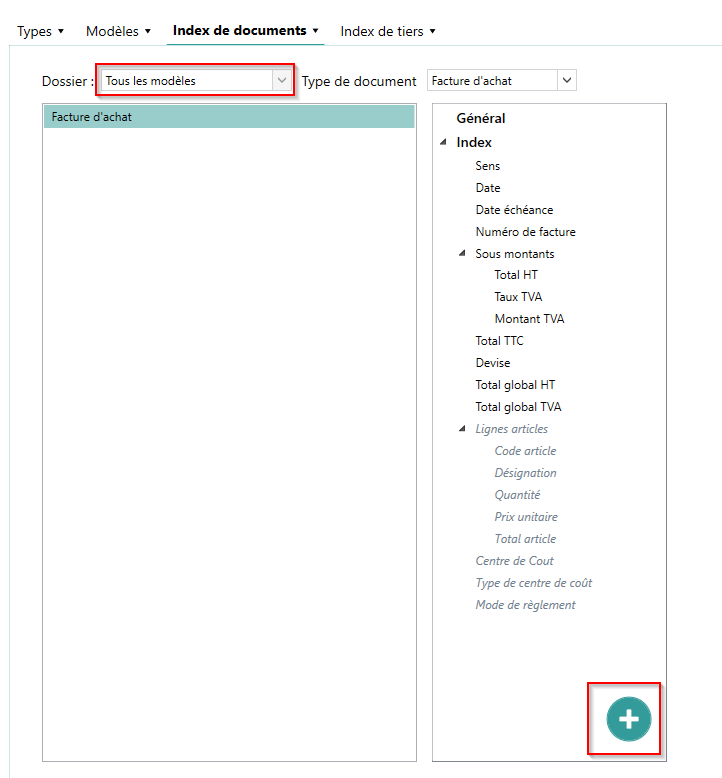
- Click on the “+” button that appears below the index list when “all models” are selected.
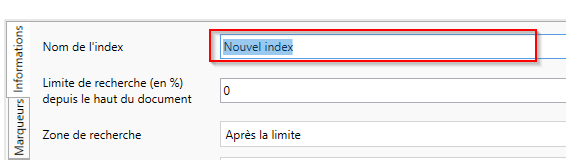
- Then give a name to this new index. This name cannot be changed afterwards because it will be used to identify this index. Finally, configure it as desired, and validate
Changes to generic templates may take some time depending on the number of files and third parties present. It’s even possible that the console application has finished processing, but the server part is still being modified.
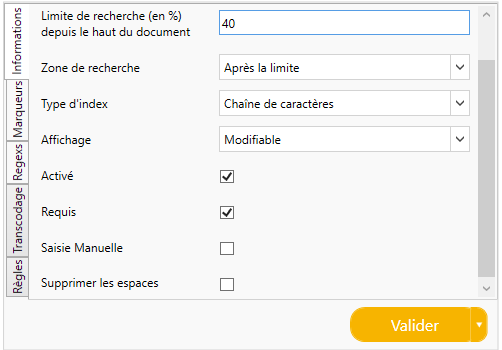
Each index has a general record that includes the following information in addition to the type:
- Search limit (in %) from the top of the document: Allows you to roughly narrow the search box of index values. If the index has customization, this area will not be taken into account.
- Search Box: Indicates whether the values are above or below the previously defined search limit.
- Enabled: Allows you to stop using an index without deleting it. The latter will no longer be visible in the video coding screen.
- Required: If required, the index must be supplemented with a valid value in order for the document to be validated.
- Manual entry: The index will not be searched in the document by Open Bee™ Scan Capture, it will be up to the user to manually fill it in at the time of videocoding. Enabling manual input also allows the use of scripting.
Types of Indexes
In order to improve the detection of values in Open Bee™ Scan Capture, to facilitate manual entry and to apply special processing to them, types are assigned to the indexes that allow them to be detected.
There are two main families of indexes: primitive indexes , which represent information related to documents, and therefore a value. And compound indexes , which are a collection of indexes.
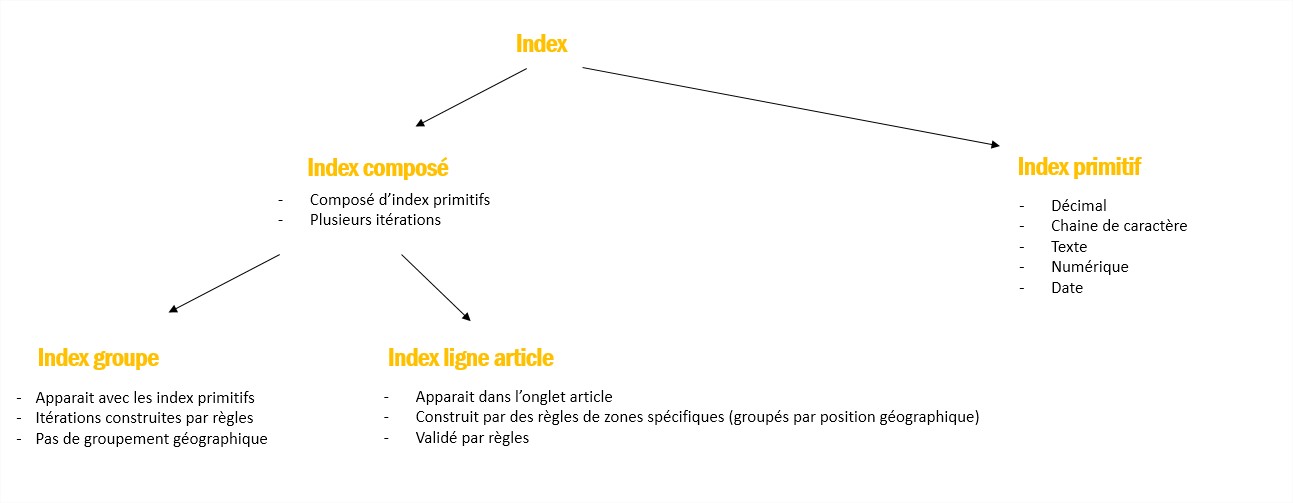
Primitive indexes are divided into several subtypes, each with its own specificities.
| Type | Markers | Regex | Transcoding | Zone Rule | Calculation rule | Type-specific |
|---|---|---|---|---|---|---|
| String | Yes | Yes | Yes | Yes | No | Remove Spaces |
| Text | Yes | Yes | No | Yes | No | |
| Date | Yes | No | No | Yes | Yes | Format US |
| Decimal | Yes | Yes | No | Yes | Yes | |
| Digital | Yes | Yes | No | Yes | Yes |
String
String-type indexes are ideal for processing short alphanumeric information such as references, product codes, identification numbers, etc.
A specific option allows you to delete spaces. This option allows you to remove all the spaces present within the value, very useful for formalizing certain codes whose font would have led the OCR engine to add placeholders, e.g. “457 – B 45” => “457-B45”
Text
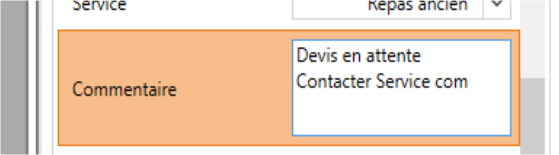
A text index is very similar to a string index, but has a larger input space in the video encoding and can accept line breaks.
Although it is possible to search for values on the document for this index, it is not recommended to do so for values that are not identifiable by strict rules, such as product descriptions for example.
Date
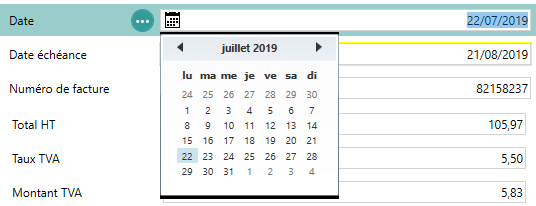
In order to properly manage dates, a special type is dedicated to them. In particular, it allows you to display a calendar in the videocoding window to quickly enter dates.
As a special option, it is possible to activate “US dates”. This means that dates will be handled as month/day/year as soon as it is ambiguous.
Unless the majority of your documents contain US dates, it is advisable to enable this option only on the relevant suppliers.
Decimal
The decimal type is optimized to find numeric values in the document. Example: the amounts of an invoice.
Digital
The numeric format is almost identical to decimal, except that decimal only searches for integers.
Advanced parameterization
Marker
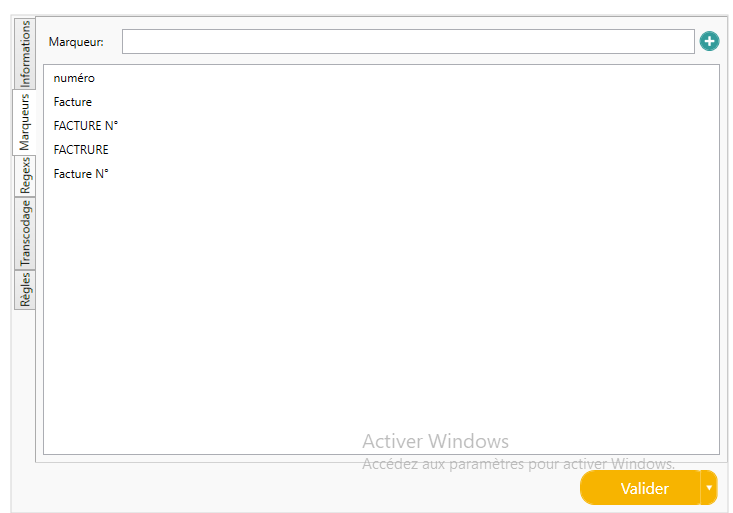
For indexes “captured” by Open Bee™ Scan Capture, these are targeted to the document by analyzing the position of the value and that of its “marker”. A marker is a text element on the document that characterizes the value being searched. In the following example, the index is the invoice number. These indexes are: number, invoice, number, etc. It is possible to modify this list to best fit the needs of the model.
Regex
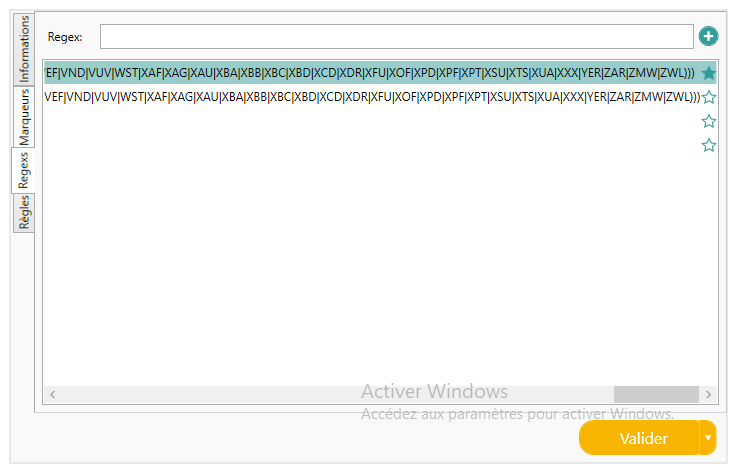
It is also possible to modify the regexs that define the values you are looking for, via the regex tab. The regex list also contains a star on the right. When this is completed, the regex takes precedence. Open Bee™ Scan Capture will therefore look for values using these favorite regexes. If it doesn’t find any values, it will use the other regexes to perform its search. It is therefore advisable to bookmark specific regexes whose results should be treated as a priority.
It is possible to access the regex management directly in the videocoding interface via the zone customization tool and by using the advanced configuration window.
Transcoding
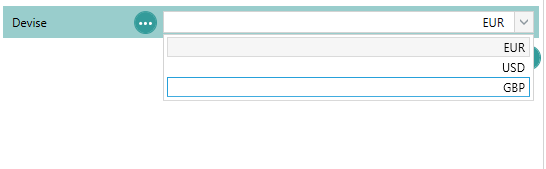
The use of transcoding makes it possible to transcribe values into constants known to the software, but also to limit the possible values and to define a default value.
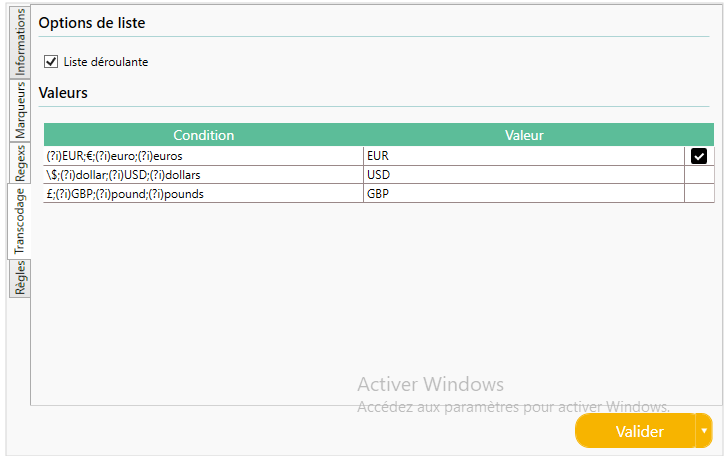
From this tab, you can choose whether the index will be a drop-down list or not using the checkbox provided.
The columns displayed are:
- Conditions: This column is visible only when the index is captured (not manual). These are the different values detected on the document for which the transcoding value will be applied. It is possible to enter several of them separated by “;”, as in the example.
It is possible to use the regexes in this column to target multiple values at once. - Value: The value that will be displayed in the drop-down list and the value that will actually be attached to the document.
- Default Value: Allows you to define the default value that will be assigned to the document, if no value could be found on the document or the index is manual.
Please note that the use of transcoding does not exempt the creation of regex. Regexes are used to isolate different values from all the text on the document. Whereas, transcoding allows it to transcode the values found into known constants.
Menstruation
It is possible to define rules for a date, decimal, or numeric index. These rules will be used to detect the best value for the index in question, to verify that this value is consistent with the others when the information is detected and/or validated by the user, or to set a default value for the index.
The rules are composed of:
- Value of Other Indexes
- Constant variables: For dates, a variable containing today’s date is available
- Decimal value
- Basic arithmetic operators: “/”, “*”, “-“, “+”, “%”, “(“, “)”
Default value
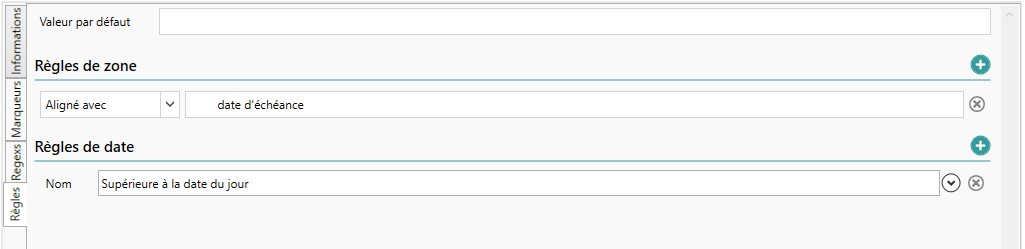
The default value is used to set a value to be applied in the event that no valid value could be found on the document, and this value could not be inferred by Open Bee™ Scan Capture.
Ex: Due Date defaults to the invoice date plus 30 days:

Zone Rules
Zone rules allow you to reduce the possible values for an index by setting a constraint related to the geographic position of the value relative to the values of other indexes.
E.g. the amount excluding VAT is always higher than the total including VAT

Icon
Field rules are used for inferring values. They are not re-evaluated during the user validation phase.
Calculation rules
Calculation rules are an important part of Open Bee™ Scan Capture because they are the ones that allow the user to be able to deduce consistent values. But also to check that the values entered by the user are correct by prohibiting validation or warning the user that the values entered are inconsistent.
E.g. The amount excluding VAT must be equal to the Total including VAT minus the amount of VAT.

- The drop-down list allows you to choose the operator of the rule: “=”, “<“, “{{{wpml_tag_1}}}”, “>=”, “!=”
- This rule is used by Open Bee™ Scan Capture to determine the most relevant value. If none match, the value can be calculated from the other indexes that have been detected, as inference is allowed for this one.
- This rule will not be used when checking values at the time of user validation.
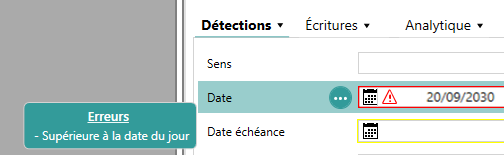
E.g.: It is not possible to validate a document whose date is greater than today’s date

In this case, we used the validation constraint to indicate that this rule is mandatory and to prohibit validation of the document when this rule is not verified.
In the video coding interface, an icon appears in the error field and the validation button is deactivated. The name of the invalid rule is displayed when the user hovers over the icon.
Scripts
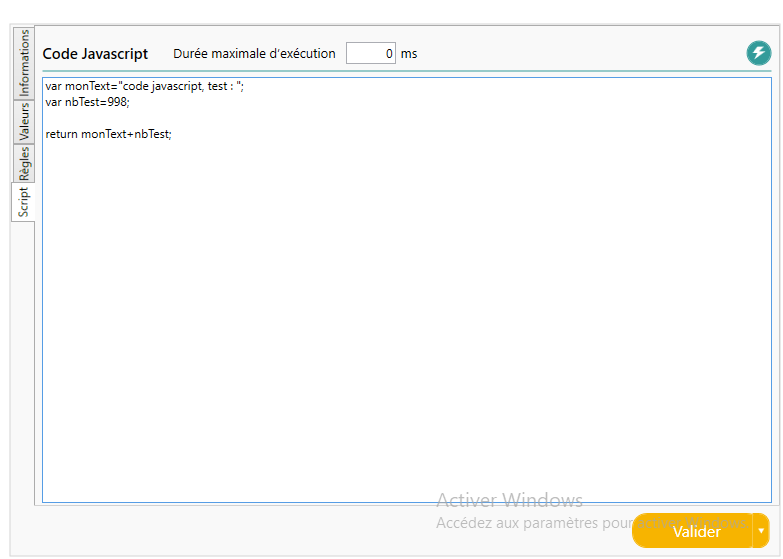
In Open Bee™ Scan Capture , it can happen that a value is not explicitly present on a document, but it can be deduced from several other captured information, or that a very specific transformation can be applied to a value. All of this is possible through a script.
To insert a script, simply create an index of the expected type and then put it in “manual entry”. A new “script” tab appears. You can then follow the syntax defined in the Scripting page to insert javascript code. This code will be executed at the end of the detection of Open Bee™ Scan Capture, and then restarted each time the video encoding interface is changed.
Consistency check (version 4.7.0)
Consistency indexes are primitive special indexes. This allows them to be added as classic detection indexes, but can also be injected into a group or an item line.
Unlike a script index, the consistency index is composed of 2 javascripts scripts.
- A data script: its purpose is to retrieve, or generate, data and organize it into an array of structured data. This table will be made visible in the user interface and the user will be free to edit them.
- A control script: it will have access to all the data in the document as well as the data returned by the data script, so it will be able to compare the data and return a consistency state.
These 2 scripts have the constraint of returning structured information with the objects made available. Respectively:
- JSE_DATATABLE for the Data Script
- JSE_CONSISTENCY_RESULT for the Verification Script
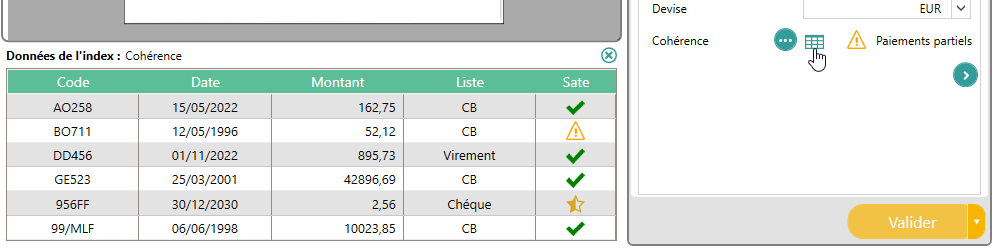
The display of the retrieved data is carried out by an interface specific to the consistency script: