In some cases, it is possible to generate part of the accounting entries automatically from the value of an Index. This feature can be used in 2 specific cases:
- Generate an entry line based on the value of an index to assign an amount from a decimal index to a specific account .
- Generate a 100% analytical breakdown on a specific section.
It is also possible to combine these 2 settings to generate a writing line and apply a breakdown on the same line.
Parameterization
To access this setting, it is necessary to use the “Transcoding” tab on the configuration of an index.
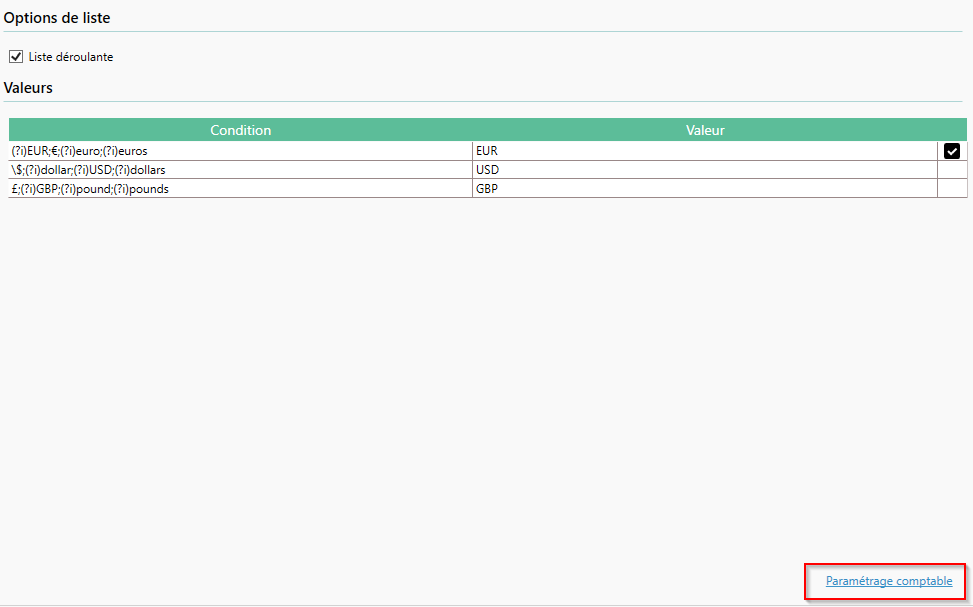
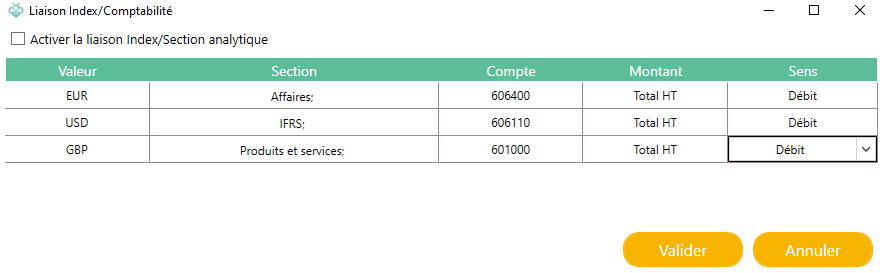
A new window will appear with the values already entered in the transcoding table. For each of the values in the transcoding, we can fill in different information:
- The section : (visible only if the folder has an analytical plan) which allows you to create a 100% breakdown. Two cases are possible:
- An account is entered with this section: the breakdown will be applied to the line generated with this account.
- No account is entered with this section: the 100% breakdown will be applied to the first allocable account present in the accounting lines. If no breakout account is entered yet, the breakdown will be applied to the first breakable account entered by the user.
- Account, Amount, and Direction : These are required to generate a ledger entry line. The value of the index (chosen in the Amount column) will be assigned to the account (Account column) and will be debited or credited according to the selected direction (Meaning column).
To make it easier to generate rows, there are special values:
- %ALL% : The generation will be done regardless of the value of the index.
- %OTHER% : The generation will be done regardless of the index value, but only if that value is not already present in the index/accounting link list.
Generated Rows
The first time a provider writes to a provider, even if rows are set up to be automatically generated, Open Bee™ Scan Capture will not be able to balance the write itself. It will generate the standard template of the entries, and add the generated rows to the end of the entry:
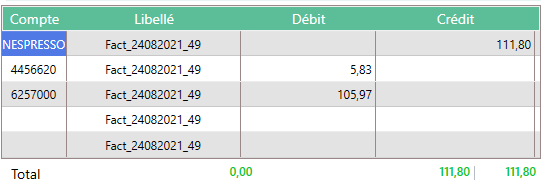
Once the writes have been balanced by the user, Open Bee™ Scan Capture will remember that lines have been generated and in future documents will fit into the correct position to produce a balanced write.
Automatic Linking
In some special cases, analytical breakdown is information present on videocoded documents in a raw way or in the form of values that can be easily transcoded.
In this case, it is possible to “enable the Index/Analytical Section link“. When this feature is enabled, the transcoded value is directly associated with the analytical section that carries the code of the transcoded value.
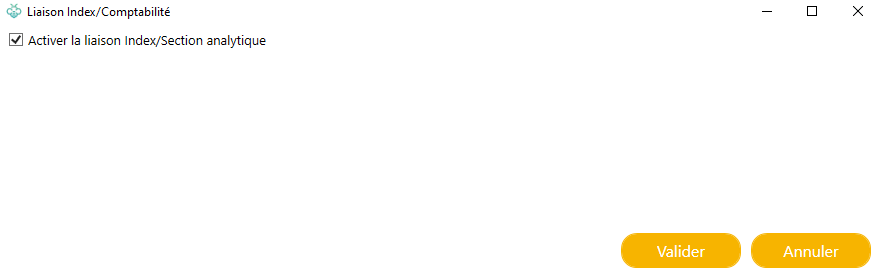
The section code and the transcoded value must be the same for the association to work.
Material Lines
This can be done on indexes that are present in the item lines. In this case, a write line will be generated for each line detected by Open Bee™ Scan Capture.