Description
It is possible to use automatic validation within Capture, it works under certain conditions:
- All required indexes are filled in
- No indexes should be inferred
- All rules enabled on indexes are correct
- The document is not considered a duplicate
- The third party is detected (if the model has a third party type enabled)
Careful:
- Scripted indexes are ignored
- When an index has a value found (correct or not for the end user) if it corresponds to the rules put in place, the document will be validated automatically. It is therefore important to ensure that automatic validation is activated on models that are already well known to be recognized
Set-up
Console
Go to Configuration -> Template Management -> Document Index
Then choose the level and document type on which you want to enable auto-validation:
- All Models = All Application
- A specific file = This file and its third parties
- A specific file + a click on a third party = A specific third party
Click on “General”
Then you can enable auto-validation at two different levels:
- Auto-Validate = Automatically validates the index detection portion of the document and sends it to the outputs defined in the application
- Automatic Posting of Entries = Automatically validates the entries of the document only if they are well formed, balanced
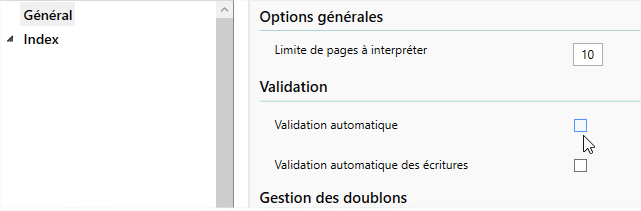
If you want the detection of indexes + writes to be validated automatically, you must check both boxes
Addon
Go to Document Type
Then choose the type of document you want and then the template you want (by choosing the folder beforehand if you want to target this automatic validation on a specific folder)
Then then, if you want to apply this to a specific third party, choose the desired third party from the drop-down list
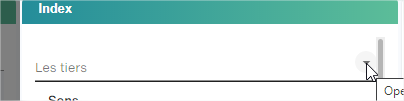
Then click on the edit button of the template

You will then be able to access automatic validation for the template you have selected

- Information : Automatically validates the index detection portion of the document and sends it to the outputs defined in the application
- Entries : Automatically validates the document’s entries only if they are well formed, balanced