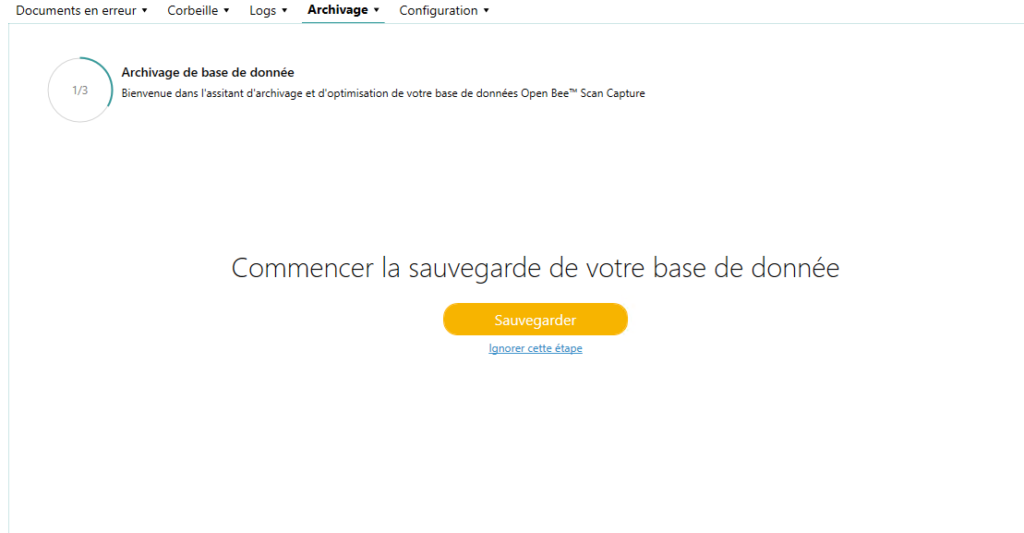
Archiving allows you to make a backup of the database at the time of export. On top of that, it can lighten the volume of the database by eliminating items older than a given date.
To access this page, go to “About”/”Maintenance” then “Archiving” tab.
Backup
To make a backup of the Open Bee™ Scan Capture database, you just have to press the button provided for this purpose, once the backup is made, you will be able to download your archive
Log Archiving
When Open Bee™ Scan Capture has been in use for a while, a lot of logs have accumulated and take up a significant amount of space in the database.
For this reason, you can choose to archive your logs up to and including a specific date

Archiving of files
Archiving also allows you to purge old items on a folder or all folders if no folders are checked.
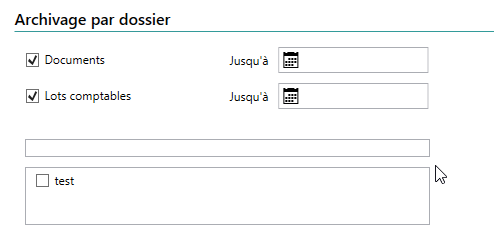
There are two things that can be deleted:
- Documents: All documents prior to the given date will be deleted.
- Accounting batches: All batches that have already been exported and are older than the given date will be deleted.
Deleting documents affects duplicate detection. Archived documents will not be matched with new documents absorbed by Open Bee™ Scan Capture.
Optimization
When the optimization is complete, Open Bee™ Scan Capture displays a report of the actions taken. Indeed, after the export action, the database is optimized by removing the “orphaned” objects e.g. supplier without an associated accounting file.
