Spring
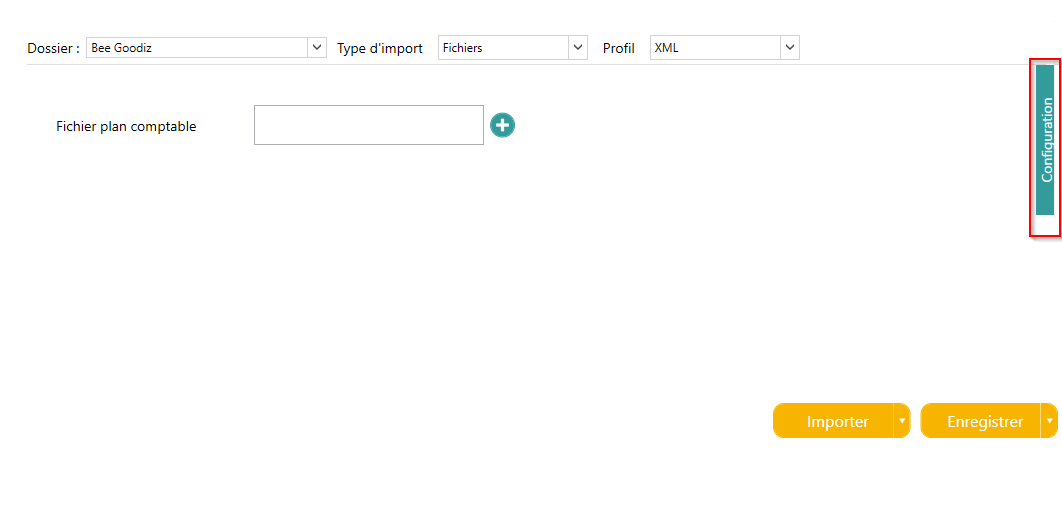
The import is for a particular folder to be chosen from the list of Open Bee™ Scan Capture.
- Choose the file you want to import
- The option to delete the chart of accounts allows you to purge items that are no longer present in the chart of accounts
The configuration of the XML import is done in the “Configuration” tab located on the right of the page.
Setting up accounts
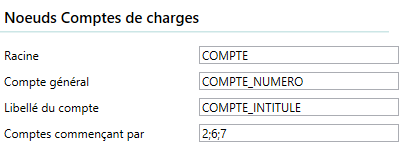
Each type of account has its own section that allows you to identify them:
- Root : This is the tag that encompasses the account information.
- G/L Account : The tag or attribute containing the account number
- Third-party account : (Accounts receivable/payables only) the tag or attribute containing the number of the third-party account
- Account Label : The tag or attribute that contains the account label
- VAT Rate : (VAT account only) the decimal value associated with VAT accounts (optional).
- Accounts starting with : The filter that allows you to import only accounts that start with these characters. It is possible to define several of them by separating them with “;”.
Setting Up Fiscal Years
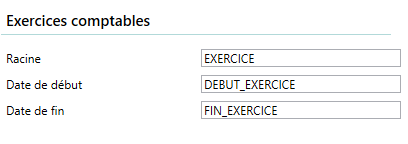
In the same way, it is possible to import accounting years if they are available:
- Root : This is the tag that encompasses the account information.
- Start Date : The tag or attribute that contains the start date of the fiscal year
- End Date : The tag or attribute that contains the fiscal year’s end date