General
In order to optimize this functionality, we have restricted the use of regex auto-generation for Date, Decimal, and Numeric indexes.
For these indexes, the basic regexes present within the software allow you to detect most of the desired values. If the value is not detected, research efforts must be focused on: the area, the discrepancies between the amounts, the rules, etc.
Decimal and numerical indexes
For example, decimal and numeric values change lengths very often.
If we take the case of an invoice amount, this value can take different forms: 1.42 or 35.48 or 3652.45 … All of these values can be found natively by Capture, so there’s no need to use auto-generation.
However, when the values were not found due to bad customizations or other manipulations, the end user tended to use auto-generation thinking to correct the problem. Not only did this not correct the first problem, but it had the effect of aggravating it since after auto-generation, Capture obtained a very strict regex to look for as a favorite. Ex auto-generation on the value 1.45 led Capture to only search for values corresponding to a digit, followed by a comma, followed by a digit, followed by a digit.
The software could therefore no longer find an amount like 125.56.
Example scenario
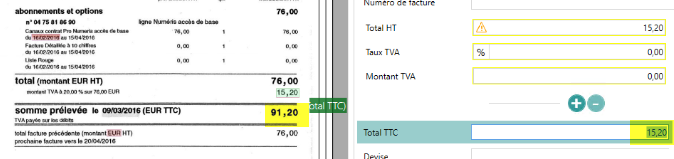
Let’s take the case of this invoice, simple customization areas allow you to find the values
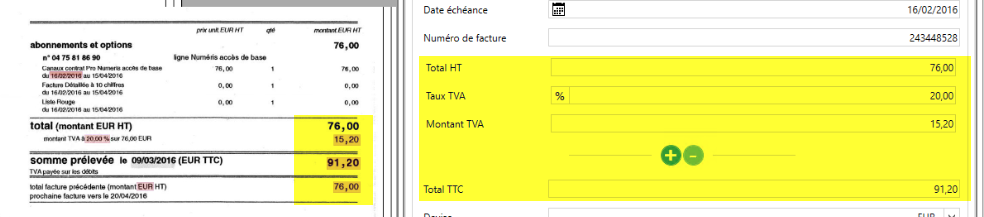
Consider the following customer scenario:
An invoice from the same supplier arrives with an OCR error

As usual, the customer uses the regex auto-generation since the amounts are not found
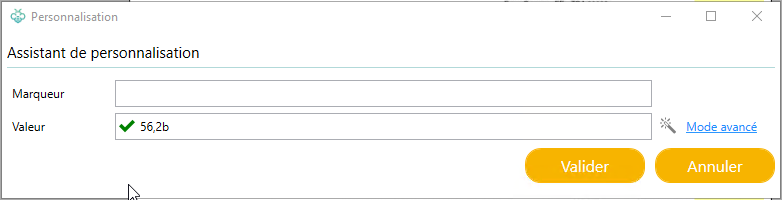
He therefore finds himself with a new regex as the favorite in his list of regexes

This new regex: ((^|\s|(?<=\:)|(?<=\;)|(?<=\,)|(?<=\°)|(?<=\.)|(?<=\())[0-9][0-9],[0-9][a-zA-Z])(\s|$|(? =\.)|(?=\,)|(?=\;)|(?=\)))
Now only accepts values of type 1 digit 1 digit decimal point one digit one letter
If we look at the invoice after generation, it didn’t solve the problem of amount, the 26 is still not found
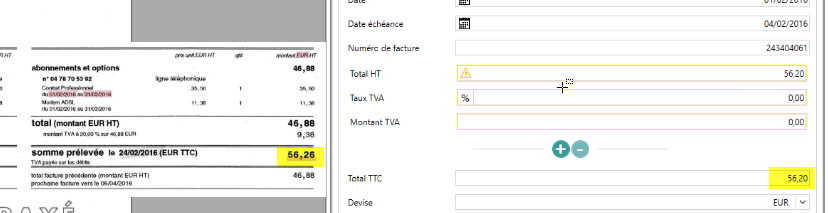
But worse still, it has worsened the situation, if we look at our invoice which was correctly recognized before this manipulation, it is no longer because of this new regex
Case study (Customer)
Here is a concrete case found in a client, which illustrates what is very often found in clients complaining about recognition that no longer works
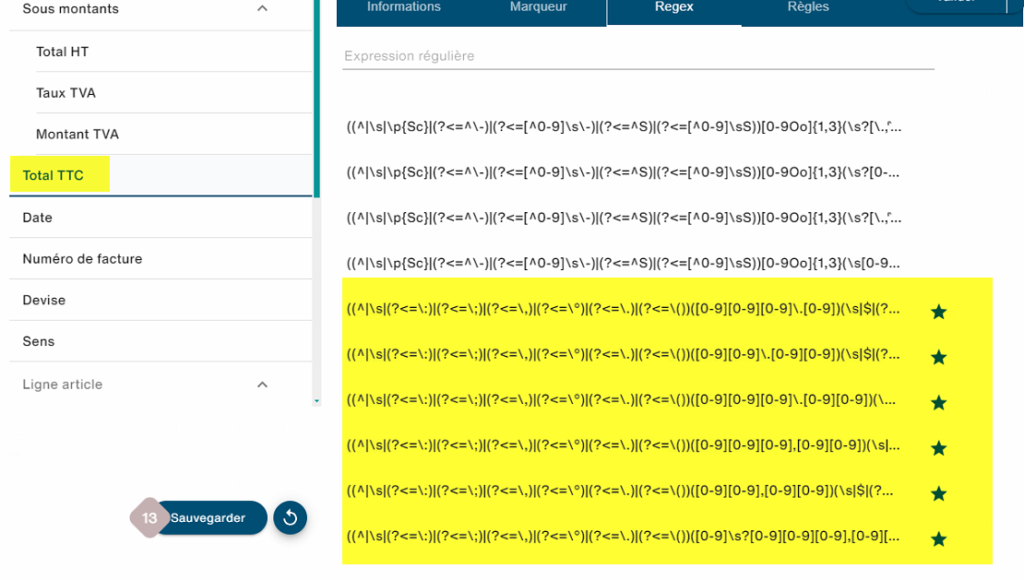
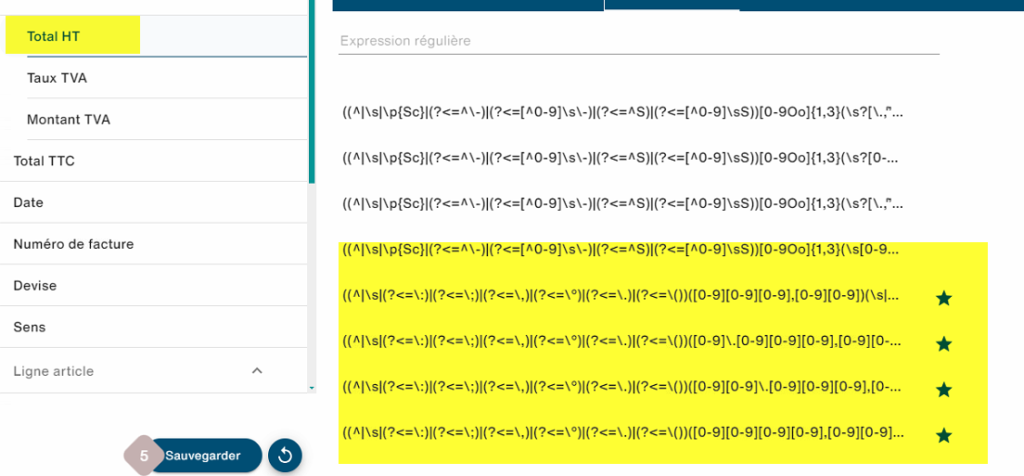
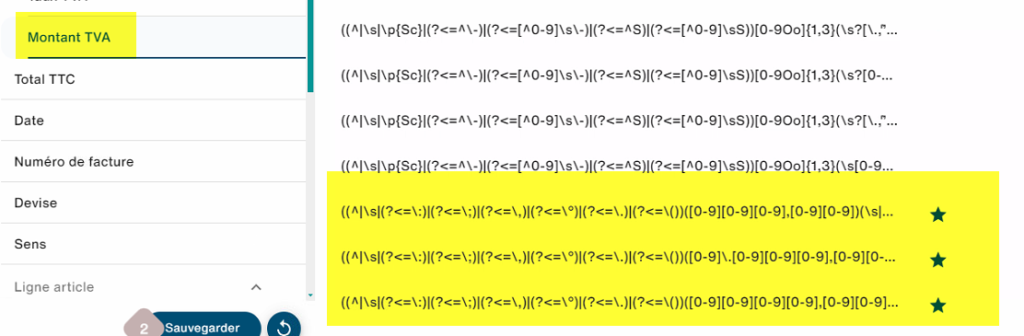
The engine is throttled on all sides with auto-generated regexes, so there is no longer any chance of being able to find the amounts of this document
Index dates
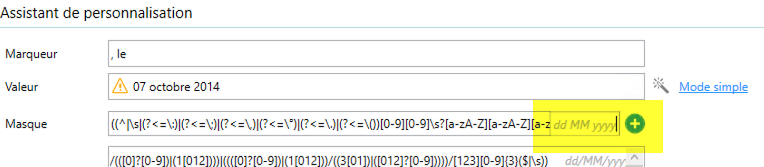
In the case of date-type indexes, especially for dates with months written in letters, we ran into the same danger. Indeed, if we take for example the date March 1, 2020, auto-generation on this value resulted in the creation of a regex A number, a space, a letter, a letter, a letter, a letter, a space, a number, a number, a number, a number.
The software could therefore no longer find the value on November 25, 2020.
Another problem in the case of date indexes is that, in addition to the regex, it is necessary to tell Capture the format of the date, e.g. dd MMMM yyyyy, so that it can associate the value found with a Date object. In the majority of cases, the format was not populated by users due to lack of knowledge, which had the effect of blocking the search for Capture with a self-generated but unusable favorite regex.