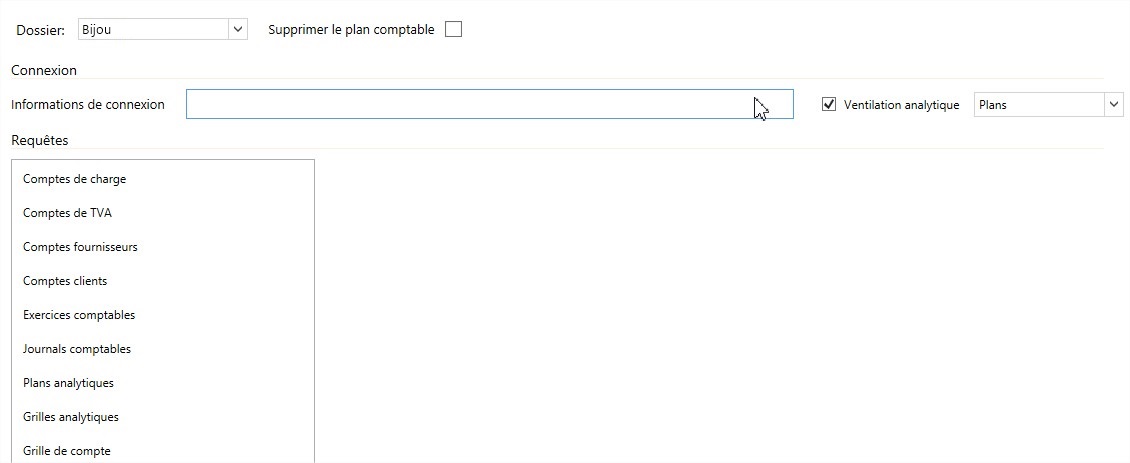
Accounting import via database is described by this interface
Setting up the import
- Start by choosing the folder for which you want to set up the accounting import. Login information will be saved per folder. Requests will be recorded globally for all files.
- Delete Chart of Accounts : If you check this box, Open Bee™ Scan Capture will erase your already imported data and replace it with the new one. If this box is not checked, Open Bee™ Scan Capture will update the already imported data that has undergone changes, import the new data that it does not know, and keep the old ones.
- Choose whether you want to import the Analytical Breakdown from your accounting software or not.
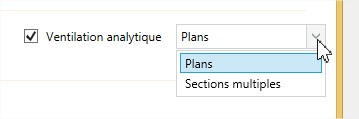
There are two types of ventilation available:- Breakdown by Plans : Your accounting software sorts these accounting sections by plans. Ex. Wise
- Breakdown by Multiple Sections : Your accounting software does not have a concept of plan and allows several sections on the same Ex distribution line. Quadratus
- Login information : This is where you’ll tell Open Bee™ Scan Capture how it should connect to your database. This connection is made through a connection string specific to your database type, or even to your database version. Most of the connection strings are available on the https://www.connectionstrings.com/ For pre-saved templates, the already configured connection strings will contain dynamic parts that you will need to fill in according to your database. These parts will be defined as e.g [partie dynamique] .
 [Login] would become e.g. admin
 - Queries : By clicking on each type of data to be imported, Open Bee™ Scan Capture will open a text box that will allow you to fill in the corresponding query.

- All you have to do is press the “Save” button to save the changes made to your template and/or the “Import” button to import your data
Formatting Results
For each type of data, Open Bee™ Scan Capture expects a result in a specific order. Here are the different description files depending on the language used:
Special cases
Imported third-party accounts aren’t breakable by default in Capture. To allow analytical allocation to these accounts, the master account must be imported among the expense accounts as an allocable account.