Groups
Groups are used to manipulate the access rights assigned to a set of users.
Go to “Configuration”/”General Settings”, tab “Group Management”. From this interface, you can Add/Remove/Edit groups.
Add
To add a group, simply click on “Add Group”. A new group will be created with all rights and no users by default.
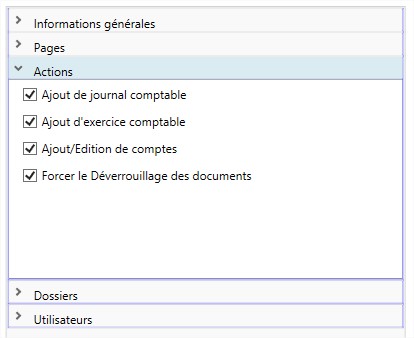
To edit a group, several categories are available on the right side of the screen:
- General information : Change the name of the group
- Pages : Restrict the display of pages (e.g. the index settings page)
- Actions : Restrict the use of certain features (e.g. force unlocking documents)
- Folders : The different folders accessible to users in this group
- Users : The users contained in the group
Delete
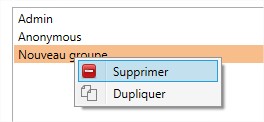
To delete a group, simply right-click on it to open a context menu, and click on “delete”.
Duplicate
It can be interesting to create new groups by duplicating.
This method allows you to create a new group with the same rights as an existing group.