Generality
It is possible to set up multiple DMSs within Capture. These can be used for document ingest or export.
Description
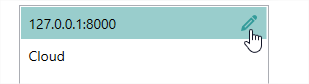
You will find the list of configured DMSs on the left side of the screen. Each DMS can be deleted using the right-click menu or edit by clicking on the
Configuration
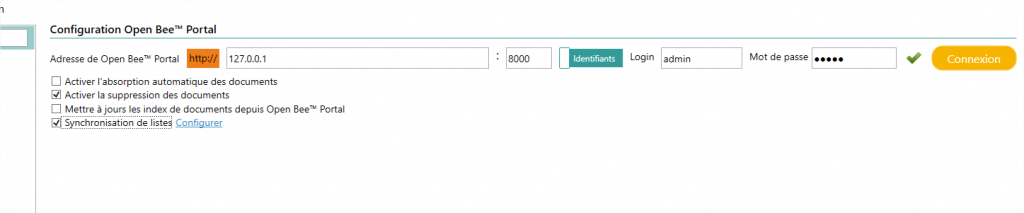
Open Bee™ Scan Capture requires the following information to communicate with Open Bee™ Portal:
- Protocol: click on the protocol to switch between http and https
- The address of the server
- The port
You can choose between two connection modes using the button next to the connection port field 
In the case of login by credentials:
- The user login that will be used to create the documents
- The user’s password

In the case of an API key connection:
- The API key from Open Bee™ Portal

Option DMS
Enable automatic document snapping : This allows, as the name suggests, to allow automatic snapping of documents on DMS folders configured for Capture folder absorption.
Enable document deletion : This option means that deleting a document on Capture, will result in the deletion of the linked document on Open Bee™ Portal
Update document indexes from Open Bee™ Portal: This option allows you to synchronize the information visualized within the videocoding with the document’s metadata on Open Bee™ Portal.
List synchronization : This allows you to send the list of Capture third parties to a list in Open Bee™ Portal and keep this list up to date.
Synchronizing Lists
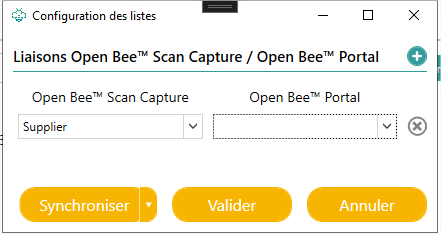
When configuring these syncs, you will need to select the “Third-party type” of Capture to be uploaded from the Open Bee™ Portal list.
Multiple synchronizations can be set up, for each type of party.