Presentation
You can activate your licenses directly on Open Bee™ Scan Capture, to do so go to the “About” page and then “License Activation“
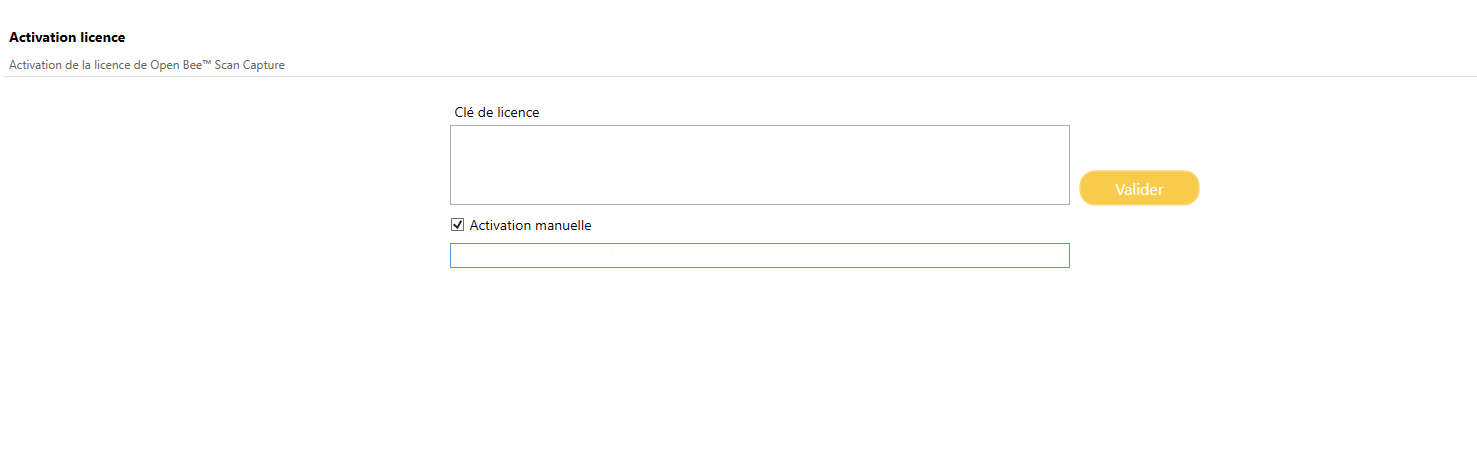
Activation
With internet connection
If the workstation you are on has an internet connection, all you have to do is enter the license that has been given to you in the field provided for this purpose. Then click on the “Activate” button.
Without an internet connection
If the computer you are on does not have an internet connection.
- Select the Manual Activation check box
Demo License
To activate a demo license:
- Copy/Paste the license displayed on the popup opened when you click on “Manual activation“

- Fill it in the field provided
- Activate License
Real License
To activate a license without an internet connection:
- Contact a person authorized to create a license manually with the Machine ID generated by Open Bee™ Scan Capture
- Fill in the license that the person will give you in return in the field provided.
- Click on “Activate“
Results
 : Your license is not correct
 : Your license validation failed
 : Your license has been validated
 : Correct license pending validation