These two profiles can be exported in two different ways:
- Via Gateway: To export the files to the Windows workstation where the Gateway is installed
- Via FTP: To export files to a specific FTP
Profile Data File
The “Data File” output allows you to export raw document data into the implemented structure via the Mustache model.
There are two models available:
- File Path: A template to create the path where the data file should be exported
- File Contents: Template for creating the internal structure of the file
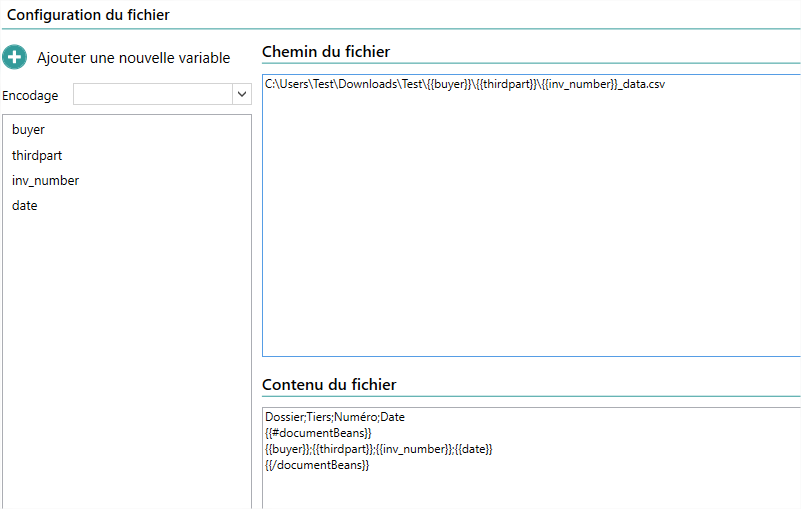
Origin File Profile
The “Original File” output allows you to export the PDF document to the location indicated by your mustache template
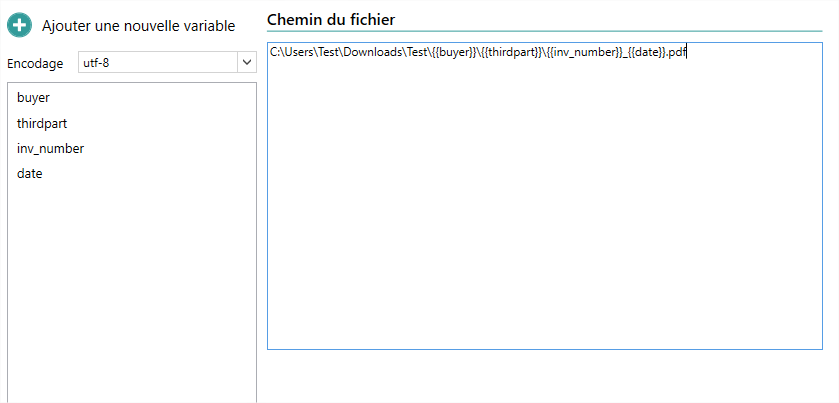
Structure Mustache
For more information about the Mustache structure, you can consult the Mustache Model page
By default, you can use your variables directly in your Mustache structure. However, if you need to export multiple documents within the same file, it is possible to create a loop using the {{#documentBeans}} tag
Ex.
{{#documentBeans}}
{{thirdpart}};{{buyer}};{{invoice_number}}
{{/documentBeans}}
Item Group or Line Index (4.7.0 or higher)
There are two ways to use an item row subindex or a group sub-index
Solution 1 (Single Value): Use the id Unit of the desired value directly. This way, you can access your variable from anywhere in your mustache code. Ex: variable NumRef
{{NumRef_1}} ou {{NumRef_2}} ...Solution 2 (Loop on Rows): Use the item or group line ID as context, and then use your mustache variable inside. Ex: variable NumRef
{{#ARTICLE_INDEX}}
{{NumRef}}
{{/ARTICLE_INDEX}}
Export Scheduling
For more details on how to schedule the output export, you can consult the Batch Export page