How do I manage an invoice without VAT?
Editing Indexes
(Be careful, for the double click to work, the supplier must be informed)
- Double-click on the title of the VAT Rate index (in the videocoding section)

- Uncheck “Enabled”
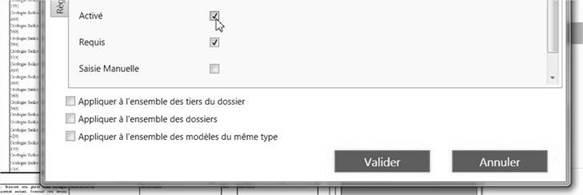
- Validate
- Double click on the title of the VAT amount index (in the videocoding section)
- Uncheck “Enabled”
- Validate
- Customize the amount excl. VAT
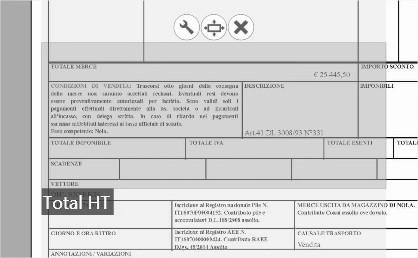
- Customize the Total incl. VAT
- Reinterpret
- Adjust customizations as needed to find the amounts and reinterpret until they are found. (If you can’t detect your amounts, don’t hesitate to consult the page: Why can’t my index be found?)
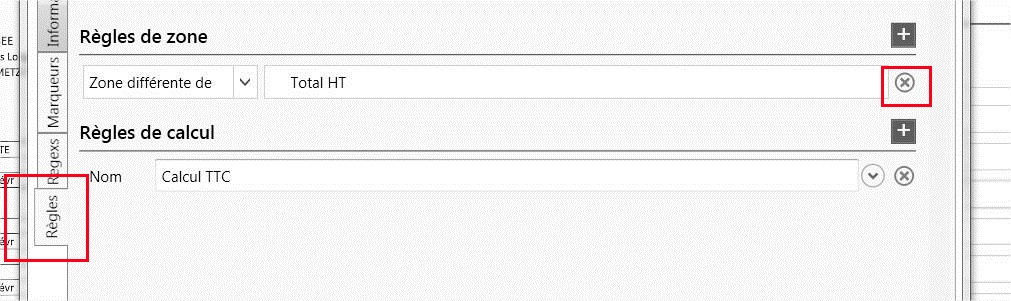
It is possible that the Total including VAT and the Total excluding VAT are one and the same amount within the invoice. In this case, be sure to deactivate the rule on the Total including tax “Zone different from the Total amount excluding VAT”.
- Double click on Total TTC
- “Rules” tab
- Delete the ruler using the small cross
Accounting
As for Open Bee Scan Capture entries, you will only have to add a line (CTRL +) and put the desired amount (in theory it should be equal to the amount already present if the VAT is zero).
In the case of a reverse charge: add two more lines (CTRL +) and in the amount field you can perform calculations by starting your entry with “=”
ex. “=1023.23*0.2” (To take 20% of the amount 1023.23)
Once the write is complete, Open Bee Scan Capture will save the model and offer it back to you on the second pass of that provider
How do I manage an invoice with Intra-Community VAT?
On the1st pass of an invoice from a supplier, Open Bee™ Scan Capture will display the default accounting entries (1 line for each amount excluding VAT, 1 line for each VAT amount, 1 line for the VAT included in the business partner).
It is possible to modify this default entry template (or to create a new one), in order to create an intra-community model by adding an additional VAT line (against credit) + by balancing the last line (excl. VAT = incl. VAT).
As a result, Open Bee™ Scan Capture will save a write pattern with this new intra-community pattern for that provider.