⚠️ As of January 2024, the online desktop editing feature is no longer maintained or supported as part of the Open Bee Portal developments. It is based on a now obsolete Microsoft technology, the possible malfunctions of which cannot be corrected directly by Open Bee.
The functionality remains available as is for environments that are still using it, but no guarantee of compatibility or full support can be guaranteed in case of a mismatch. It is recommended to use the edition with Microsoft Office Online or download the document, edit it locally and then re-import it into Open Bee Portal.
This feature allows you to edit an Office document located in the Open Bee™ Portal from your workstation.
Prerequisites
You must have one of the following versions of Microsoft Office installed on your workstation.
- Microsoft Office Standard 2010
- Microsoft Office Professional 2010
- Microsoft Office Professional Plus 2010
- Microsoft Office Professional 2013
- Microsoft Office Standard 2013
- Microsoft Office Home and Business 2013
- Microsoft Office Home and Student 2013
- Microsoft Office Professional 2013
- Microsoft Office Standard 2013
- Microsoft Office Home and Business 2013
- Microsoft Office Home and Student 2013
- Microsoft Office Professional Plus 2016
This feature is not available for external users.
First Use: Setting Up Your Workstation
If you’re using Office 2016, make sure that Office is up to date.
From the menu on the document, click on “Edit online”:
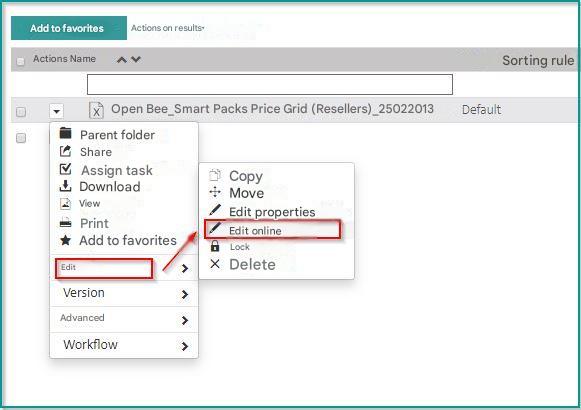
Your browser downloads the utility to configure your workstation.

Run the utility.
Windows “Administrator” rights are required to apply the configuration.
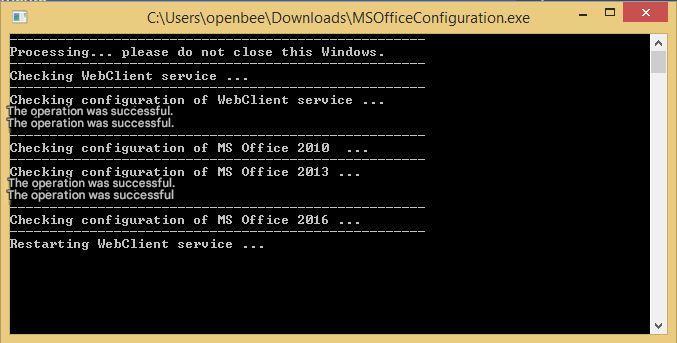
Verify that no errors are displayed. Your workstation is now set up.
Uses: Editing the document with Microsoft Office
From the menu on the document, click on “Edit online”:
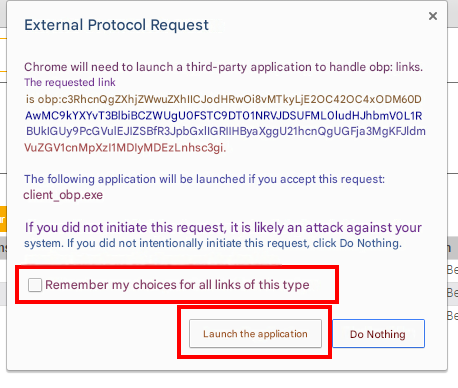
Your web browser displays a warning. Allow the app to launch and check the box to remember your choice.
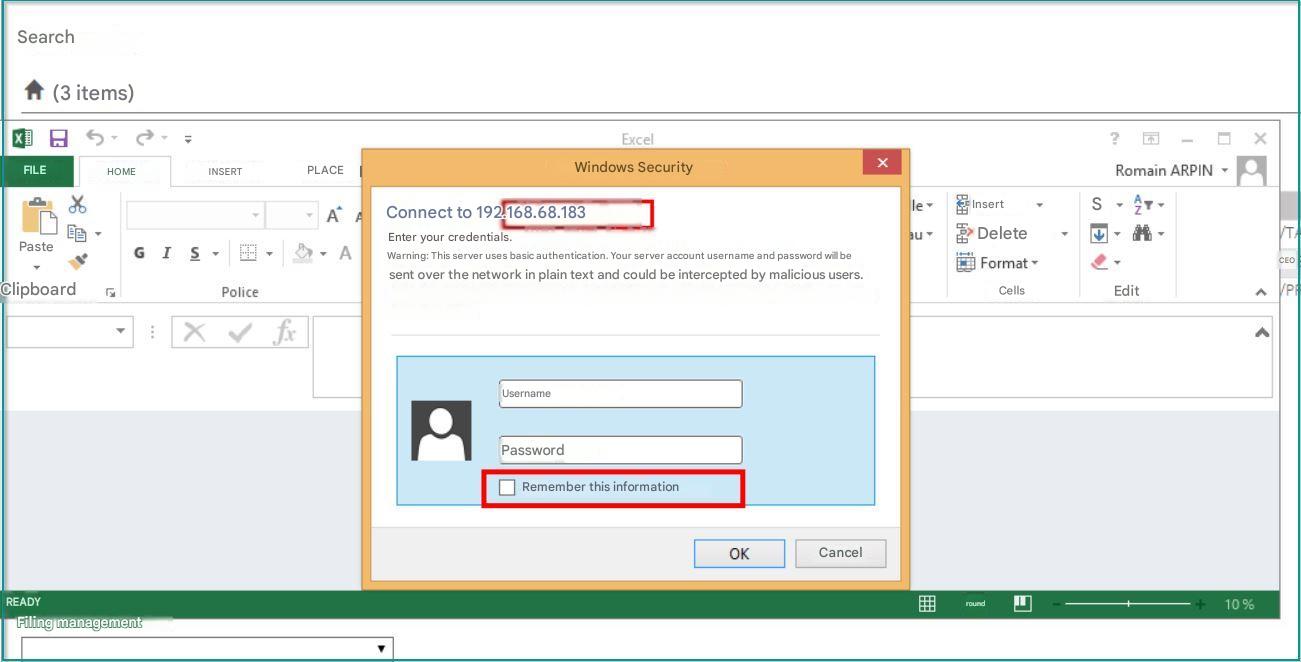
Microsoft Office launches and asks you to authenticate. Enter your Open Bee™ Portal credentials here
The document opens. By default, Microsoft Office does not allow the editing of documents stored on an Internet space such as Open Bee™ Portal, so you have to activate the modification manually:
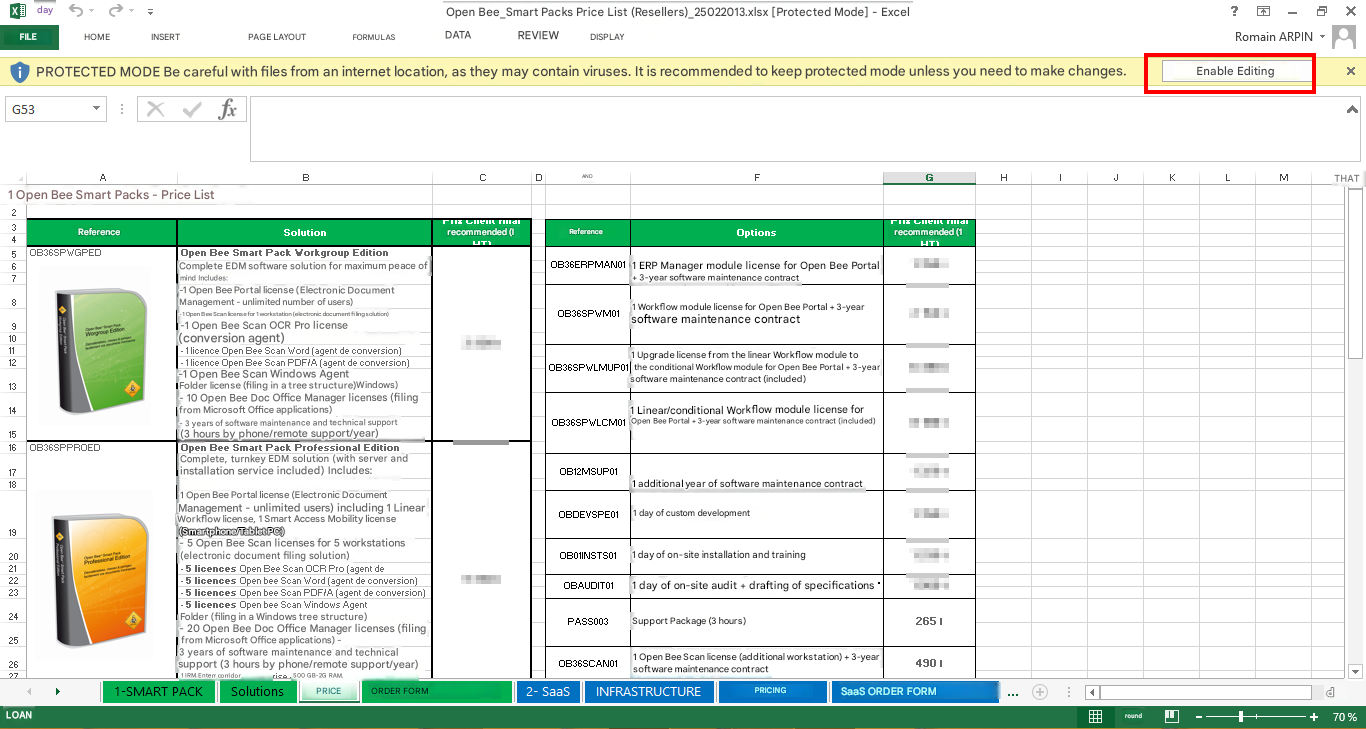
*
You can then edit your document. When you click “Save” in Microsoft Office, your changes will be automatically transferred to the Open Bee™ Portal where a new version of the document will be created. The tracking of this operation is visible in the status bar of Microsoft Office.
