The import of a ZIP file is done in the background.
This allows you to import documents and folders in ZIP format.
You can import into Open Bee Portal from a zipped folder that can contain a whole tree of subfolders and files, however a background task runs to import and create the contents of the zipped folder in the same tree.
- Click on “the little arrow”
- Click on “Advanced“
- Import from a ZIP
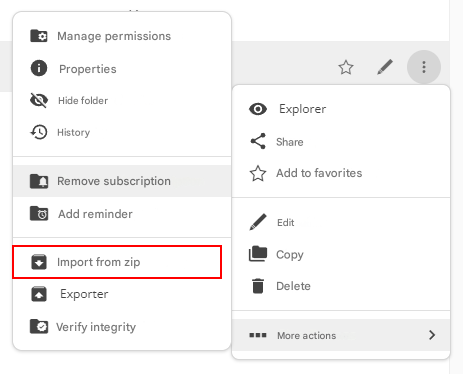
- Browse your file to be dropped
- Click on “Import“
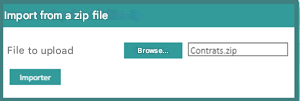
You’ll see a message to let you know that your transaction is being processed.

Once your operation is complete, a notification will appear informing you that the import has been completed successfully.

Go back to the “ Documents” tab to find your folder that was created with the same tree structure imported into the ZIP file.