Operation
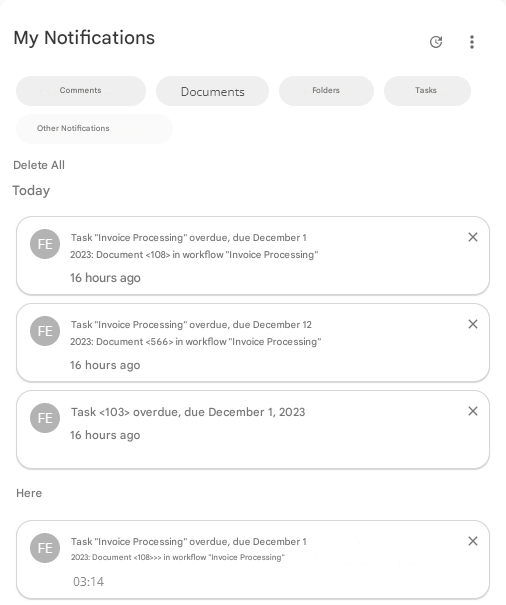
This widget allows you to view your notifications for the chosen notification categories.
Badges can be toggled on or off to show/hide notifications from the corresponding category.
The “Other Notifications” badge is disabled by default. Enabling it will display all notifications belonging to the categories not selected during configuration (see “Configuration” below).
A “Delete All” button will allow you to delete all of your notifications.
You can also delete each notification individually using the corresponding button  .
.
Configuration
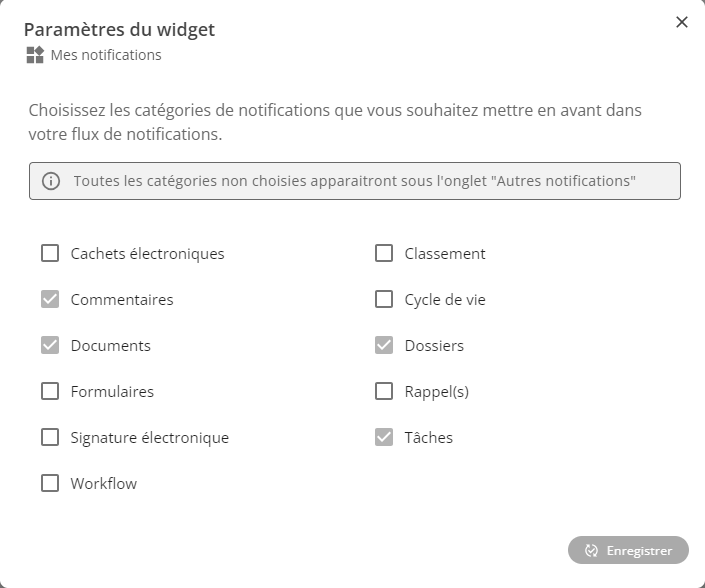
Configuring this widget requires you to choose the categories whose badge you want to appear for when using the widget.
Please note that any categories not selected during setup will appear under the “Other Notifications” badge.
Restrictions
This widget has no restrictions on its use.