Changing the Actor of a Task
The supervisor of a workflow can change the actors of the tasks in a workflow.
From the “Workflow Workflow List” interface, click on the “Replace Actor” button
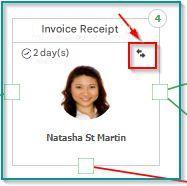
It is then possible to select any user or group as a new actor in the task.
Retroactivity of the change of actor
If there are documents waiting to be processed in the task, you will be prompted to see if these documents should be assigned to the new actor, or remain assigned to the previous actor.
Change of actor for pending documents
It is also possible to change the actor for pending documents, without changing the actor of the task.
With this feature, a supervisor can decide to delegate the processing of one or more documents to a particular user.
Refer to the Task Tracking section for this operation.